


Set Default Search Engine
- Click the menu
 at top-right
- Select the 'Settings' > Scroll down to 'Search engine'
OR
- Click the hamburger icon at top-left
- Select 'Search engine'
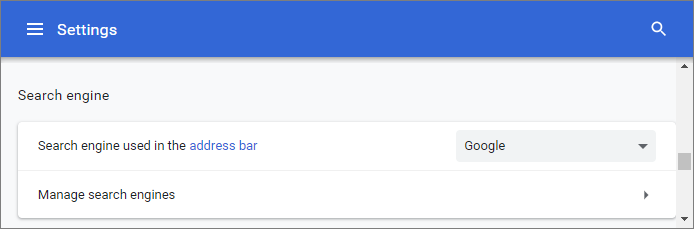
- Click the arrow to choose your default search engine:
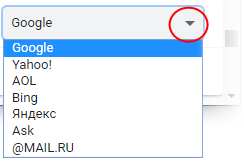
- Click
'Manage search engines' to add a search engine which is not
available in the drop-down
- See Manage Your Search Engines for more info.