


Close Tabs, Windows and Comodo Dragon
Close a tab or a window in multiple ways:
-
Click 'X' in the tab or use the keyboard shortcut CTRL+W to close a tab
-
Click 'X' in the corner of the window or use the keyboard shortcut Alt+F4 to close a window
-
Click the menu
 at the top-right corner
- Click 'Exit' in the menu to close all tabs and windows of Comodo Dragon.
Forcibly close an application or a web-page
-
Click the menu
button at the top-right corner
- Select 'More tools' > 'Task manager'
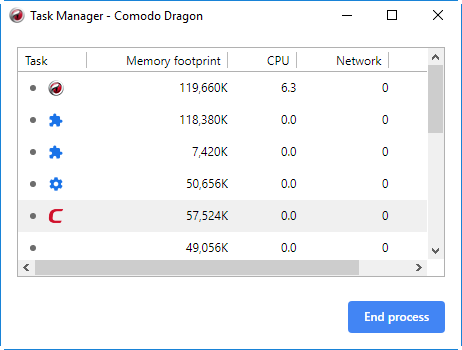
- Select the application or a webpage you want to close and click the 'End process' button.
The page of the affected tab will display a 'Aw, Snap!, Something went wrong while displaying this webpage' message.
The following sections explain about: