Creating Bookmarks
Comodo Dragon allows you to create bookmarks in multiple ways. If you had selected the option to display the bookmark bar in the browser window, it displays the bookmarked pages available in that folder.
To create a bookmark
Method 1
-
Click the
icon at the right side of the address bar.
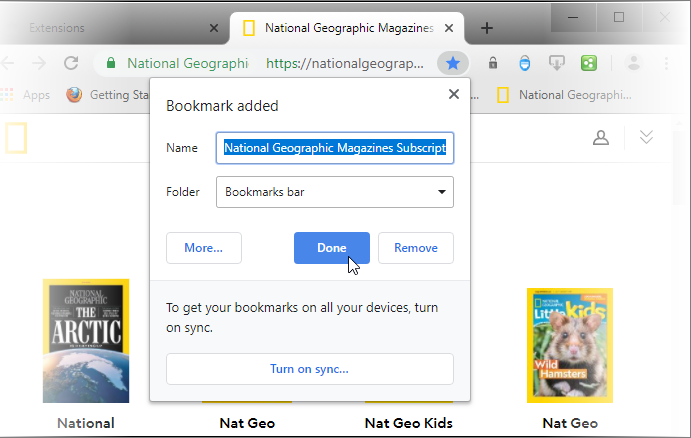
The web-page is automatically bookmarked in the recently used bookmarked folder.

In the bookmark dialog, you can edit the name or move it to another folder. Click the 'Remove' link if you do not want to bookmark the page. Click the 'Edit' button to open the 'Edit Bookmark' dialog. Here you can change the address and name of the web-page or create a new folder.

-
Click 'OK' when you have finished.
Method 2
-
You can import bookmarks from other browsers.
Method 3
-
Drag and drop a link in the web-page to the bookmarks bar that you are currently viewing to create a bookmark of the link.
Method 4
-
Just drag the icon next the webpage in the address bar to the bookmarks bar to create a bookmark of the page.
Method 5
-
Use the keyboard short cut CTRL+D to create a bookmark of the web-page that you are currently viewing.
Further reading related to the topic of this page: