


Manage Protocol Handlers
Some websites use different protocol handlers and web applications to open different types of links in a web page. For example, email links are prefixed with 'mailto:'. When a user clicks the link, the webpage, if it uses a web based application to handle emails, will ask permission to use the application to execute the link.
Comodo Dragon
allows you to configure the handlers.
- Click the menu button
 at top-right
- Select 'Settings'
- Scroll down and click 'Advanced'
- Click 'Content settings'
- Scroll down to 'Handlers'
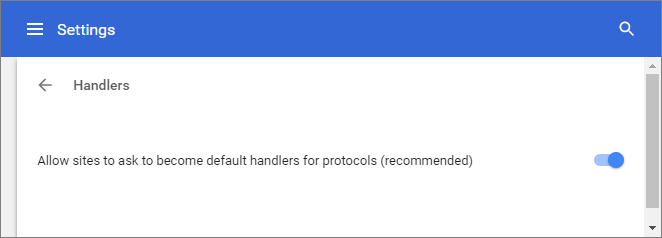
- Allow sites to ask to become default handlers for protocols - Dragon displays prompt for protocol handler requests.
- Do not allow any site to handle protocols - Disables prompts for protocol handler requests.