


Request a Managed AI
- Click 'AI' > 'AI Agent' > 'Request Managed AI' to open this interface.
A managed AI agent is one that is built for you. The 'Managed AI Requests' screen lists the requests you have raised and lets you raise a new one.
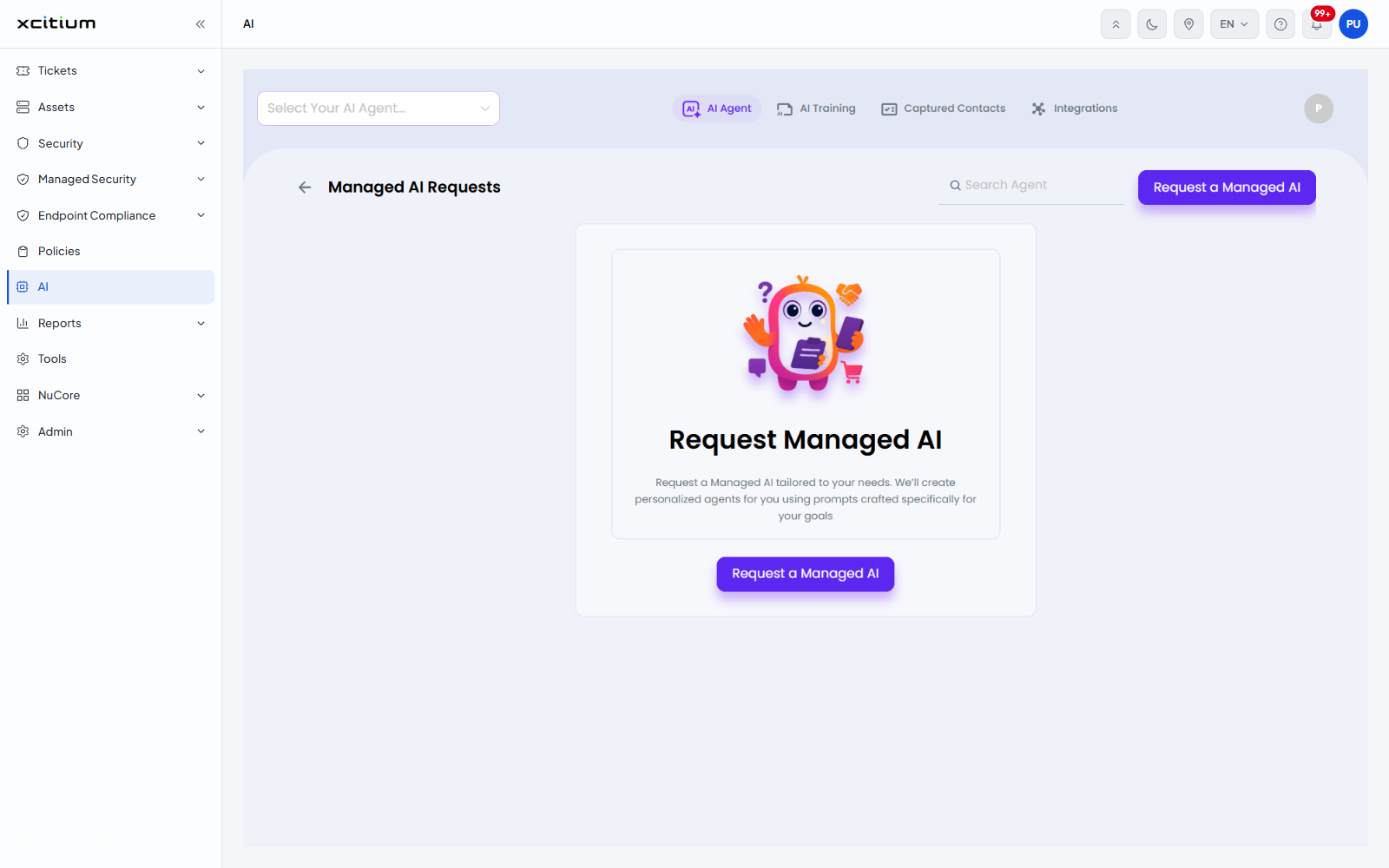
The 'Managed AI Requests' screen
| Control | Description |
| Back arrow | Returns to the agent list. |
| Search Agent | Narrows the list of requests by name. |
| Request a Managed AI | Starts a new request. The same button appears in the panel in the middle of the screen. |
When no request has been raised the screen shows the panel 'Request Managed AI' with the line 'Request a Managed AI tailored to your needs. We'll create personalized agents for you using prompts crafted specifically for your goals'.
The request screen
Clicking 'Request a Managed AI' opens a screen headed 'Request a Managed AI' with 'Cancel', 'Back' and 'Next' buttons. It is split into two panels.
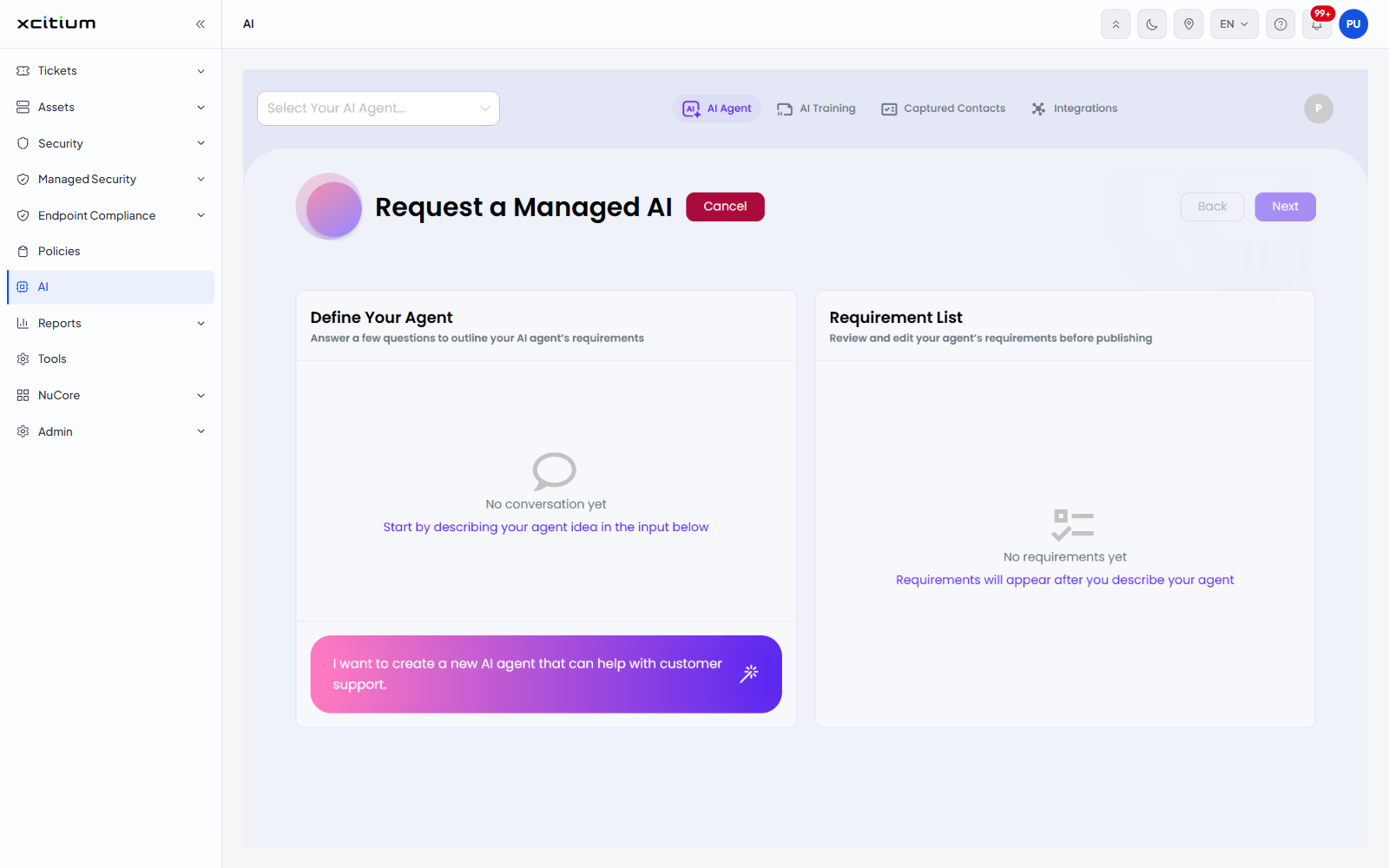
| Panel | Description |
| Define Your Agent | 'Answer a few questions to outline your AI agent's requirements'. A conversation panel. Before you start it shows 'No conversation yet - Start by describing your agent idea in the input below'. The input box at the foot of the panel carries the example 'I want to create a new AI agent that can help with customer support.' |
| Requirement List | 'Review and edit your agent's requirements before publishing'. Before you start it shows 'No requirements yet - Requirements will appear after you describe your agent'. |
Raise a request
- Click 'AI' > 'AI Agent' > 'Request Managed AI'.
- Click 'Request a Managed AI'.
- Describe the agent you want in the input box under 'Define Your Agent' and send it.
- Answer the questions that follow. The answers build the list under 'Requirement List'.
- Review the requirements, then click 'Next' to continue.
Click 'Cancel' to leave without raising the request.