


Manage a Domain
- Administrators can configure various settings for a selected domain: view quarantined mails, set email restrictions, add users as recipient whitelist or blacklist, add new users and view log reports for the domain.
- This section is divided into seven main subsections. Namely, Domain dashboard, Incoming, Outgoing, Email management, Audit log, Domain Rules and Account management. Click on the respective tabs to expand or close the subsection in the left.
Manage a domain
- Click the 'Domains' menu on the left
- Select the domain that you want to manage, then click the 'Manage Domain' button
- Alternatively, click on the domain name in the 'Domains' column
OR
- Right-click on the domain name in the 'Domains' column to open in a new tab or window
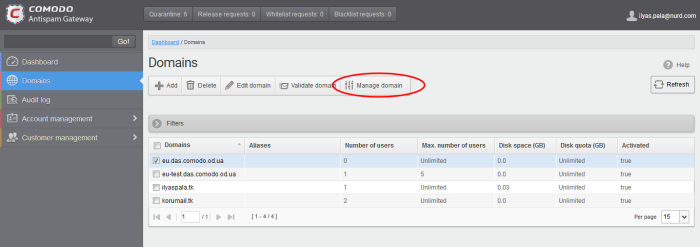
- The configuration tabs for the selected domain will open on the left.
- By default, the 'Domain dashboard' for the selected domain is displayed.
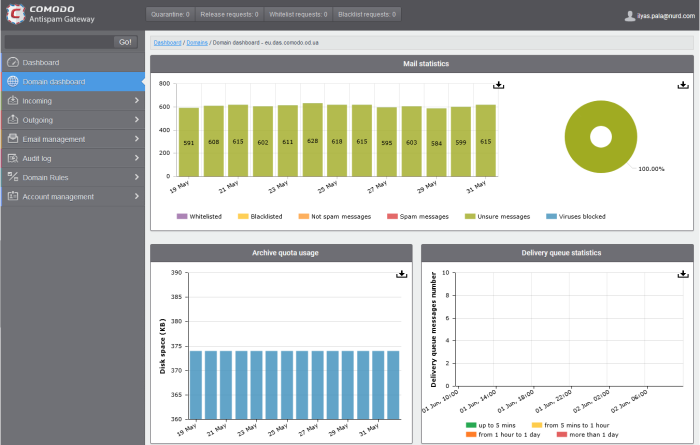
Click on the following links for more details on the subsections: