


Delivery Queue
CASG delivers incoming emails which pass its filters directly to the destination server(s). Whenever a destination is unavailable, all filtered mails are queued on the CASG servers for delivery at a later time.
- Emails that are permanently rejected by the destination server with a 5xx error code will not be queued and are rejected by the CASG system.
Queued messages are automatically retried for delivery for a period of time that is set in 'Maximum days to retry' in domain settings (for example, 4 days). The automatic retry schedule is given below:
- During the first two hours, queued messages are retried for delivery at a fixed interval of 15 minutes.
- During the next 14 hours, queued messages are retried for delivery at a variable time interval starting from 15 minutes and multiplied by 1.5 with each attempted delivery. For example, after the first 15 minutes, the subsequent attempts will be after 22.5 minutes, 34 minutes and so on.
- From 16 hours to 4 days after the delivery failure, queued messages are retried for delivery at a fixed interval of every 6 hours.
- After 4 days, all queued messages will be bounced to the respective senders. The messages will be frozen if the bounce cannot be delivered immediately and retried for delivery at a fixed time interval of 3 days for the first 21 days. At the end of this period, delivery of messages will have failed permanently.
The delivery queue area lets you view queued mails, configure queue alerts and analyze delivery diagnostics.
Manage the delivery queue
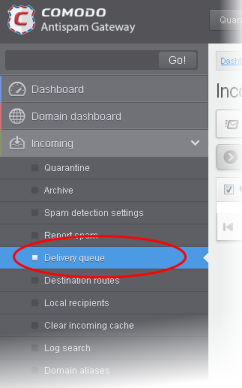
- Click
‘Incoming' > 'Delivery queue' in the left-hand menu:
The 'Incoming Delivery Queue' interface of the selected domain will open:
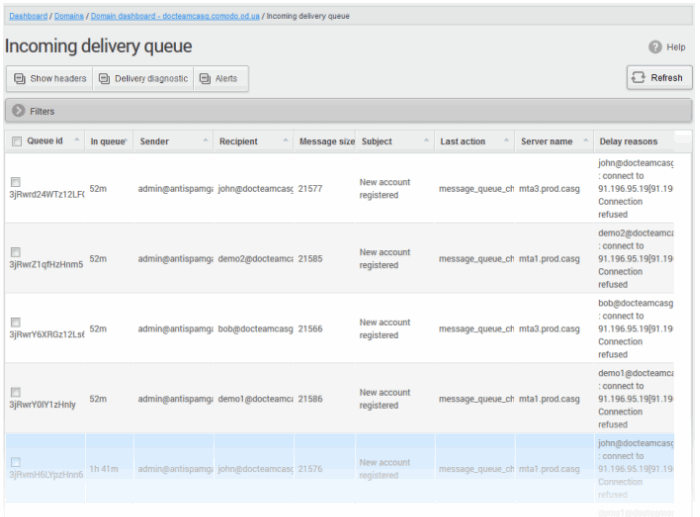
- Click any column heading to sort entries in ascending/descending order.
Use the filters option to search queued emails
- Click
anywhere on the 'Filters' stripe to open the filters area.
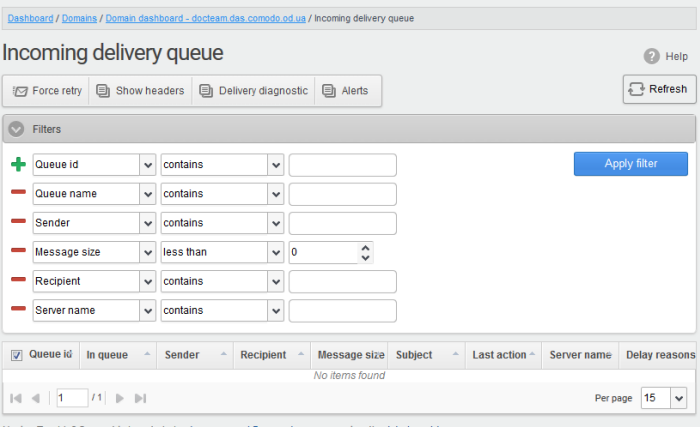
- Choose the filter by which you want to search from the first drop-down, then a condition in the 2nd text box. Some filters have a third box for you to type a search string.
- Click ‘Apply Filter’.
You can filter results by the following parameters:
- Queue ID: Type a queue ID in the text box (column 3) and select a condition in column 2.
- Queue name: Type a queue name in the text box (column 3) and select a condition in column 2.
- Sender: Enter the email address of the sender in the text box (column 3) and select a condition in column 2.
- Recipient: Enter the email address of the recipient in the text box (column 3) and select a condition in column 2.
- Message size: Select the email size in column 3 and select a condition in column 2.
- Subject: Enter the email subject in the text box (column 3) and select a condition in column 2.
- Last action: Enter the latest action in the text box (column 3) and select a condition in column 2.
- Server name: Enter the email server name or IP in the text box (column 3) and select a condition in column 2.
Click anywhere on the 'Filters' tab to close the filters area. Click the 'Refresh' button to remove filters.
You
can add multiple filters to the same search by clicking  .
.
-
Select an email from the delivery queue and click the 'Show headers' button.
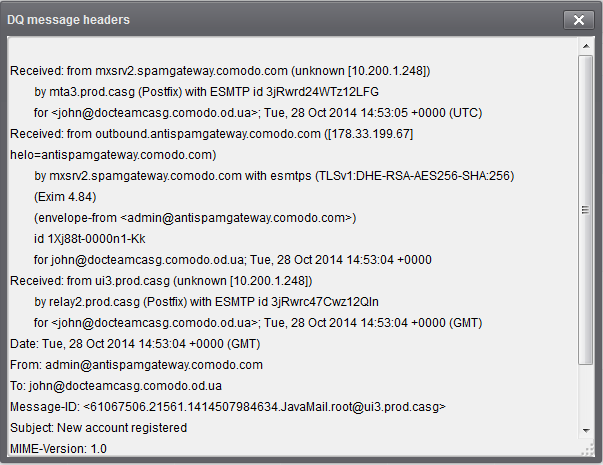
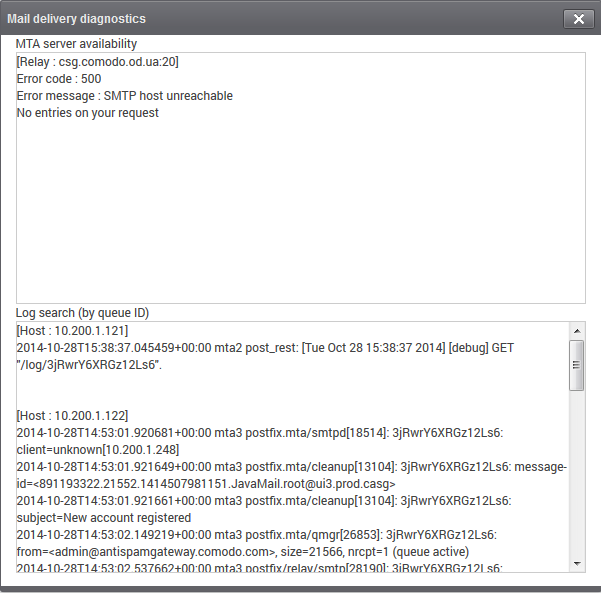
View Diagnostics
Delivery diagnostics allow mail server
admins to inspect the reasons why a mail did not send correctly. These
diagnostics are also useful when working with Comodo support on an
issue.
- Select an email from the delivery queue then click the ‘Delivery Diagnostic’ button:
Configure Delivery Queue Alerts
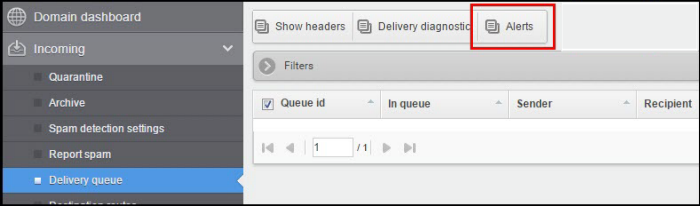
The
'Alerts' feature lets you configure notification emails to be sent if
there is a delivery delay. You will need to allow the alerting server
to send you these alerts, so please add
mxsrv10.antispamgateway.comodo.com [178.255.87.30] to your
firewall/transport rules if necessary.
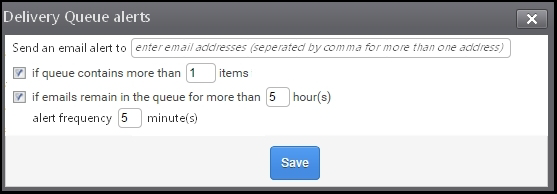
Send email alert to: Enter one or more email addresses as alert recipients.
You can specify 2 possible criteria that will trigger notifications:
- If queue contains more than 'n' items: CASG will send a notification mail if the number of queued mails reaches or exceeds the number specified in this field
- If
email remains in the queue for more than n hour(s): CASG
will send a notification mail when the oldest mail in the queue
exceeds the age you specify (max age = 72 hours).
If you select both criteria, you will receive separate notifications for each trigger. If you uncheck both boxes, notifications will be canceled.
Alert frequency determines how often you will receive delivery delay notifications. Possible values are between 5-360 minutes.