Comodo Help
Find the desired product help
Comodo Antivirus For Linux

Comodo Antivirus For Linux

Version 1.0

English

Print Help Download Help
More Options - Introduction > Manage My Configurations > Comodo Preset Configuration
  • Introduction To Comodo Antivirus For Linux
    • Special Features
    • System Requirements
    • Installation
    • Starting Comodo Antivirus
    • Comodo Antivirus - The Summary Screen
    • Comodo Antivirus - Navigation
    • Understanding Alerts
  • Antivirus Tasks - Introduction
    • Run A Scan
    • Update Virus Database
    • Quarantined Items
    • View Antivirus Events
    • Submit Files To Comodo For Analysis
    • Scheduled Scans
    • Scan Profiles
    • Scanner Settings
      • Real Time Scanning
      • Manual Scanning
      • Scheduled Scanning
      • Exclusions
  • Mail Gateway Tasks - Introduction
    • Host Setting
    • Certificates
    • Antispam
    • SMTP Configuration
      • SMTP Gateway
        • Configuring For Inbound Mail Filtering
        • Configuring For Outbound Mail Filtering
      • Inner SMTP Filter
      • Cmdtcpd
      • Qmail
      • Milter
    • View Mail Events
    • Scanner Settings
  • More Options - Introduction
    • Preferences
      • Language
      • Parental Control Settings
      • Themes
      • Log Settings
      • Connection Settings
      • Update Settings
    • Manage My Configurations
      • Comodo Preset Configuration
      • Importing/Exporting And Managing Personal Configurations
    • Diagnostics
    • Check For Updates
    • Browse Support Forums
    • Help
    • About
  • About Comodo

Comodo Preset Configuration


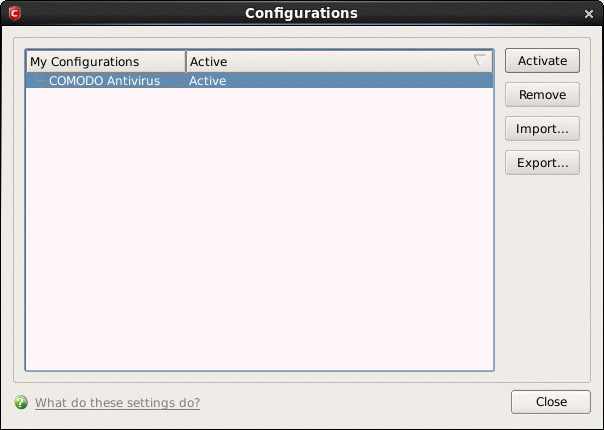
CAVL ships with a preset configuration, Comodo Antivirus, that strike a good balance between security and usability. The profile that is currently in use is the ‘Active’ profile.


Important Note: Any changes you make to settings over the course of time are recorded in (and will update) the ‘active’ profile. Exporting the active profile will, therefore, export your settings as they currently stand.


Before modification, the ‘Comodo Antivirus’ profile has the following default settings:


  • Logging - ON
  • Max. Log File Size - 20 MB
  • Do not scan files larger than - 20 MB
  • Real Time Scanning - Stateful
  • Automatically update virus database (Real Time Scanning) - ON
  • Automatically update virus database before scanning - ON
  • Enable Cloud Scanning (Manual Scanning) - ON


Terms and Conditions Privacy Policy

© Comodo Group, Inc. 2013. All rights reserved.