


Integrate your SentinelOne Account with MDR
You can integrate your SentinelOne account with MDR so any threats and behavioral anomalies are detected. Once integrated, our SOC team analyzes data logs from your SentinelOne account for malware activity and other anomalies.
You have to first generate an API token in the SentinelOne Management Console and then configure MDR to collect data.
Configuration Steps
- Sign in to the SentinelOne Management Console using Admin credentials.
- In the top-right corner, click on your Username.
- From the menu, select My User.
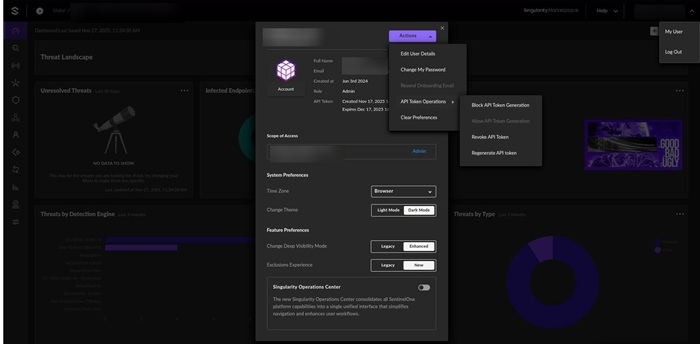
- Click Actions and choose API Token Operation from the dropdown.
- Click Regenerate API Token.
- Click Save to confirm the changes.
- Log into your Xcitium account and open MDR.
- Click 'Managed Security' in the top navigation, then select the 'Integrations' tab.
- Scroll down to 'Integrate your SentinelOne account' and fill in the following fields:
- SentinelOne Domain — Enter your unique SentinelOne subdomain
- API KEY — Enter the API token generated in Step 3
- Click 'Register Your Account'.
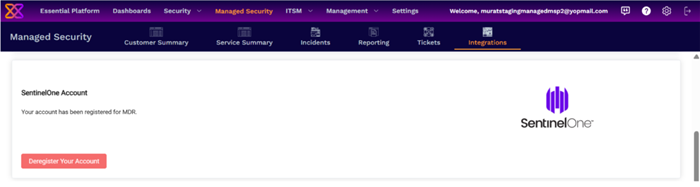
That's it, your SentinelOne account is integrated with MDR. Contact your Xcitium account manager for support if you have any trouble integrating your cloud account with MDR.