Comodo Help
Find the desired product help
NuWire

NuWire

Quick Start Guide

English

Print Help Download Help
NuWire - Quick Start Guide > Step 3 - Login To Your NuWire Account
  • NuWire - Quick Start Guide
    • Step 1 - Download And Install NuWire On Your Device
    • Step 2 - Sign Up For A Free Account
    • Step 3 - Login To Your NuWire Account
    • Step 4 - Configure NuWire Settings
    • Step 5 - Cast Your Screen
  • About Comodo Security Solutions

Step 3 - Login to your nuWire Account


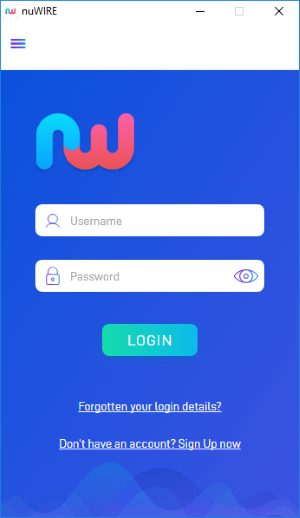
  • Open the nuWire app on your device

The screen shows nuWire devices that are on the same network as you.
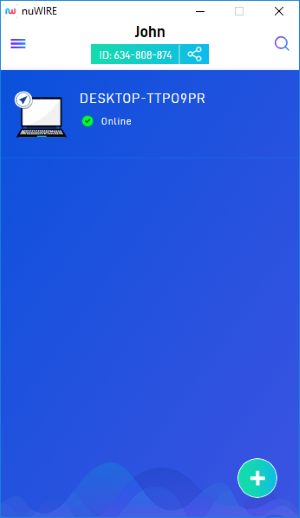


  • Click or touch the hamburger menu at top-left:
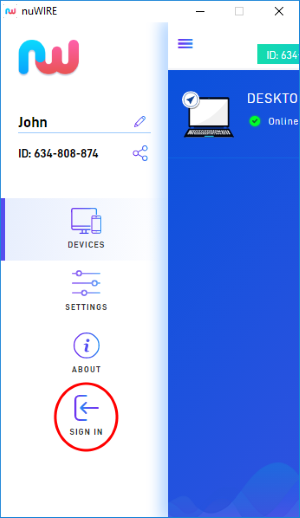


  • Hit 'Sign In'


  • Enter your credentials and hit 'Login'
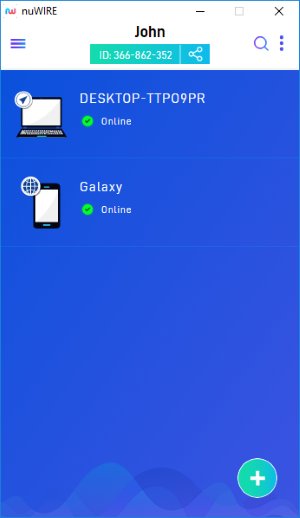
  • After signing in, you will see a list of all your other devices that are logged in to your nuWire account.

Our Products
  • Free Antivirus
  • Free Internet Security
  • Website Malware Removal
  • Free Anti-Malware
  • Anti-Spam (Free Trial)
  • Windows Antivirus
  • Antivirus for Windows 7
  • Antivirus for Windows 8
  • Antivirus for Windows 10
  • Antivirus for MAC
  • Antivirus for Linux
  • Free Endpoint Security
  • Free ModSecurity
  • Free RMM
  • Free Website Malware Scanner
  • Free Device Manager for Android
  • Free Demo
  • Network Security
  • Endpoint Protection
  • Antivirus for Android
  • Comodo Antivirus
  • Wordpress Security
Cheap CDN
  • Bootstrap CDN
  • Semantic UI CDN
  • Jquery CDN
  • CDN Plans
  • CDN
  • Free CDN
Enterprise
  • Patch Management Software
  • Patch Manager
  • Service Desk
  • Website Down
  • Endpoint Protection Solutions
  • Website Security Check
  • Remote Monitoring and Management
  • Website Security
  • Device Manager
  • ITSM
  • CRM
  • MSP
  • Android Device Manager
  • MDR Services
  • Managed IT Support Services
  • Free EDR
Free SSL Certificate
Support Partners Terms and Conditions Privacy Policy

© Comodo Group, Inc. 2025. All rights reserved.