


Language
- Click 'More' in the CAV home screen
- Click 'Preferences' in the 'More' interface
- Click 'Language' in 'Preferences' interface
- The 'Language' tab allows you to choose the interface language of Comodo Antivirus
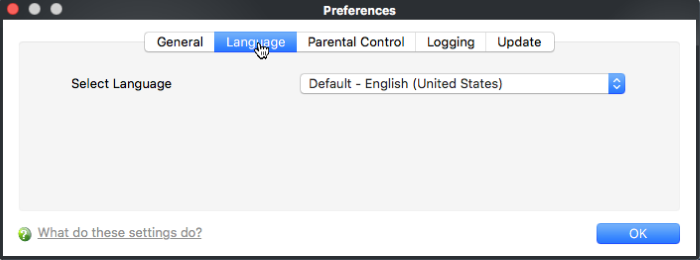
Comodo Antivirus is available in multiple languages. You can switch between installed languages by selecting from the 'Language' drop-down menu (Default = English (United States)).
In order for your language to take effect, you
must restart the application.