
Comodo Help
Find the desired product help
Managed AI

Managed AI

Managed AI - Admin Helpguide

English

Print Help
Introduction Of Managed AI > Add New AI Agent
  • Introduction Of Managed AI
    • AI Agent Dashboard
    • Shared AI Agents
    • Add New AI Agent
    • Managed AI Requests
  • Agent Management — Dashboard
    • Agent Management — Integrations
    • Agent Management — Playbooks
    • Agent Management — Ticket Management
    • Agent Management — Approvers
    • Agent Management — Channels
    • Agent Management — Repository
    • Agent Management — Try Agent
  • AI Training
    • AI Training Materials — Repository Detail
  • Captured Contacts
  • Integrations
  • Account Settings

Add New AI Agent


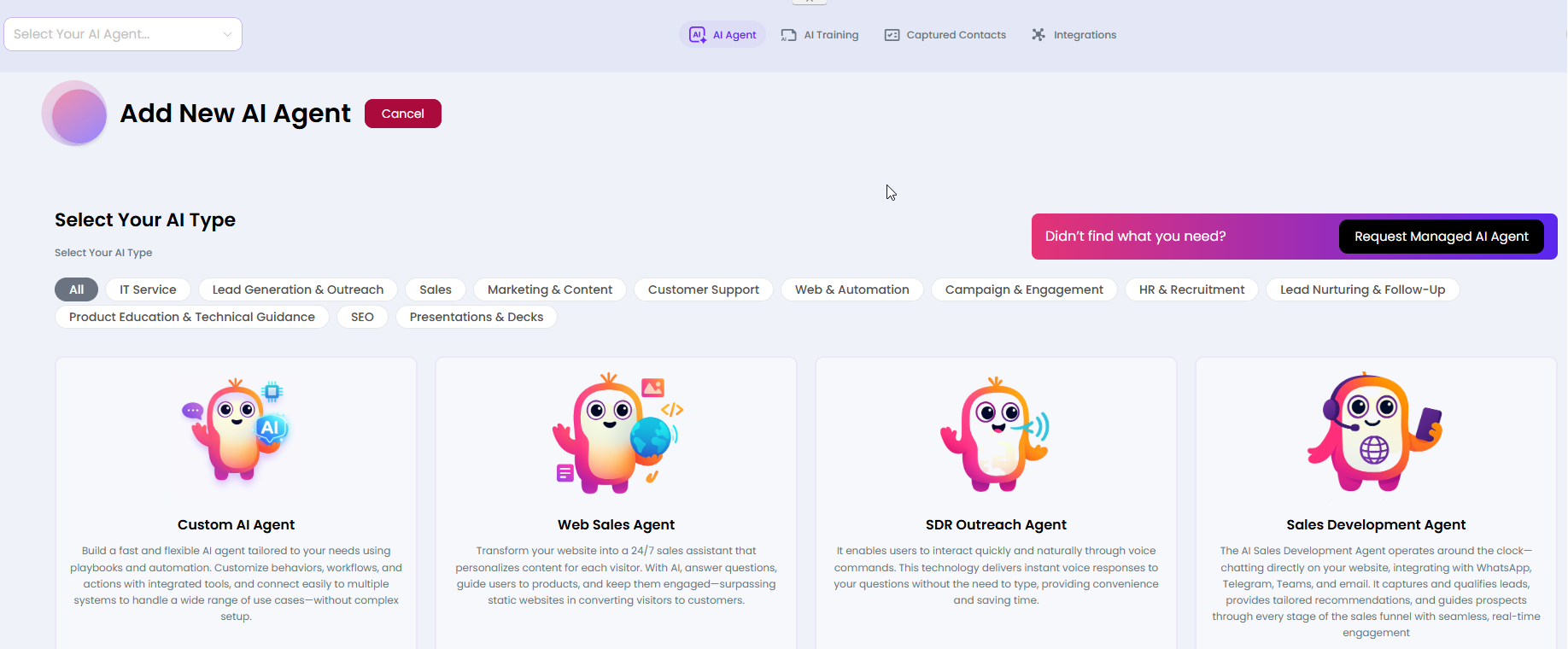
A type-selection gallery where you choose the AI persona template that best fits your use case. Each template is pre-configured for a specific business function.


What you can do here
  • Browse available agent templates using category filter tabs
  • Click Use this AI on any card to configure and launch that agent type
  • Click Chat with this AI to preview the agent before committing
  • Click Request Managed AI Agent if no template fits your need
  • Click Cancel to return to the dashboard without creating an agent

Available Agent Categories & Types

Category Filter  Agent Templates 
All  Shows all available agent types 
IT Service  IT Service Agent — helpdesk ticket automation 
Lead Generation & Outreach  SDR Outreach Agent, Sales Development Agent 
Sales  Web Sales Agent, Sales Inquiry Rep, Sales Engineer 
Marketing & Content  Content Marketing Specialist, Social Media Manager 
Customer Support  Custom AI Agent, GenWeb 
Web & Automation  Web Sales Agent 
SEO  SEO Page Finder 
HR & Recruitment  HR & Recruitment agents 


How to Create a New Agent
  • From the AI Agent Dashboard, click Add New AI Agent.
  • Browse the template gallery or use the category filter tabs to narrow results.
  • Click Use this AI on your chosen template.
  • Complete the agent configuration form (name, settings, repository assignment).
  • Save to create the agent — it will appear on your dashboard.

Our Products
  • Free Antivirus
  • Free Internet Security
  • Website Malware Removal
  • Free Anti-Malware
  • Anti-Spam (Free Trial)
  • Windows Antivirus
  • Antivirus for Windows 7
  • Antivirus for Windows 8
  • Antivirus for Windows 10
  • Antivirus for MAC
  • Antivirus for Linux
  • Free Endpoint Security
  • Free ModSecurity
  • Free RMM
  • Free Website Malware Scanner
  • Free Device Manager for Android
  • Free Demo
  • Network Security
  • Endpoint Protection
  • Antivirus for Android
  • Comodo Antivirus
  • Wordpress Security
Cheap CDN
  • Bootstrap CDN
  • Semantic UI CDN
  • Jquery CDN
  • CDN Plans
  • CDN
  • Free CDN
Enterprise
  • Patch Management Software
  • Patch Manager
  • Service Desk
  • Website Down
  • Endpoint Protection Solutions
  • Website Security Check
  • Remote Monitoring and Management
  • Website Security
  • Device Manager
  • ITSM
  • CRM
  • MSP
  • Android Device Manager
  • MDR Services
  • Managed IT Support Services
  • Free EDR
Free SSL Certificate
Support Partners Terms and Conditions Privacy Policy

© Comodo Group, Inc. 2026. All rights reserved.