


Cyber Awareness Training
The Awareness Training page shows the Awareness Training Status panel with the license's Start Date and End Date, and a card for the current training year (e.g. Training 2026) showing its status and a configuration checklist with three items:
- Select Course – the course selected (e.g. SAFE 2-Part Course)
- Add / Update Trainees – the number of trainees currently added
- Schedule Enrollment – the enrollment date set for the training
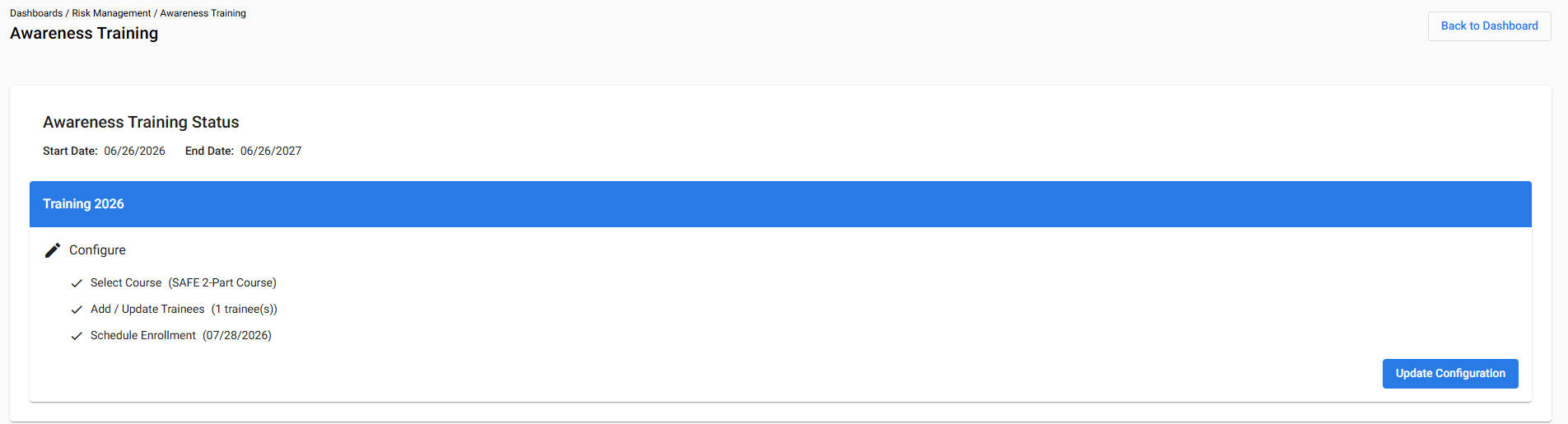
Clicking Update Configuration opens the step-by-step wizard described below.
Configuring a Training Course
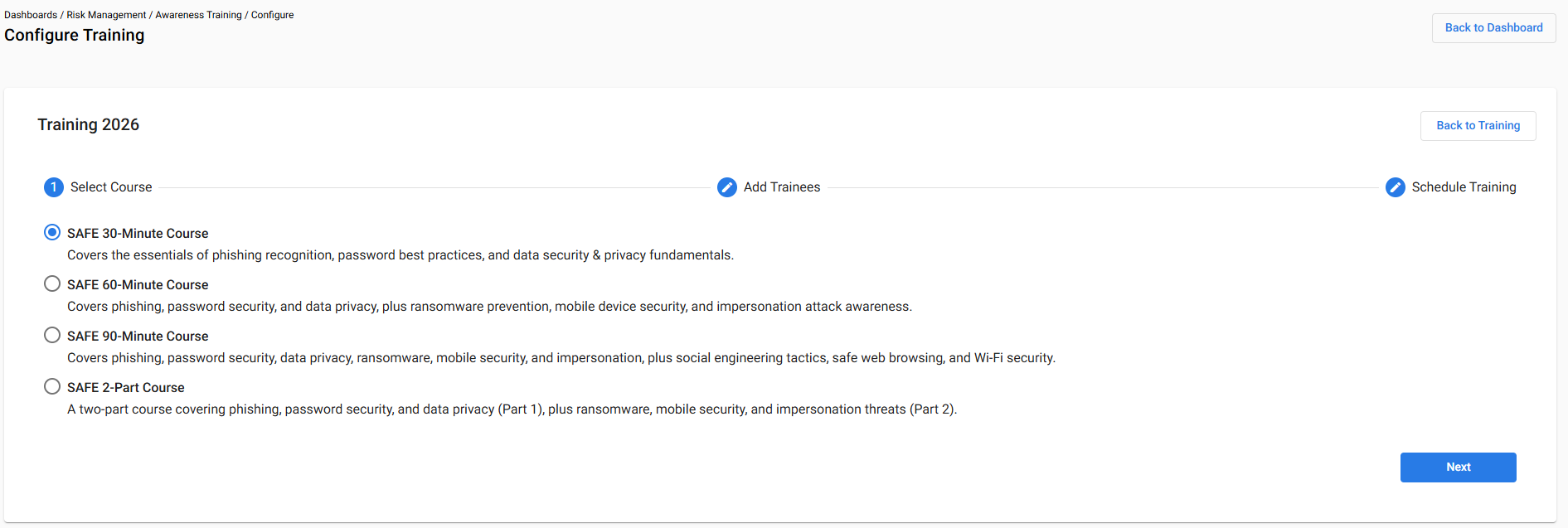
The Configure Training page walks through three steps in order, shown as a step indicator at the top of the page: Select Course, Add Trainees, and Schedule Training — very similar to the Phishing Simulation step indicator.
Step 1 – Select Course
This step offers four course options to choose from:
- SAFE 30-Minute Course – covers the essentials of phishing recognition, password best practices, and data security & privacy fundamentals.
- SAFE 60-Minute Course – covers phishing, password security, and data privacy, plus ransomware prevention, mobile device security, and impersonation attack awareness.
- SAFE 90-Minute Course – covers phishing, password security, data privacy, ransomware, mobile security, and impersonation, plus social engineering tactics, safe web browsing, and Wi-Fi security.
- SAFE 2-Part Course – a two-part course covering phishing, password security, and data privacy (Part 1), plus ransomware, mobile security, and impersonation threats (Part 2).
Step 2 – Add Trainees
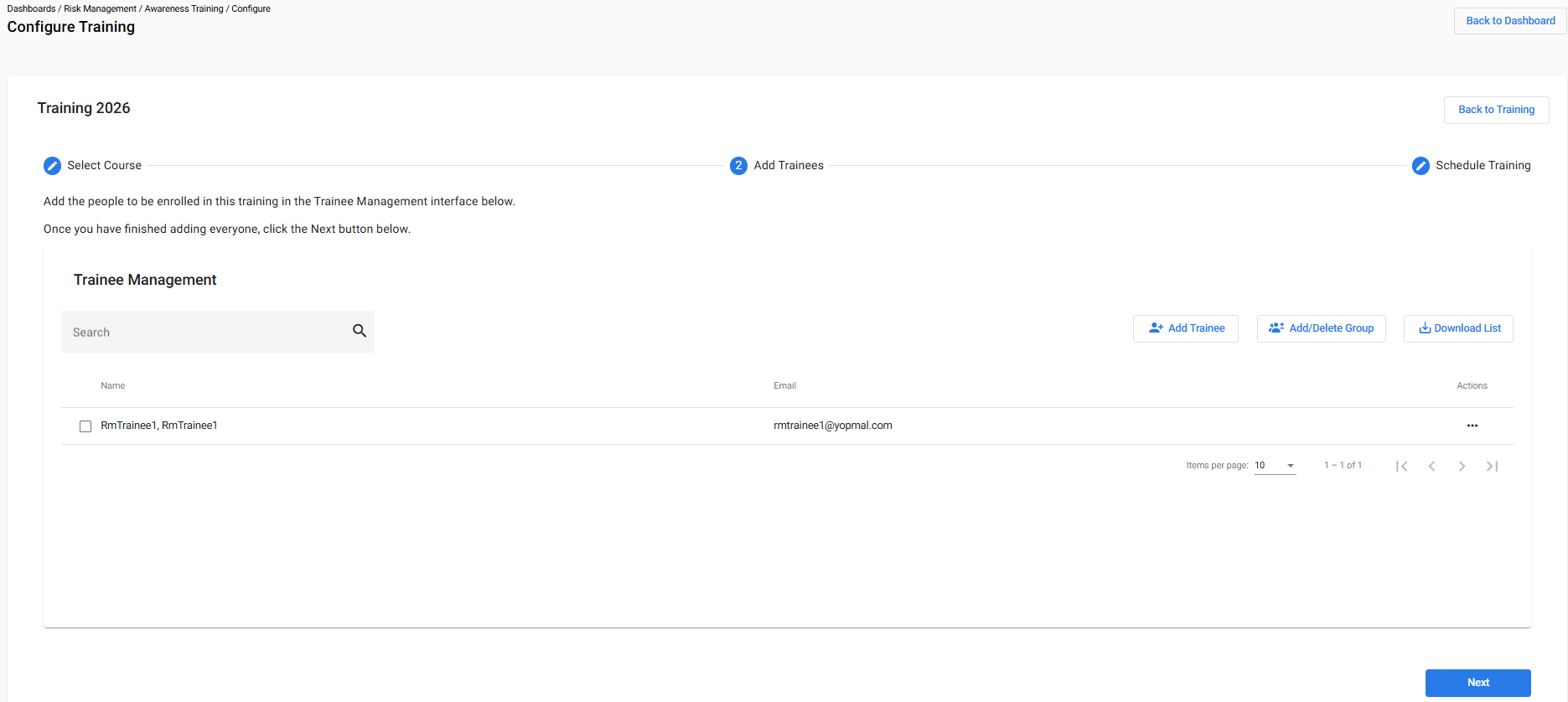
This step opens the same Trainee Management interface used for Phishing Simulation, used to add the people to be enrolled in the training. As with Phishing Simulation, trainees can be added individually via Add Trainee, in bulk via Add/Delete Group, or exported via Download List.
Step 3 – Schedule Training
This step sets the Enrollment Date — the date on which trainees are enrolled into the selected course and sent a welcome email containing their login credentials.
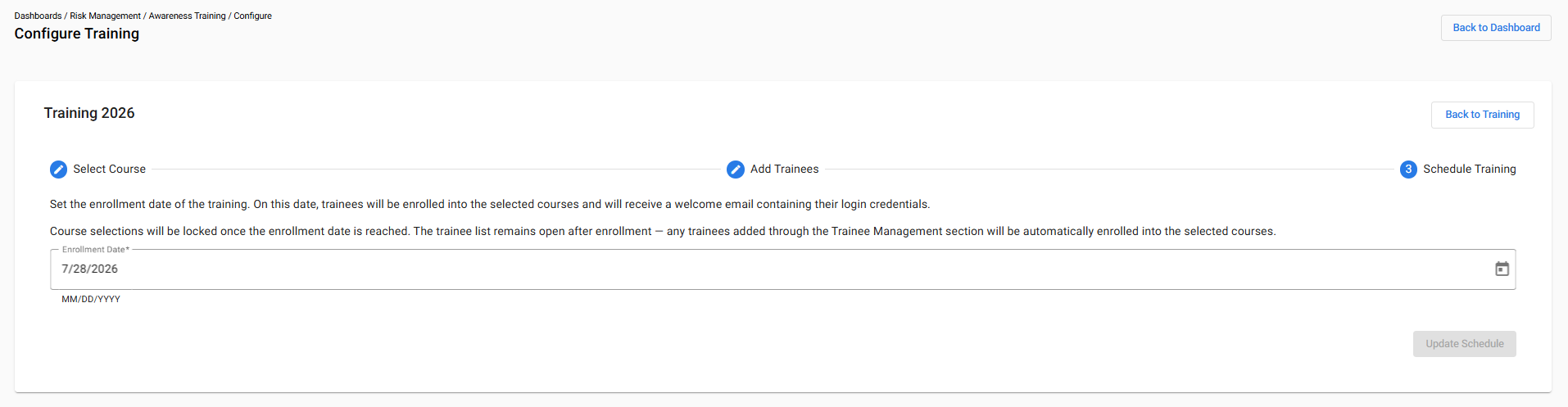
Note: Course selections are locked once the enrollment date is reached. The trainee list remains open after enrollment — any trainees added afterward through the Trainee Management section are automatically enrolled into the selected course(s).
Tracking Completion
The Awareness Training page includes a Total Activity Completion donut chart showing the percentage of trainees who have completed the course, and an Activity Status table listing each trainee by Name with their Course Completion status.
Trainee Management
The same Trainee Management interface used for Phishing Simulation appears here, with the same Add Trainee, Add/Delete Group, and Download List controls. Trainees can be added at any point during the training year; newly added trainees are enrolled automatically and receive their welcome email shortly after being added.
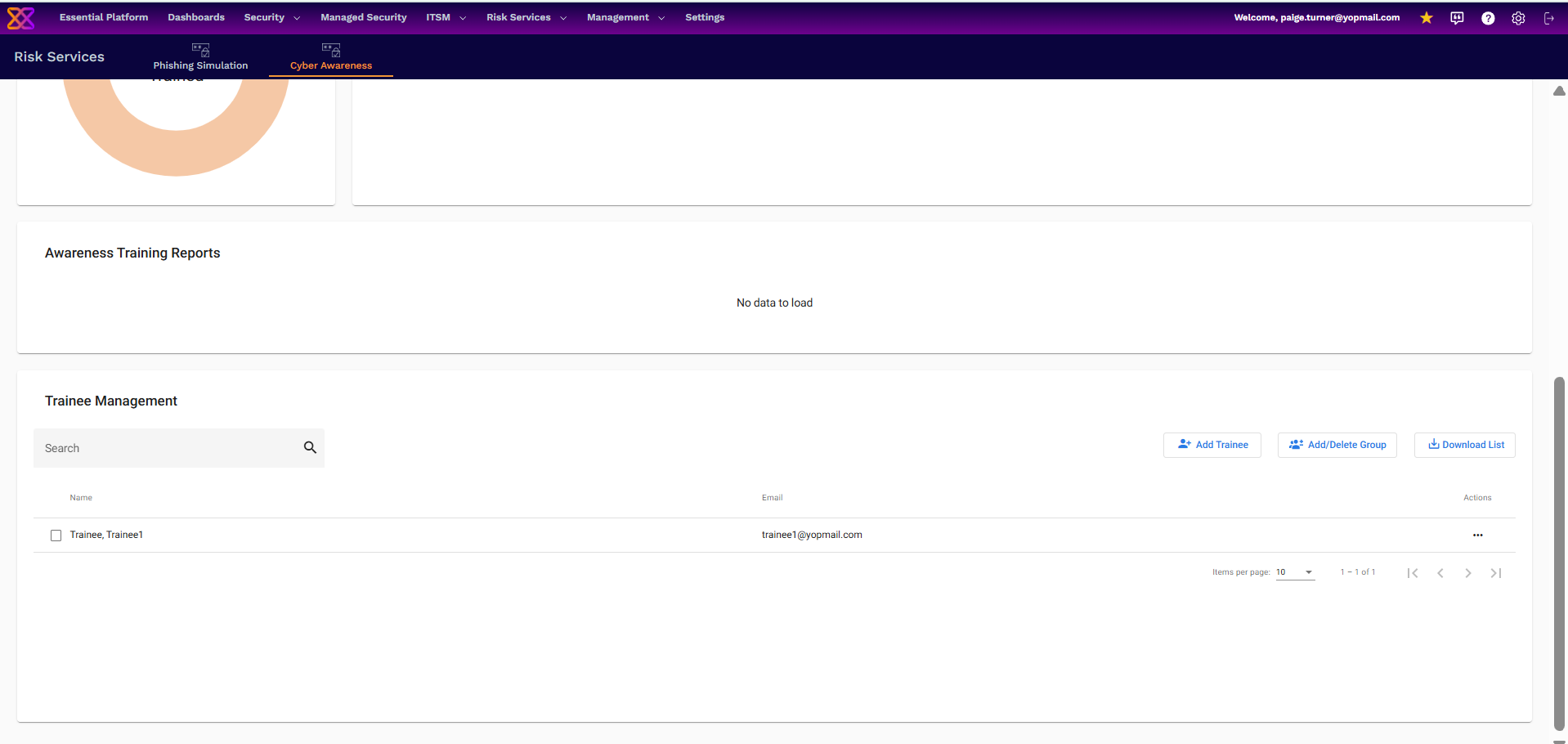
Awareness Training Reports
Awareness Training Reports appear on this page once generated. Reports are produced automatically at the start of each month, and an up-to-date snapshot report can also be generated on demand.