Re-opening Recently and Most Visited Websites in Comodo Dragon
If you accidentally closed a page without bookmarking and decide you need to see it again, then you can use the 'Most visited' feature. This will display a thumbnail list of your most recently visited pages so you can quickly re-open them.
To open recently and most visited websites in Comodo Dragon
-
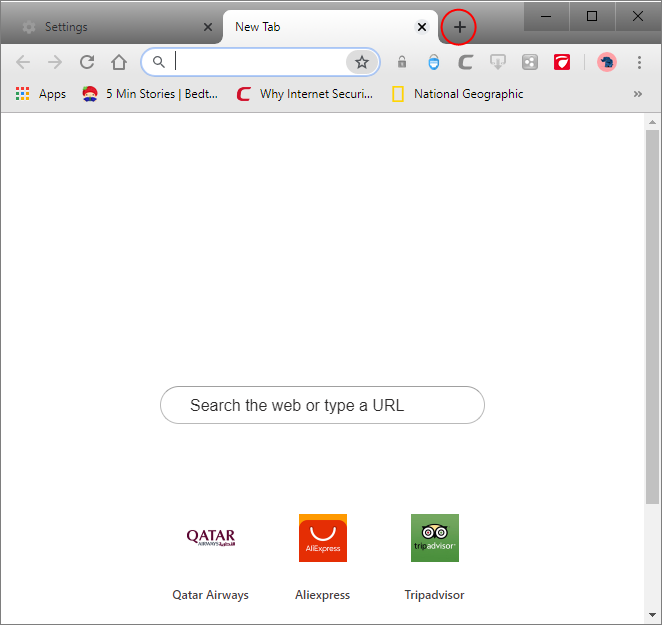
Click the new tab
icon, which is next to the last tab.

A new tab page will open and you can see thumbnails of most visitied sites or apps in the center, links of most visited websites and recently closed websites in the lower section of the page. If the browser displays thumbnails of apps in your computer, click the 'Most Visited' link in the bottom of the browser.

Comodo Dragon remembers your preference and opens 'Most visited' section or 'Apps' section when you open a new tab page.
-
Click on the 'Most visited' link if the browser displays apps to view the thumbnails of frequently visited websites.

- Click on the 'Recently closed' link to view the tabs, websites that were closed recently.

- Click on a link in the Recently Closed section to open the corresponding closed tab(s) or window.
Further reading related to the topic of this page: