


Add Home Button to the Toolbar
The 'Home' button on the toolbar lets you quickly go to your home page at any time.
Add a home button to the toolbar
- Click the menu
 at top-right corner
- Select 'Settings'> scroll down to the 'Appearance'
- Enable 'Show home button' option. This will add it to the browser toolbar
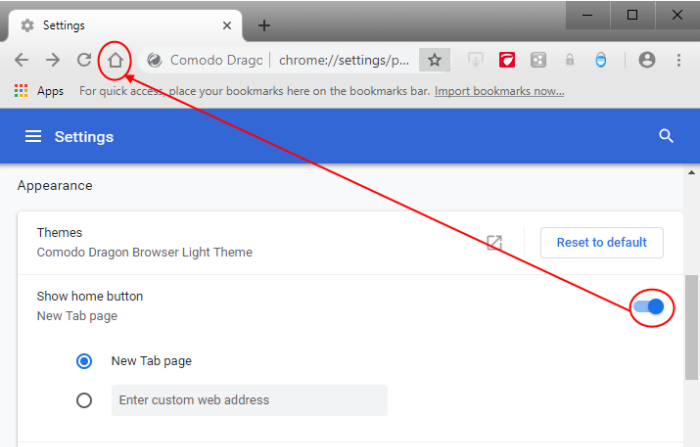
- Select 'Enter a custom web address'
- Enter the address of the page you want as your homepage. For example, www.comodo.com
- Click the menu at top-right corner
- Go to 'Settings' > 'Appearance' > 'Themes' to open the web store gallery
- Preview different themes and click 'Free'
- The theme is downloaded as a .crx file to your computer and applied immediately
- Click 'Undo' at the top of a page to return to the previous theme
- Click 'Reset to default theme' to remove a theme
Further reading related to the topic of this page: