


Open Preset Pages on Startup
- By default, Comodo Dragon opens at the 'New Page' tab on browser start-up. This is essentially a blank page with shortcuts to your most visited websites.
- You
can change this so it opens at a specific page instead, or simply
opens the last page you visited.
Open preset pages on startup
-
Click the menu
 button at top-right
-
Select 'Settings' from the menu
OR
- Click the hamburger icon at top-left > Click 'Advanced'
- Select 'On startup' section
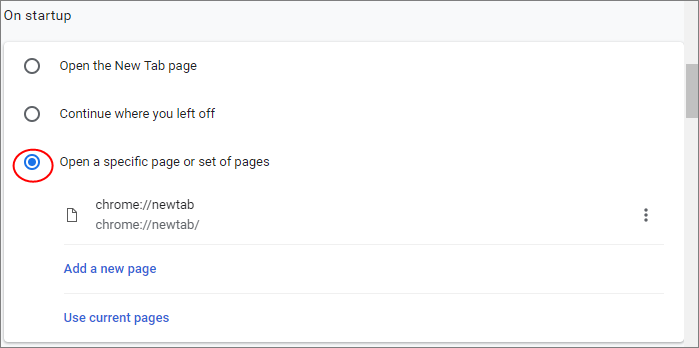
- Click the ellipsis button then 'Edit' if you want to change your home page.
- Click 'Add a new page' to specify another page that will also open on startup.
- All pages you add here will open in different tabs on startup.
Further reading related to the topic of this page: