


Apply Themes
You can add themes to Dragon from the Chrome web store.
- Click the
 menu button at top-right
- Click 'Settings' > scroll to the 'Appearance' section
- Click 'Themes' to open the Chrome Web Store.
- Click ‘Themes’ in the store to view and download themes
- You can browse categories by artist or by Google
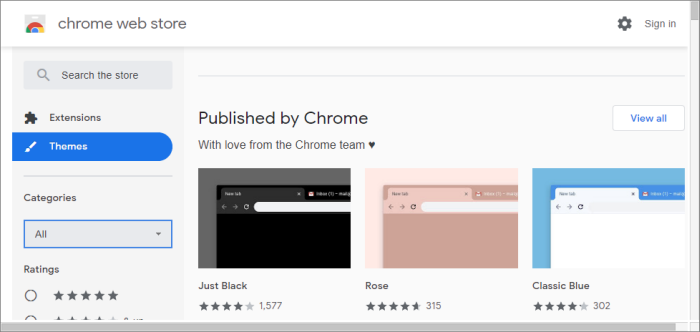
- Click a theme you like
- Click 'Add to Chrome'
- Your new theme is automatically applied
Reset the theme
- Click the menu button at top-right
- Select
'Settings' > Scroll
to the 'Appearance'
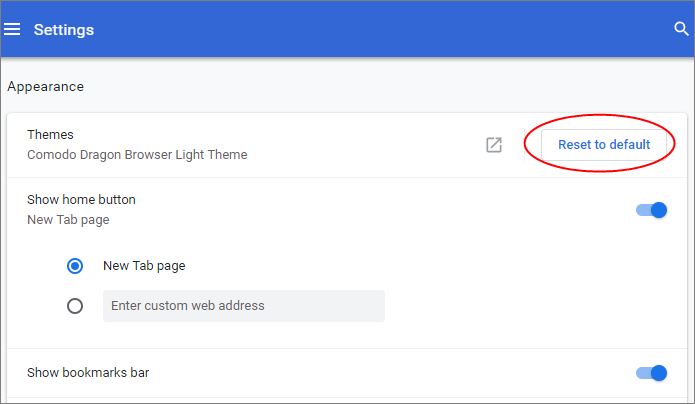
- Click
'Reset to default theme' in the 'Themes'