


Configure Dragon Updates
You can have Comodo Dragon automatically install updates or you can install them manually.
- Click the menu button
 at the top-right corner
- Select 'Settings' > 'About Comodo Dragon'
- Switch automatic updates on or off as required:
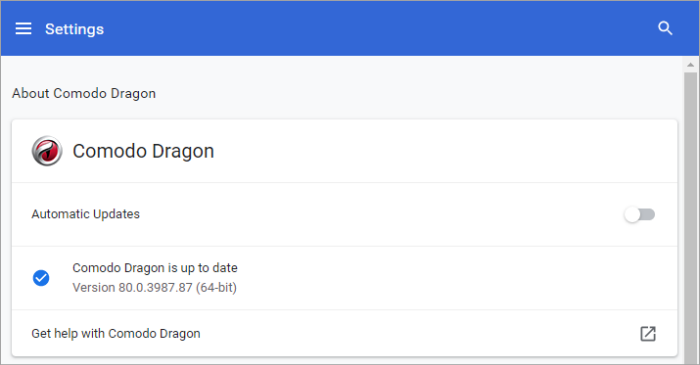
- The ‘About’ page will tell you if Dragon is up-to-date or if updates are available. The menu bar changes color to indicate how long the update has been available:
- Green: Update has been available for 2 days
- Orange: Update has been available for 4 days
- Red: Update has been available for 7 days
- Click ‘Update Dragon’ to install the update
- You will also be alerted if automatic updates are disabled:
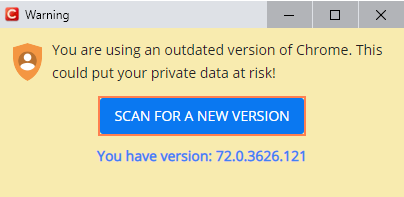
- Click
‘Scan For New Version’ to install the update.