
Comodo Help
Find the desired product help
Comodo Antivirus For Linux

Comodo Antivirus For Linux

Version 1.0

English

Print Help Download Help
More Options - Introduction > Preferences > Themes
  • Introduction To Comodo Antivirus For Linux
    • Special Features
    • System Requirements
    • Installation
    • Starting Comodo Antivirus
    • Comodo Antivirus - The Summary Screen
    • Comodo Antivirus - Navigation
    • Understanding Alerts
  • Antivirus Tasks - Introduction
    • Run A Scan
    • Update Virus Database
    • Quarantined Items
    • View Antivirus Events
    • Submit Files To Comodo For Analysis
    • Scheduled Scans
    • Scan Profiles
    • Scanner Settings
      • Real Time Scanning
      • Manual Scanning
      • Scheduled Scanning
      • Exclusions
  • Mail Gateway Tasks - Introduction
    • Host Setting
    • Certificates
    • Antispam
    • SMTP Configuration
      • SMTP Gateway
        • Configuring For Inbound Mail Filtering
        • Configuring For Outbound Mail Filtering
      • Inner SMTP Filter
      • Cmdtcpd
      • Qmail
      • Milter
    • View Mail Events
    • Scanner Settings
  • More Options - Introduction
    • Preferences
      • Language
      • Parental Control Settings
      • Themes
      • Log Settings
      • Connection Settings
      • Update Settings
    • Manage My Configurations
      • Comodo Preset Configuration
      • Importing/Exporting And Managing Personal Configurations
    • Diagnostics
    • Check For Updates
    • Browse Support Forums
    • Help
    • About
  • About Comodo

Themes


The Themes tab allows you to customize the look and feel of CAVL according to your preferences. Use the drop-down menu to switch between installed themes.
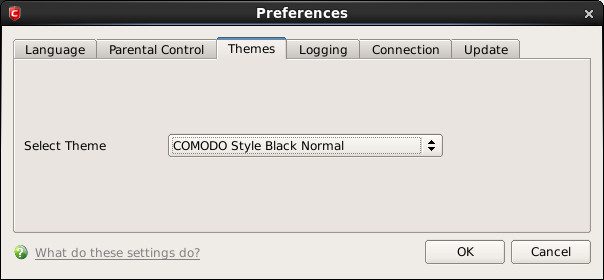


In order for your theme choices to take effect, you must restart the CAVL application.

Terms and Conditions Privacy Policy

© Comodo Group, Inc. 2013. All rights reserved.