


Introduction to Comodo Cleaning Essentials
Comodo Cleaning Essentials (CCE) is a set of computer security tools designed to help users identify and remove malware and unsafe processes from infected computers.
Major features include:
- KillSwitch - an advanced system monitoring tool that allows users to identify, monitor and stop any unsafe processes that are running on their system.
- Malware scanner - Fully customizable scanner capable of revealing and eliminating viruses, rootkits, hidden files and malicious registry keys hidden deep in your computer.
- Autorun Analyzer - An advanced utility to view and handle services and programs that were loaded when your system booted-up.
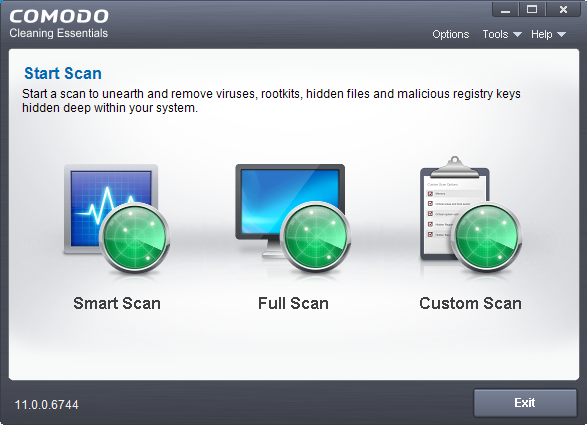
When started in aggressive mode, CCE forcibly terminates all existing processes running under explorer, and explorer itself for fast and efficient scanning.
Guide Structure
This guide is intended to take you through the step-by-step process of organization, configuration and use of Comodo Cleaning Essentials application.
Section 1, Introduction to Comodo Cleaning Essentials, is a high level overview of the solution and serves as an introduction to the main themes and concepts that are discussed in more detail later in the guide.
- System Requirements - Minimum required hardware and software for the application
- Download Comodo Cleaning Essentials - How to get CCE
- Start Comodo Cleaning Essentials - How to run the application
- The Main Interface - Description of menus and options in the main interface
- Smart Scan - Explains how to run a scan on critical areas of your system
- Full Scan - Explains how to run a full scan of your system
- Custom Scan - Explains how to scan on selected items
- Comparison of Scan Types – Provides details on scanners used and the scan sequences followed for different types of scans in CCE
Section 4, The Tools Menu – Explains how to use the tools in CCE.
- Manage Quarantined Items - How to manage and restore quarantined files
- Manage Trusted Vendors – How to add or remove vendors to/from the Trusted Vendor List
- Import Antivirus Database – How to import virus database from local storage or from network computer
- Check for Software Updates - How to manually check for program updates
- Starting KillSwitch - How to start the KillSwitch tool
- The Main Interface - Description of menus and options in the main interface
- View and Handle Processes, Applications and Services - explains how to view the list of currently running processes, applications and services and handle them
- View and Handle Network Connections and Usage - explains how to view the details of currently active network connection and handle it
- Configure KillSwitch - Explains how to configure the overall behavior of KillSwitch
- KillSwitch Tools – Explains how to use the tools in KillSwitch
- Manage Currently Logged-in Users - Explains management of users through KillSwitch
- Help and About Details- How to open the online help guide and find the version number and other miscellaneous details about the application
- Start Autorun Analyzer - How to start the Autorun Analyzer tool
- The Main Interface - Description of menus and options in the main interface
- View and Handle Autorun Items - Explains how to view the details of services and programs that were loaded when your system booted-up
- Help and About – Explains how to view the online help and the About dialog of Autorun Analyzer
Section 8, Use the Command Line Interface – Explanation on how to run various tasks of CCE application from Windows command line interface.
- Running a Smart Scan from the Command Line Interface – How to run a Smart Scan
- Run a Custom Scan from the Command Line Interface – How to run a Custom Scan
- Run a Virus Database Update Task from the Command Line Interface – How to update local virus database
- View Help – How to view online help guide of CCE application