View Problems
In summary, these are the vulnerabilities and issues identified by the CTEM scan agent(s). To enhance the understanding and communication of the types of vulnerabilities detected, problems are automatically organized into Problem Category groups. If you prefer to see everything, we have the All Vulnerabilities view as one of the problem groups.
- Security < Continuous Threat Exposure Management < 'Problems'
Access the Problems from the Security - CTEM category.
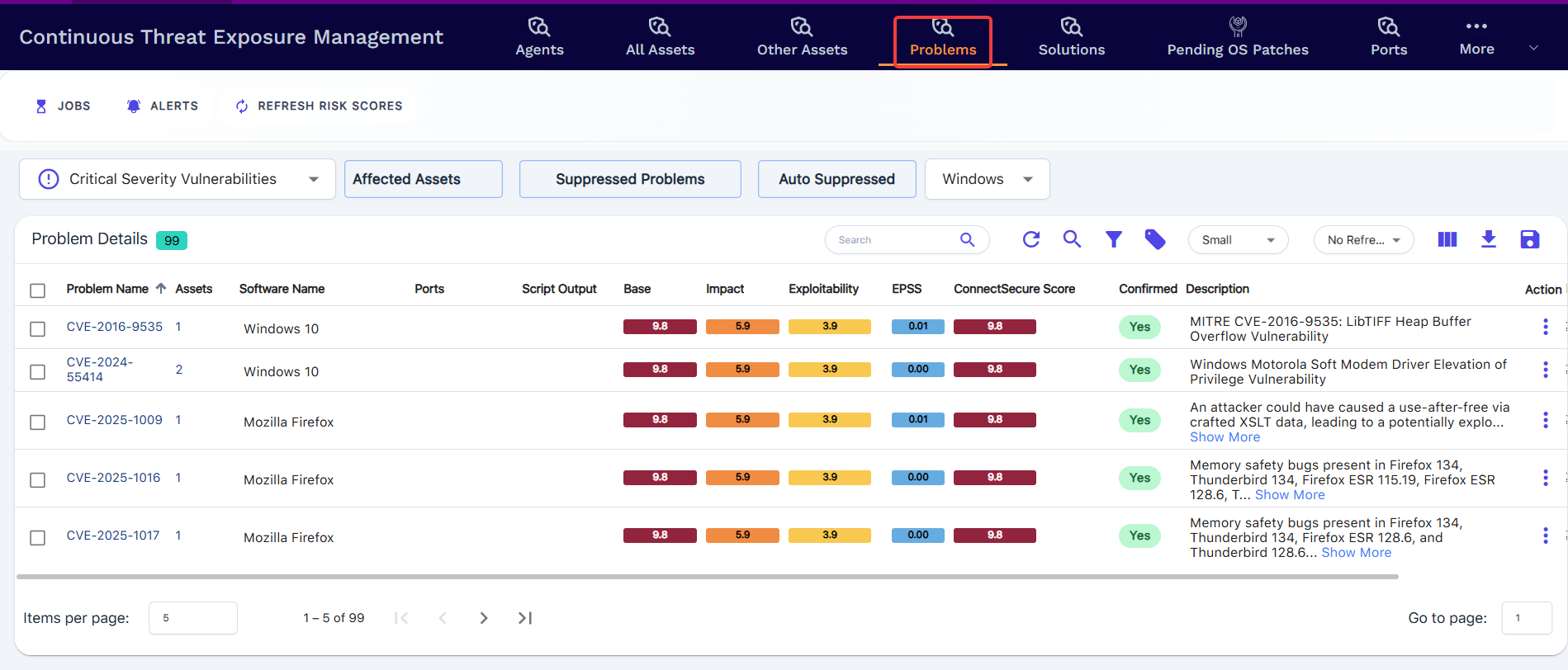
Problems are the automatic groups discovered vulnerabilities will go into instead of just the traditional lists that include the CVE and severity. We are trying to make it easier to identify the type of vulnerabilities and group them for easier reporting and remediation.
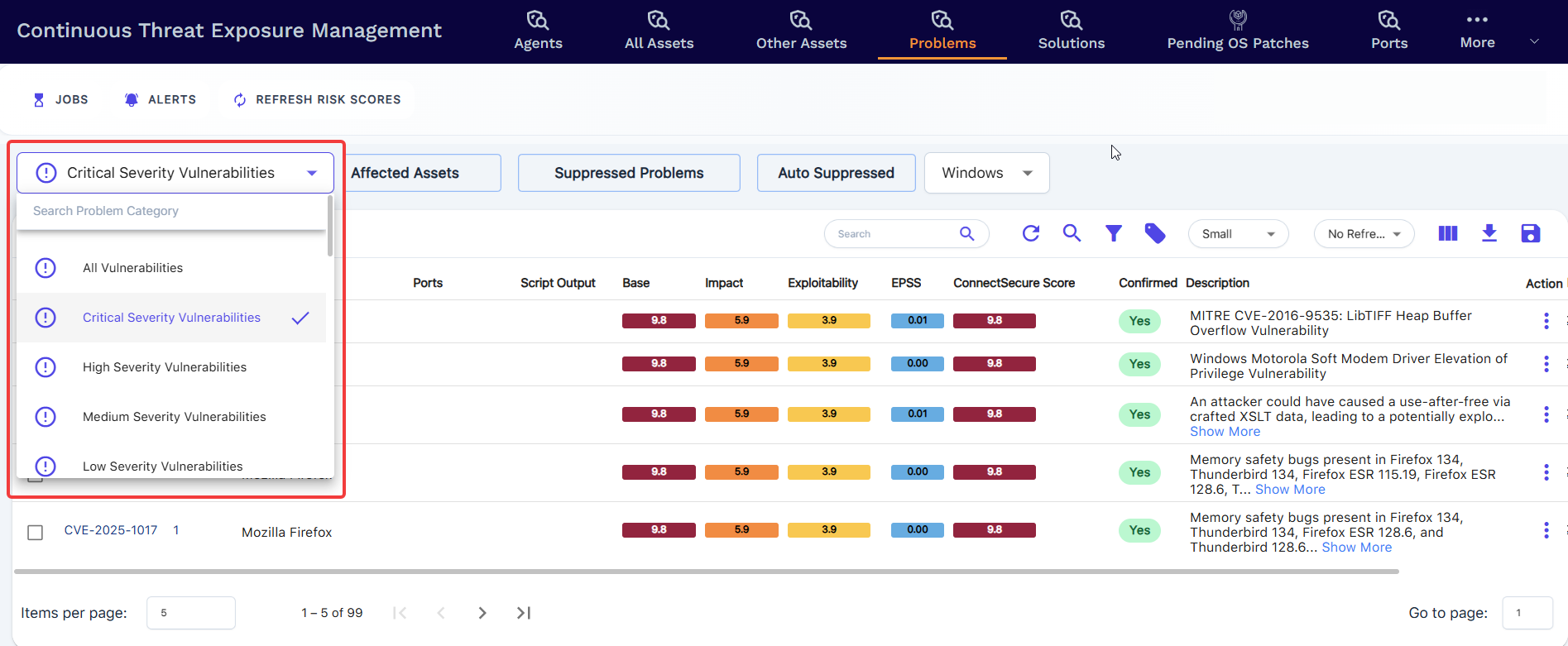
Problem Category Glossary of Terms
The system automatically classifies discovered vulnerabilities into the specific Problem Category Names in the table below.
| Problem Category | Description |
| All Vulnerabilities | Displays every detected vulnerability across all severities and categories |
| Critical Severity Vulnerabilities | Displays critical-severity vulnerabilities only |
| High Severity Vulnerabilities | Displays high-severity vulnerabilities only |
| Medium Severity Vulnerabilities | Displays medium-severity vulnerabilities only |
| Low Severity Vulnerabilities | Displays low-severity vulnerabilities only |
| SMB Vulnerabilities | Displays the SMB protocol-related vulnerabilities |
| SSL/TLS Vulnerabilities | Displays the SSL?TLS cipher/certificate-based vulnerabilities |
| SSL Certificate Info | Displays informational findings about SSL/TLS certificates (issuer, expiry, subject, chain, key strength) |
| Running Services | Displays network services detected as running on the asset (port, protocol, service banner) |
| Web Server Fingerprint | Displays identified web server software, version, and technology stack details |
| Information Disclosure | Displays vulnerabilities where the asset is leaking sensitive data such as version banners, internal paths, configuration, or directory listings |
| Remote Login Vulnerabilities | Displays the remote login-based vulnerabilities |
| CISA Notified Vulnerabilities | Displays the vulnerabilities where the EPSS score is greater than or equal to 95% |
| EPSS >= 0.95 | Displays the vulnerabilities where the EPSS score is greater than or equal to 95%, indicating very high real-world exploitation probability |
| 0.95 > EPSS >= 0.90 | Displays the vulnerabilities where the EPSS score is between 90% and 95%. |
| 0.90 > EPSS >= 0.85 | Displays the vulnerabilities where the EPSS score is between 85% and 90%. |
| Database Vulnerabilities | Displays vulnerabilities affecting database services (e.g. MSSQL, MySQL, PostgreSQL, Oracle, MongoDB) |
| Mail Vulnerabilities | Displays vulnerabilities affecting mail services and protocols (SMTP, IMAP, POP3, Exchange) |
| Remote Access Vulnerabilities | Displays vulnerabilities in remote access services such as RDP, VNC, TeamViewer, AnyDesk, or remote shell protocols |
| Informational | Displays the vulnerabilities where the category is informational only; these do not carry a CVE or impact the risk score or asset scoring of the company |
| High Severity Network Vulnerabilities | Displays high-severity vulnerabilities detected at the network/service layer rather than the OS or application layer |
| Medium Severity Network Vulnerabilities | Displays medium-severity vulnerabilities detected at the network/service layer |
| Low Severity Network Vulnerabilities | Displays low-severity vulnerabilities detected at the network/service layer |
| Critical Network Vulnerabilities | Displays critical-severity vulnerabilities detected at the network/service layer |
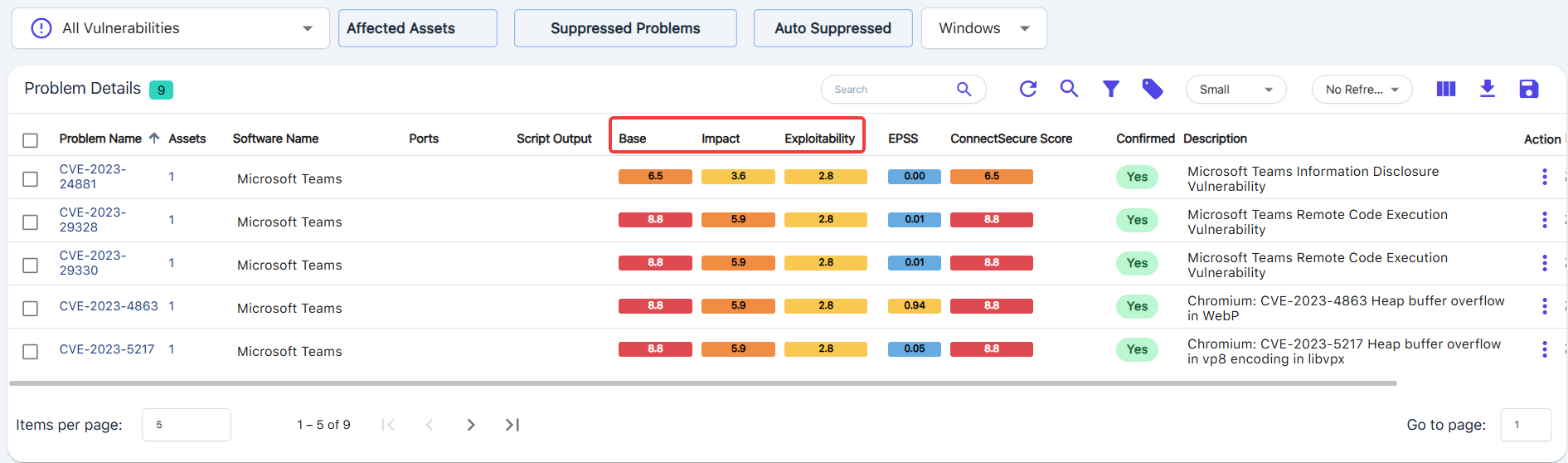
This screen gives detailed information about the Problems. It lets you quickly sort and filter the data based on the Problem Category categories, affected assets, and suppressed records.
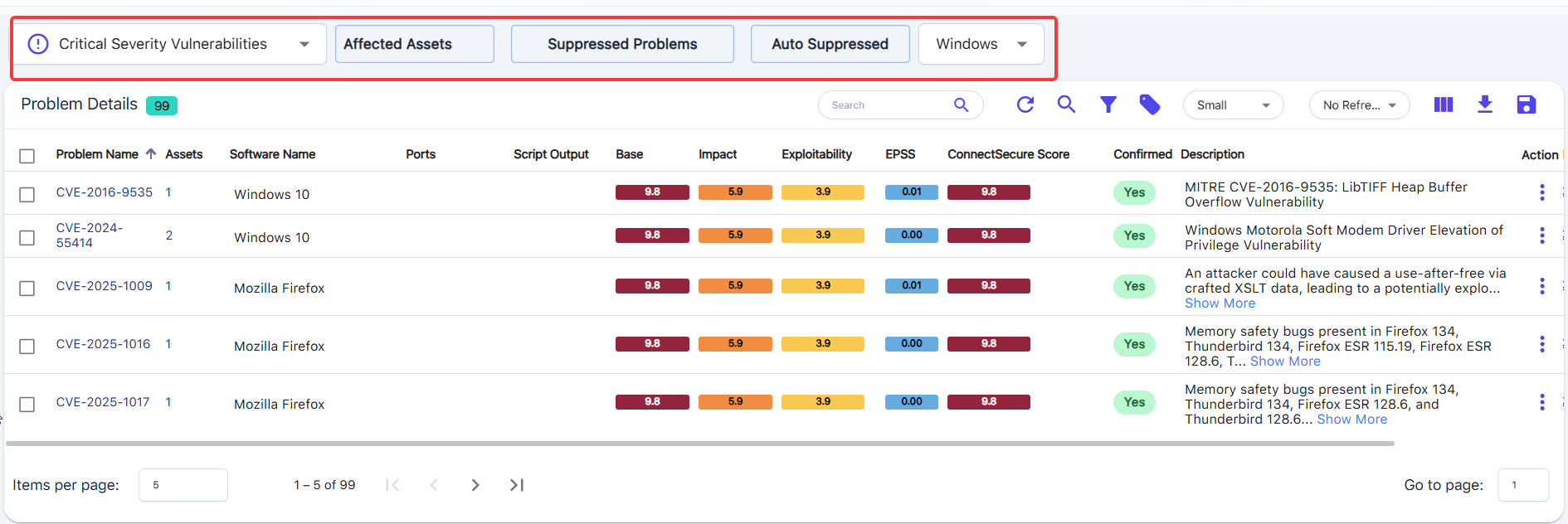
Problem Name
This includes the unique CVE-ID or description of the vulnerability.
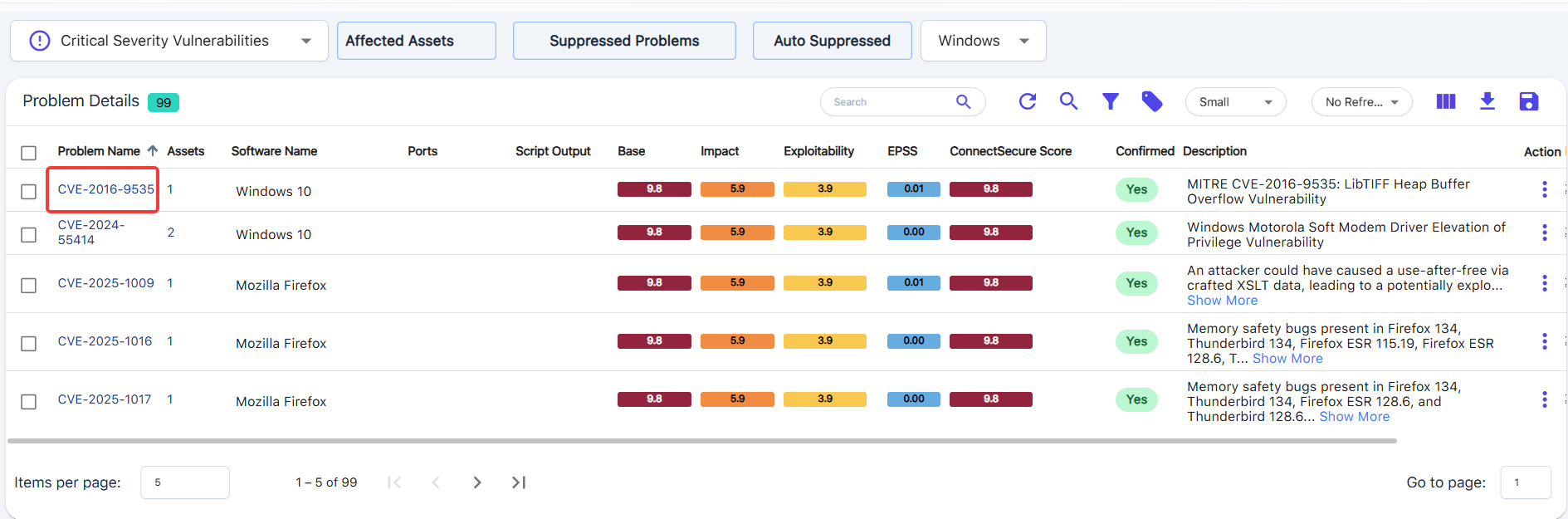
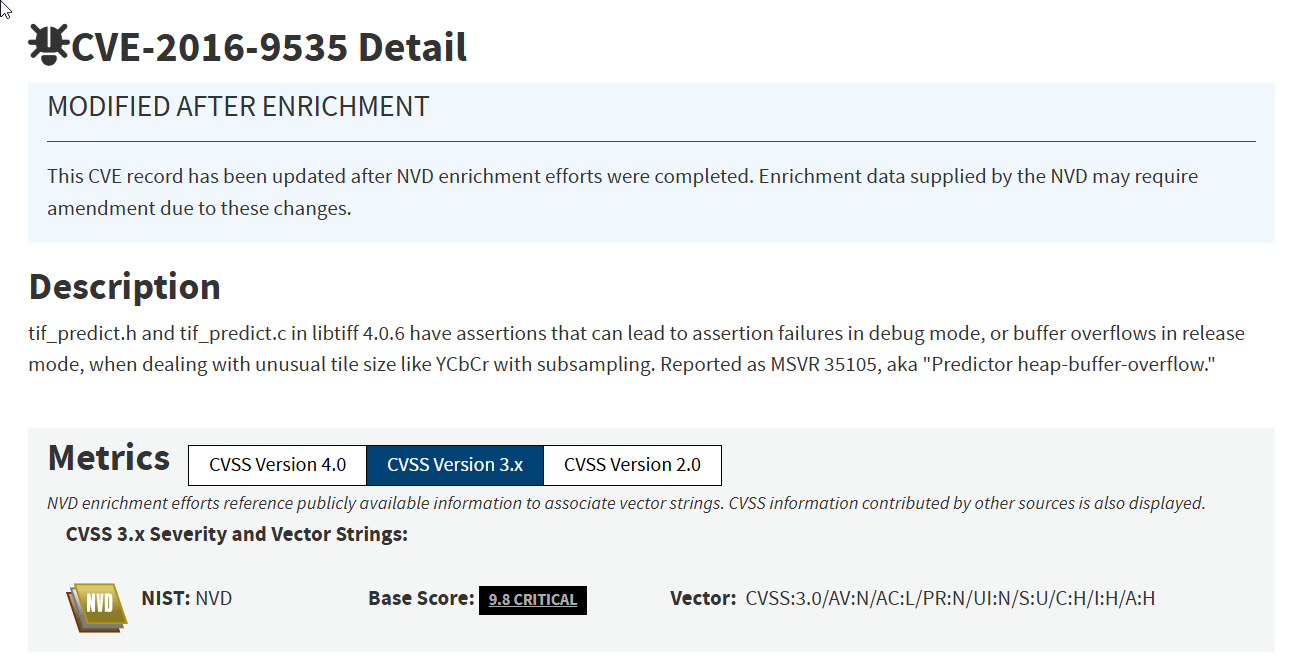
Click on the CVE-ID or Problem Name value to be directed to the source.
Example from above: NVD - CVE-2016-9535
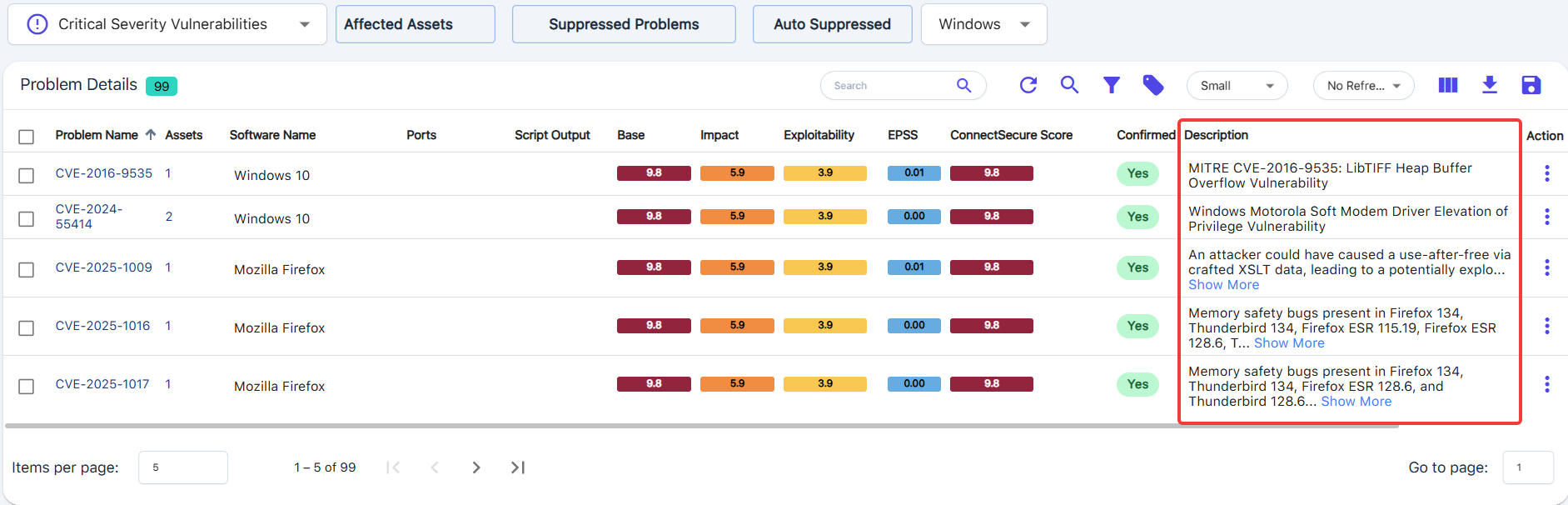
Description
Includes the description of the vulnerability.
Assets
Displays the count of Assets affected by the vulnerability.
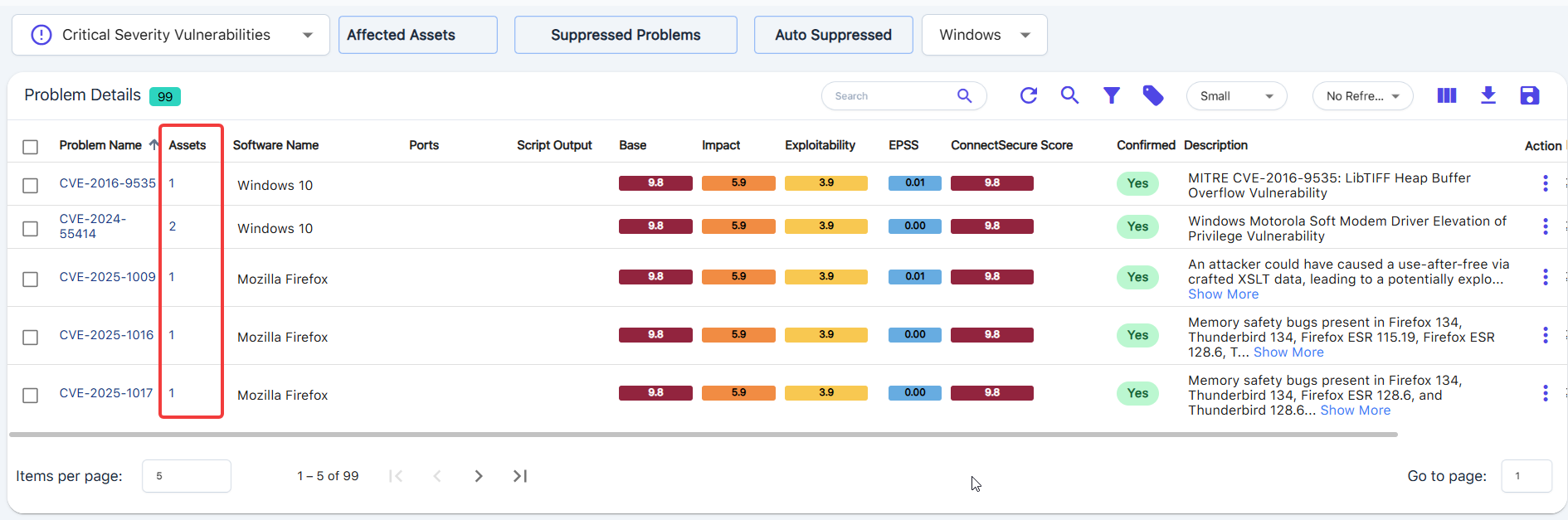
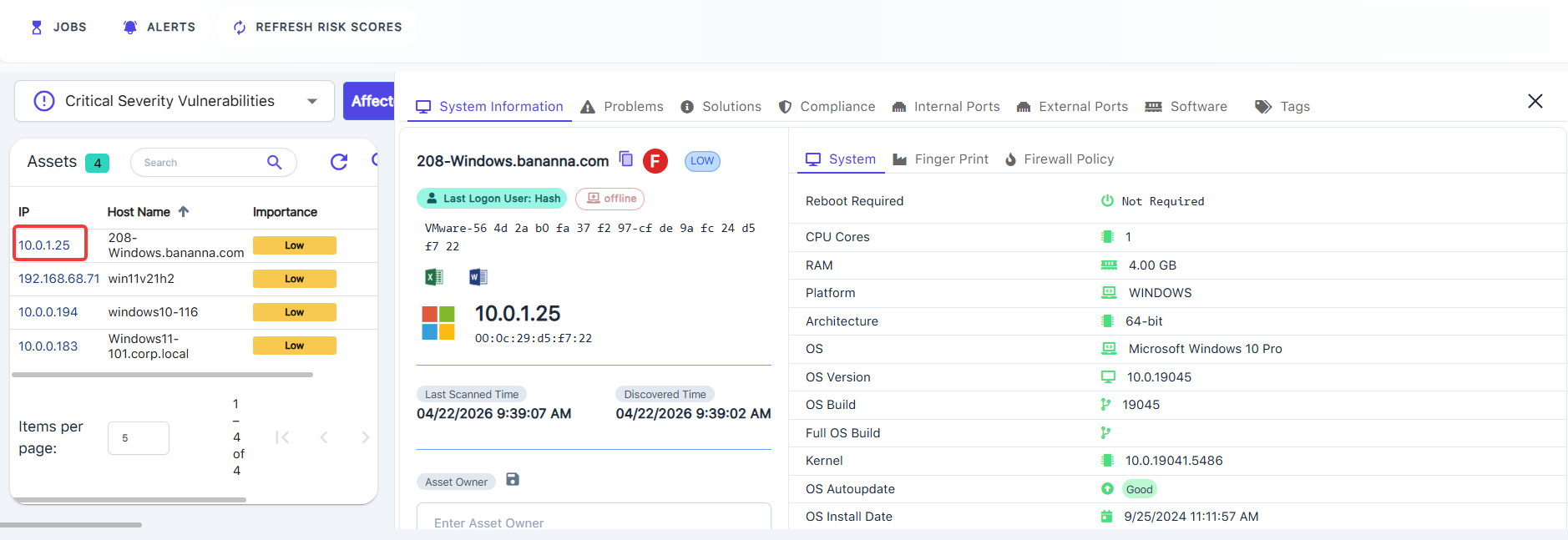
Click on the number count to see the asset's IP, Host Name, and Importance.

Clicking the asset IP will take you to the Asset Details view.
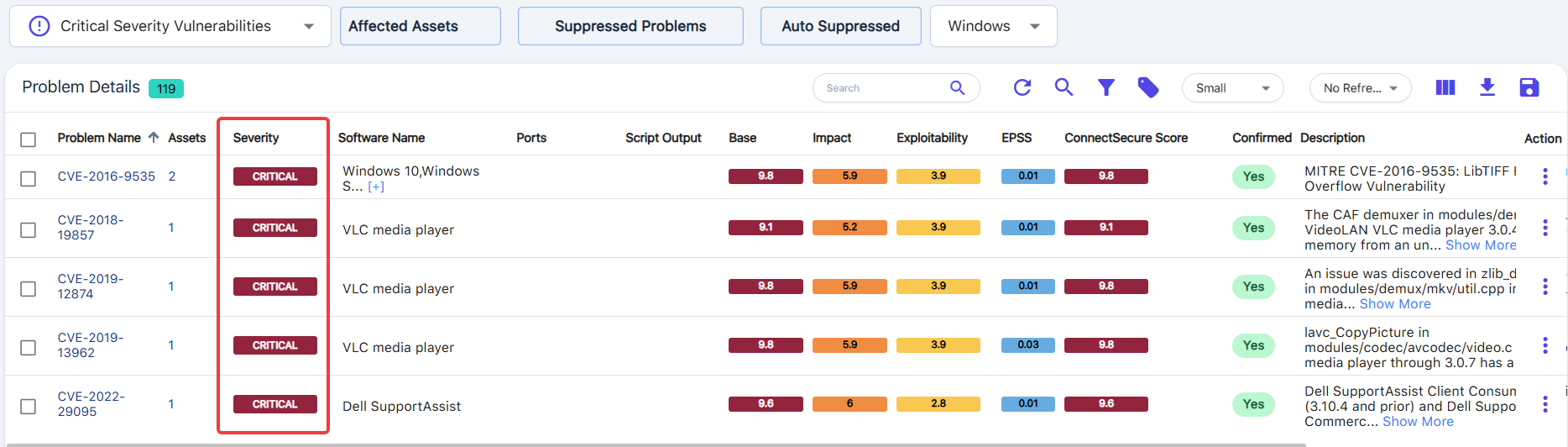
Severity
Displays the Severity category for the selected vulnerability.
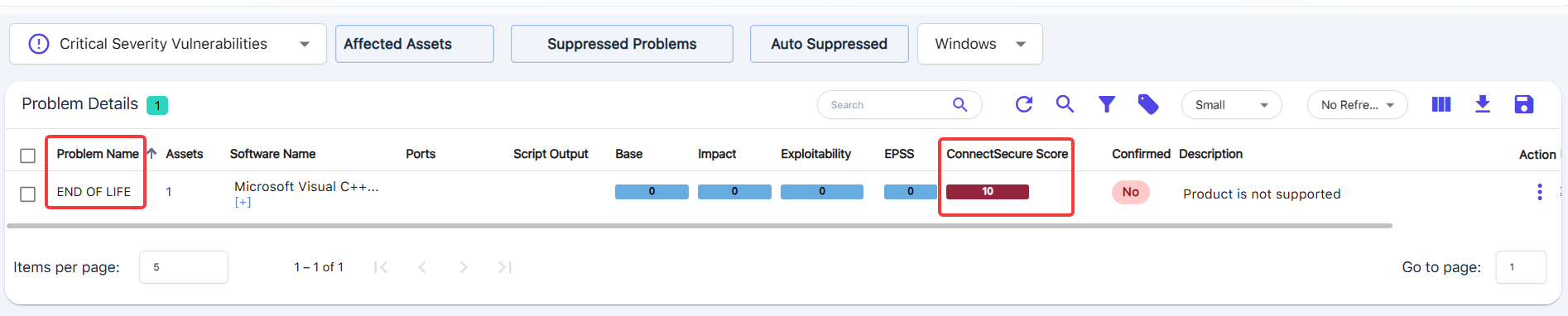
ConnectSecure Score
This is used for End-of-Life scoring, which will be displayed as a 10 since security updates are no longer provided to the EOL software.
Otherwise, the ConnectSecure Score will simply be the same as the NVD Base Score (for any non-EOL)
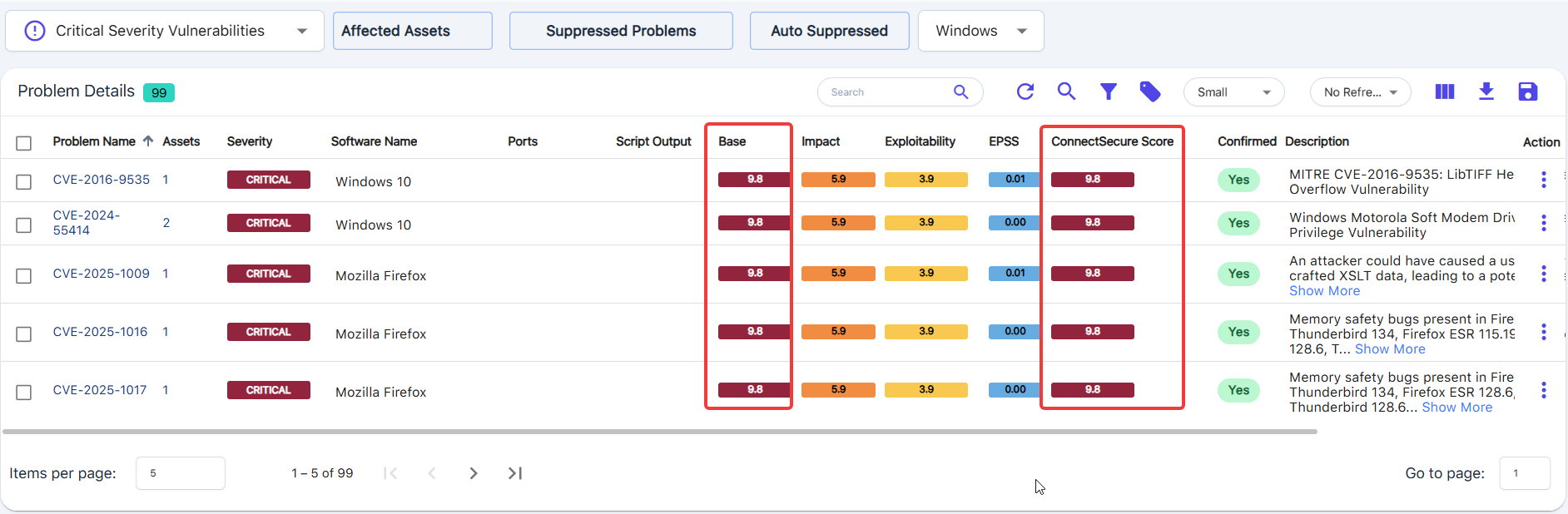
NVD Scores
Displays scores based on the vulnerability, including Base, Impact, and Exploitability, from the National Vulnerability Database (NVD).
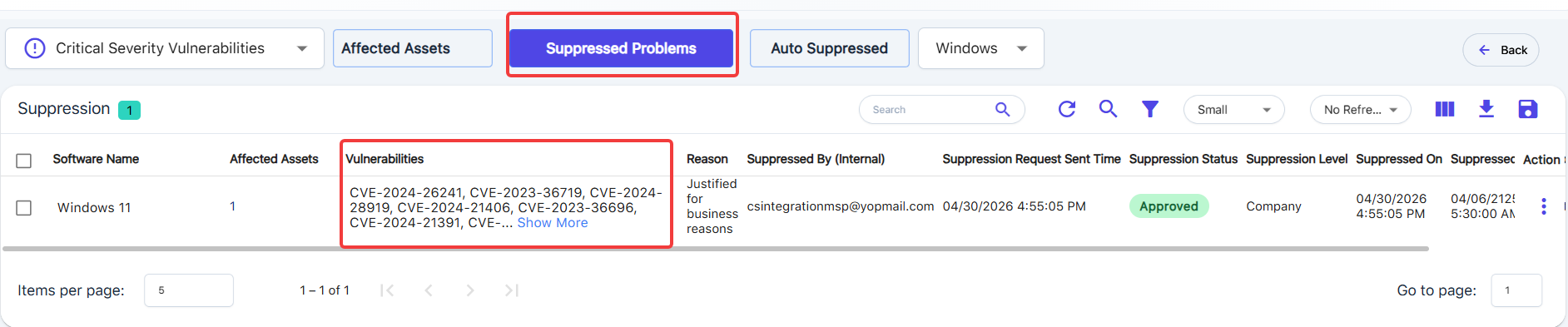
Suppressed Problems
Tap here to view any Approved, Open, or Closed-out problems marked for suppression.
NOTE: If you suppress a single CVE-ID, it will also suppress any related or superseded CVE-IDs that are related, and these will show up in the Suppressed Records area.
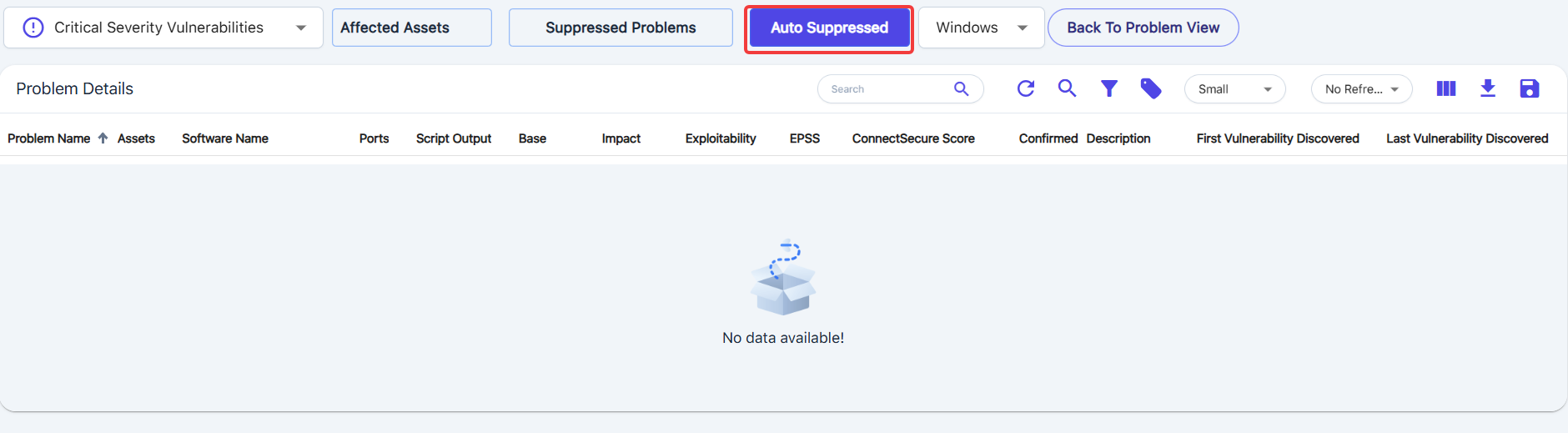
Auto Suppressed
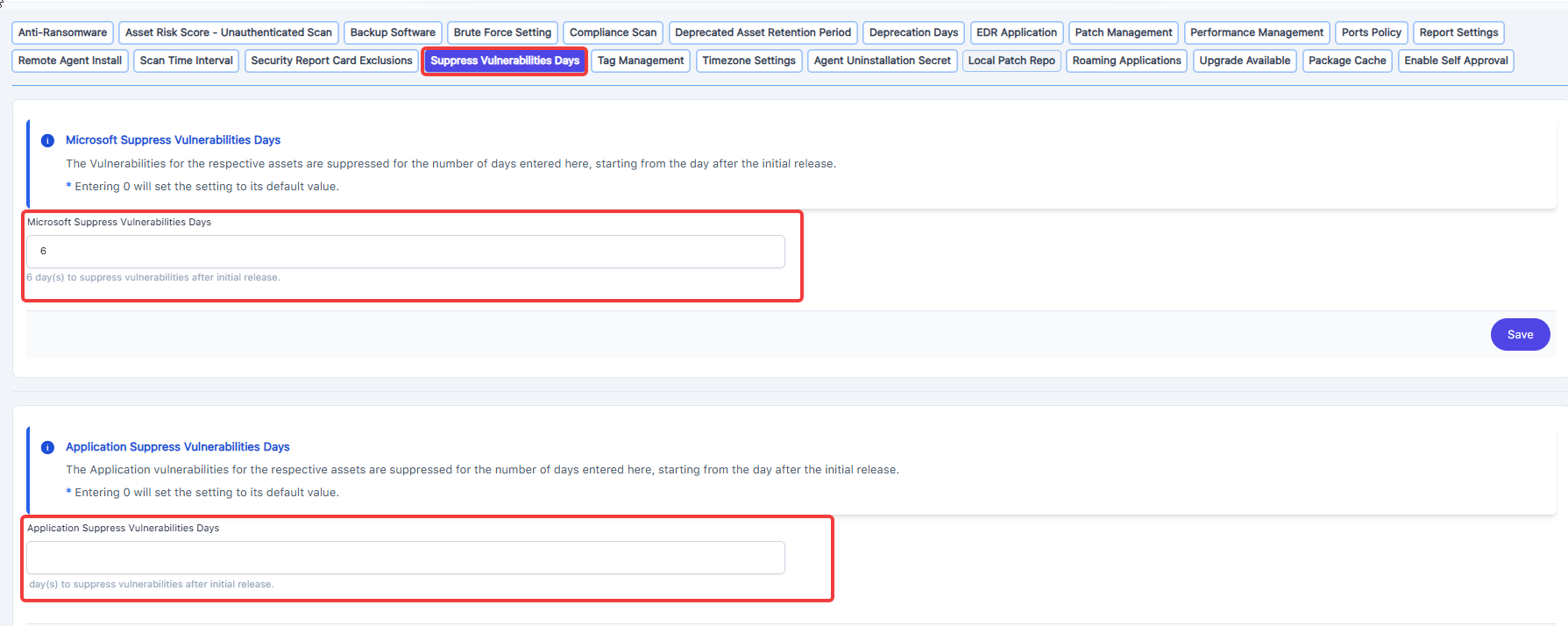
These problems have been automatically suppressed based on your Suppress Vulnerabilities Days settings, which are available at Settings.
Note: Please note that for auto-suppression, our system references the published date of the vulnerability, not the KB release date
Integration Actions
Tap on the three-dot Action menu, or, use the checkbox with Global Actions.
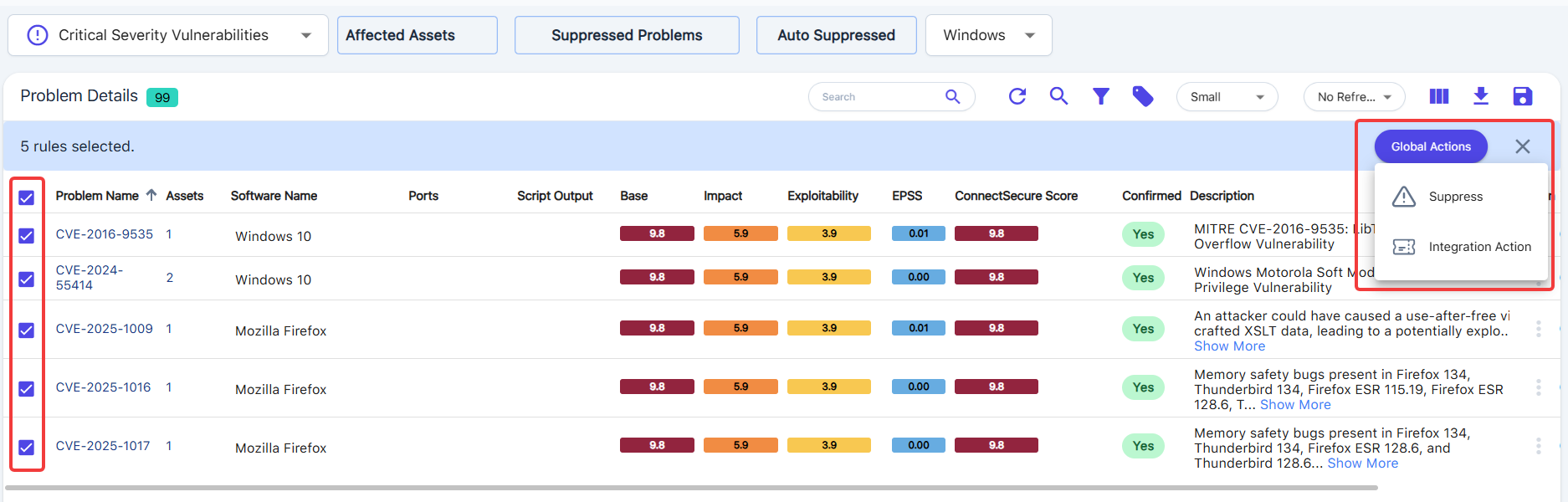
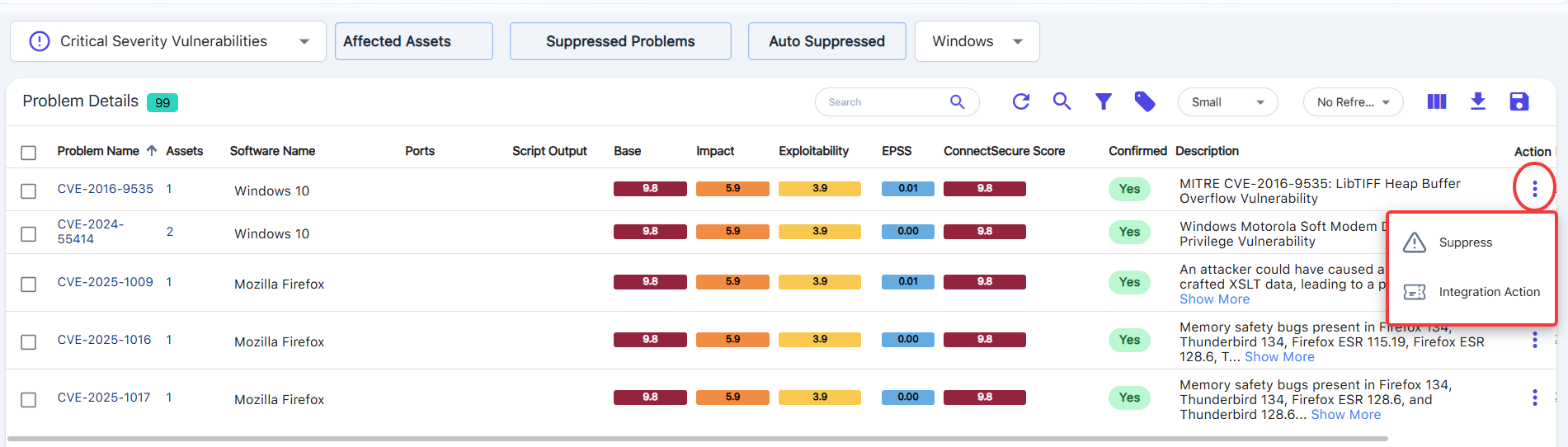
Note: Please select at least one record from Problems to use an existing integration. If no integration is configured, you will get the following error: Integration not configured!