


CTEM Metrics
The metrics page provides an overview of gauges, including the Severity and Risk Scores. This page gives security administrators a quick, high-level snapshot of their organization's risk exposure, internal vulnerabilities by platform and severity, compliance posture across key frameworks, and a live feed of actionable system events.
Access Metrics from the Overview category.
The Overview Metrics dashboard displays Scoring (Asset Risk, AD, PII, and External Scan), Vulnerability, and Compliance Score data in a tile-style format for the selected company.
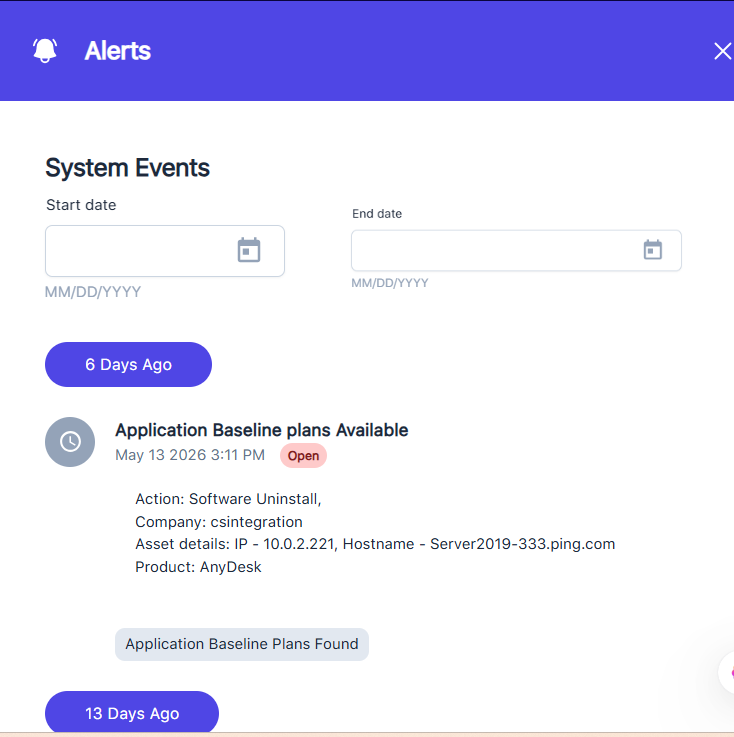
On the right side of the dashboard, you will also see the System Events timeline-style feed.
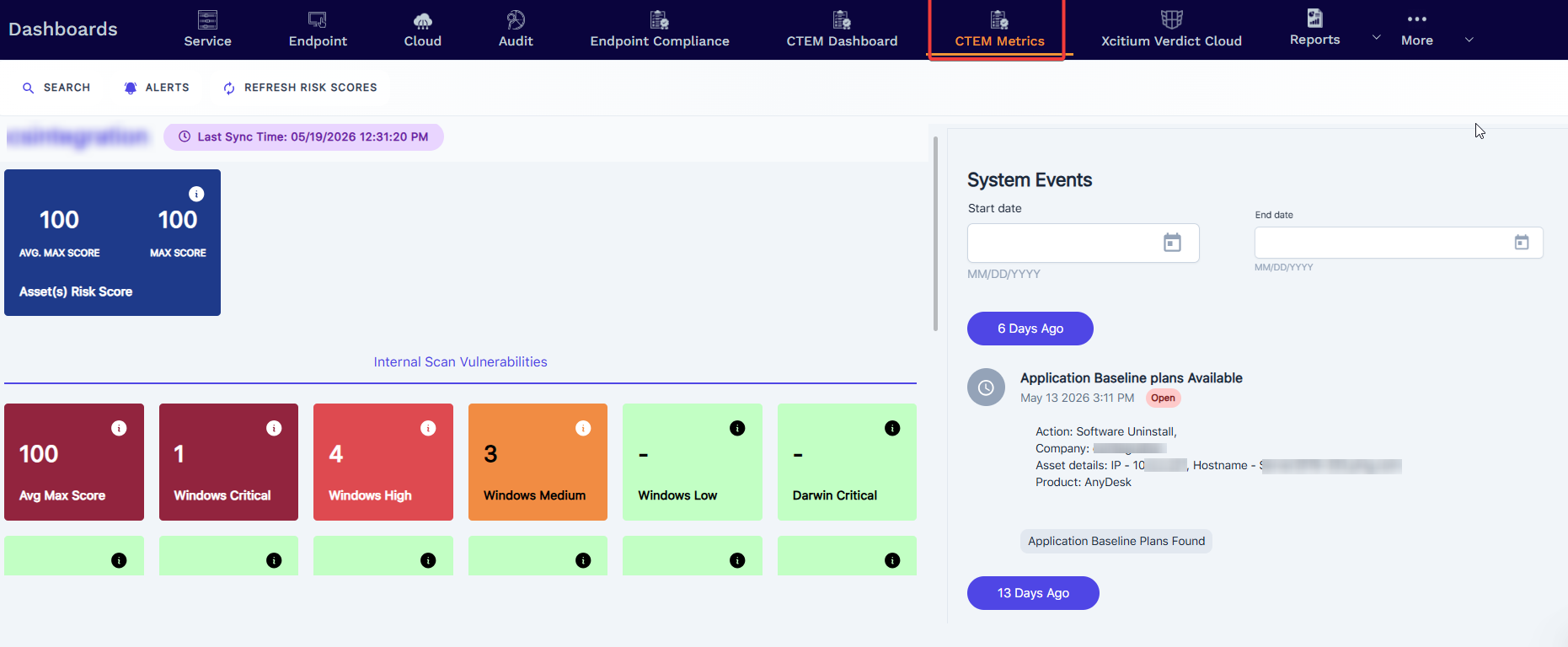
Company Details
Avg Max Score = the average of all Max Score of all Assets for the selected company
Max Score = the highest score of all the assets in the selected company
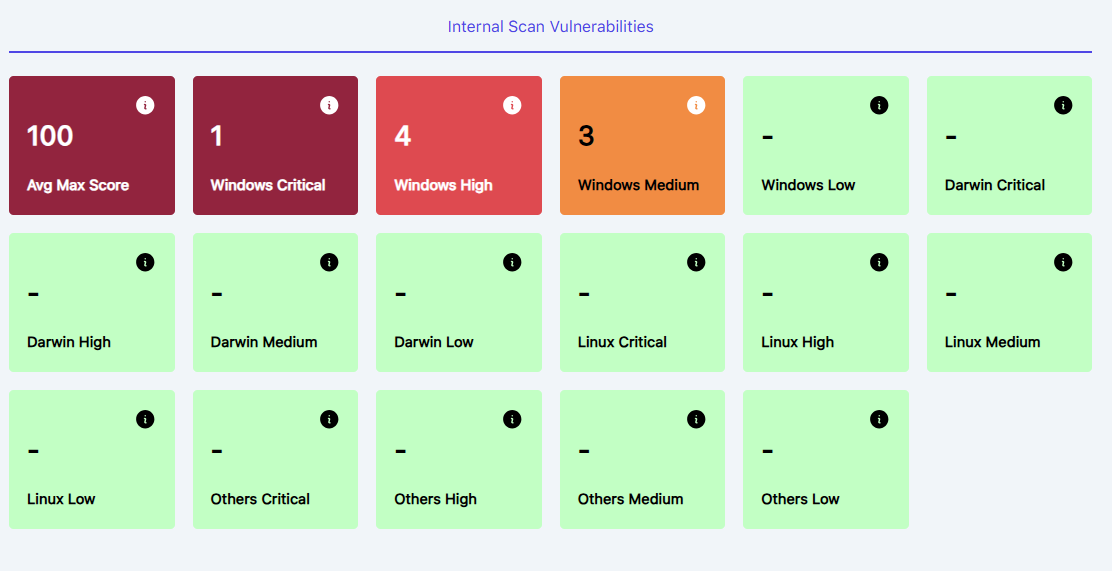
Internal Scan Vulnerabilities — A color-coded tile grid breaking down vulnerability counts by OS and severity:
Windows: Critical, High, Medium, Low
Darwin (macOS): Critical, High, Medium, Low
Linux: Critical, High, Medium, Low
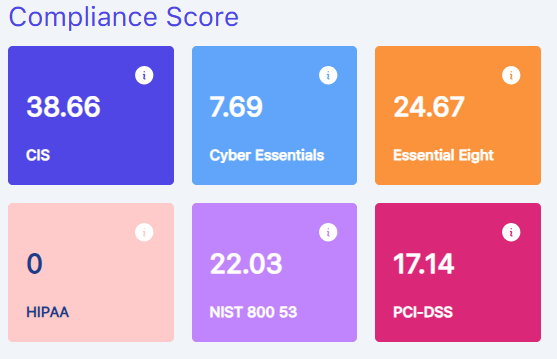
Compliance Framework Scores — Tiles showing current compliance scores against major standards: CIS, Cyber Essentials, Essential Eight, HIPAA, NIST 800-53, PCI-DSS:
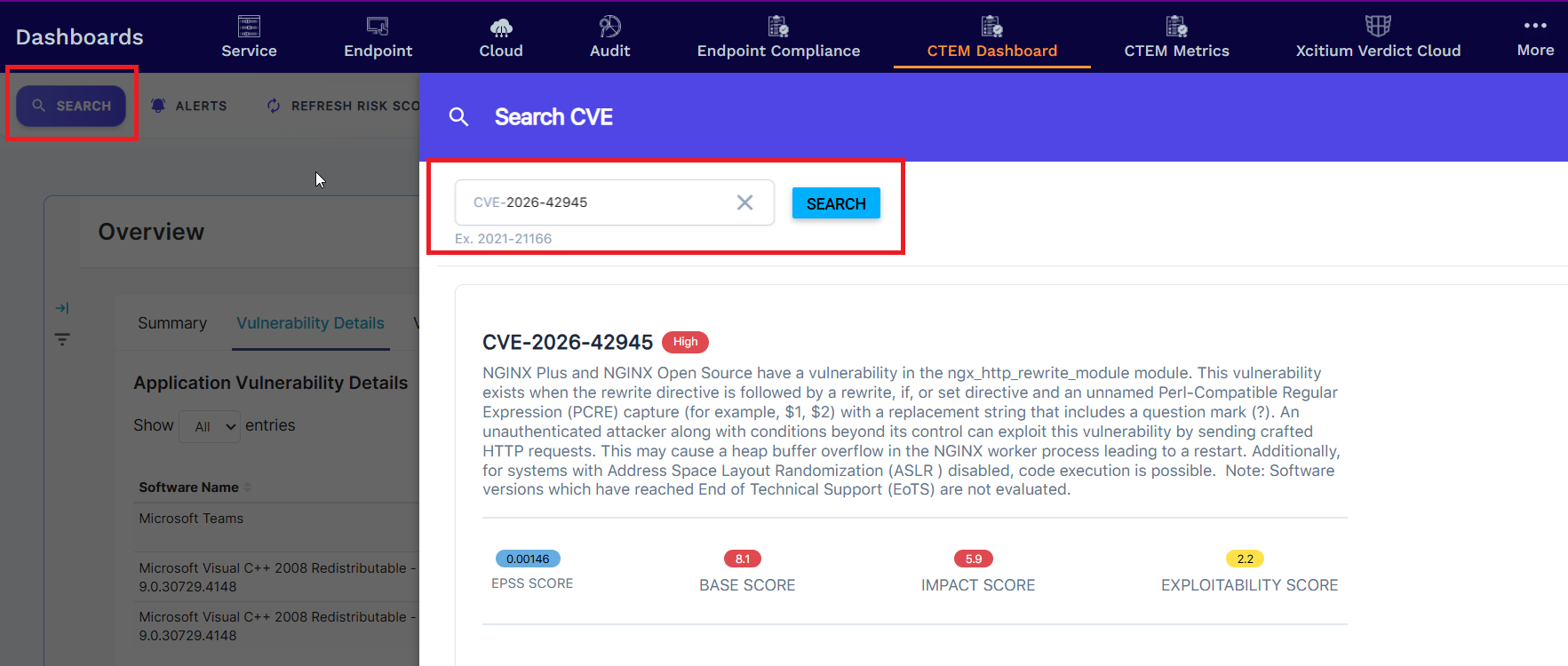
Metrics - Toolbar Options
Search - This CVE search enables you to look up a specific CVE. The assets table below shows any active assets that identify the vulnerability. Tap the asset's IP address to see its details.
Alerts - View our timeline style of System Events captured for each company. You can set an optional date filter range to target a specific date range of events.
Refresh Risk Score - The "Refresh Risk Scores" triggers a re-synchronization and recalculation of the risk scores for all assets under the organization. This means the platform goes out and re-evaluates the current security posture of all monitored endpoints/assets based on the latest available data — such as newly detected vulnerabilities, patch states, compliance gaps, and threat indicators.