


Introduction
This guide explains how to use the platform to look after the devices, the customers and the support tickets you are responsible for.
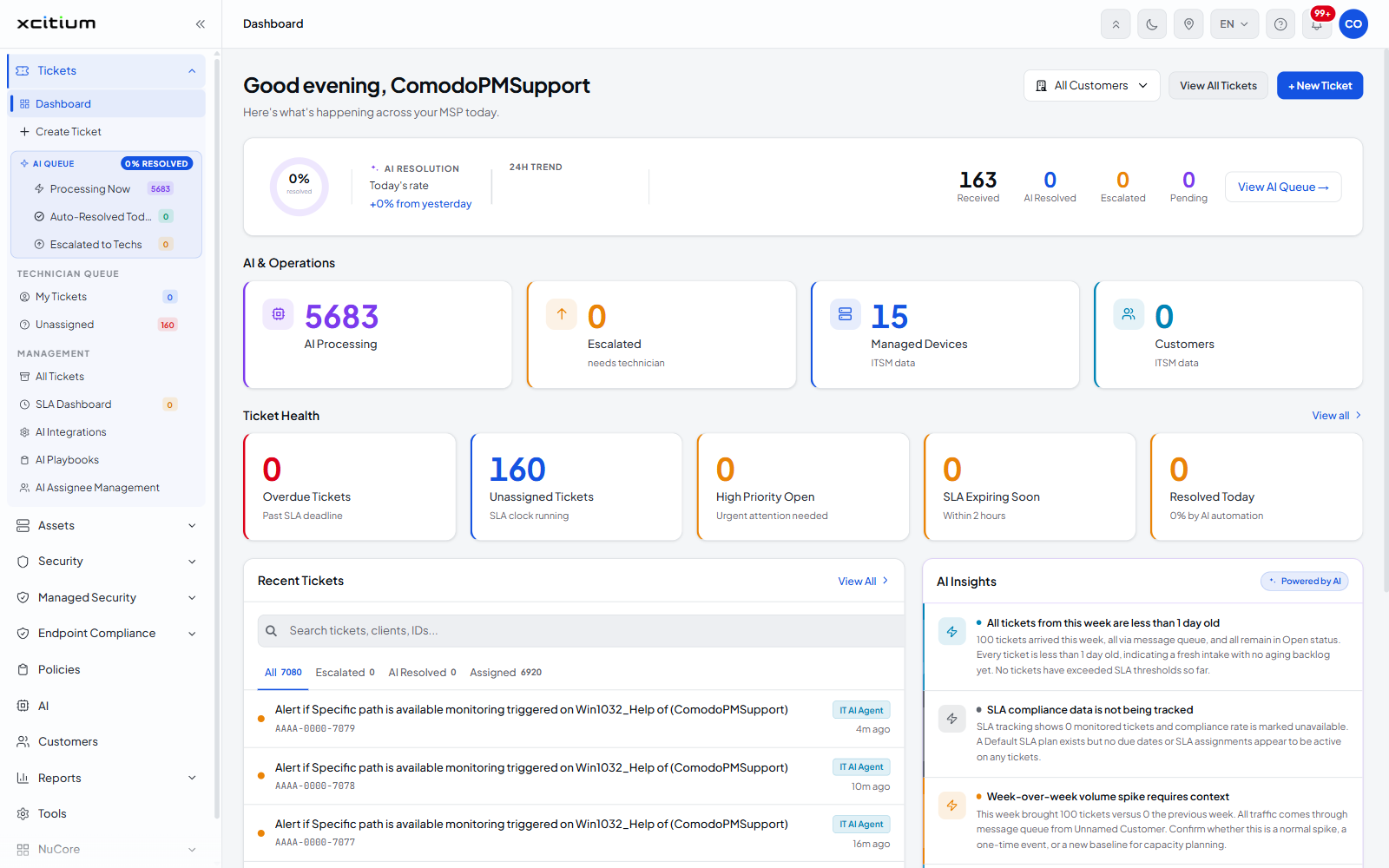
The platform is a managed service provider console. One account manages many customers at once: you enrol their devices, apply policies to those devices, watch them with monitors, patch and inventory the software on them, and handle the tickets that come in — all from the same browser window.
You can work across every customer at once, or filter the whole console to a single customer and work inside that account alone.
Who this guide is for
It is written for the administrators and technicians who run the service: the people who add customers, enrol endpoints, write the policies, answer the tickets and report on all of it. It assumes you have an account on the platform and a browser.
The modules
The left navigation carries twelve modules. Four open a screen directly; the other eight expand into a group of screens.
| Column | Description |
| Tickets | The service desk: the ticket queues, the SLA dashboard, and the AI queue that triages and in some cases resolves tickets before a technician sees them. |
| Assets | The devices you manage, and everything done to them — enrolment, monitoring, procedures, network discovery, software inventory and patching. |
| Security | The security posture of the endpoints. |
| Managed Security | The managed detection and response service. |
| Endpoint Compliance | How far the endpoints meet the standards you have set. |
| Policies | The configuration profiles applied to devices. A policy carries the settings, the monitors and the scheduled procedures a device receives. |
| AI | The AI features and how they are configured. |
| Customers | The customer accounts whose devices and tickets you manage. |
| Reports | Scheduled and on-demand reporting. |
| Tools | Downloads and utilities. |
| NuCore | The NuCore services. |
| Admin | The account itself: administrators, roles, subscriptions and account settings. |
How the pieces fit together
Most work on the platform follows the same path:
- Add the customer in Customers.
- Enrol that customer’s devices in Assets, which installs the communication client on each endpoint.
- Put the devices into device groups so you can act on them together.
- Apply a policy from Policies to those groups, which carries the security settings, the monitors and any scheduled procedures.
- Watch the result from Assets — Monitor Health, the alerts the monitors raise, the patch screens and the software inventory.
- Handle what comes back in Tickets, where a monitor alert can open a ticket on its own.
See Key Concepts for the terms used throughout, and Best Practices for the order to do this in the first time.