


Vulnerable Devices
- Click 'Security' > 'Endpoint Security' > 'Vulnerability Management' > 'Vulnerable Devices' to open this interface.
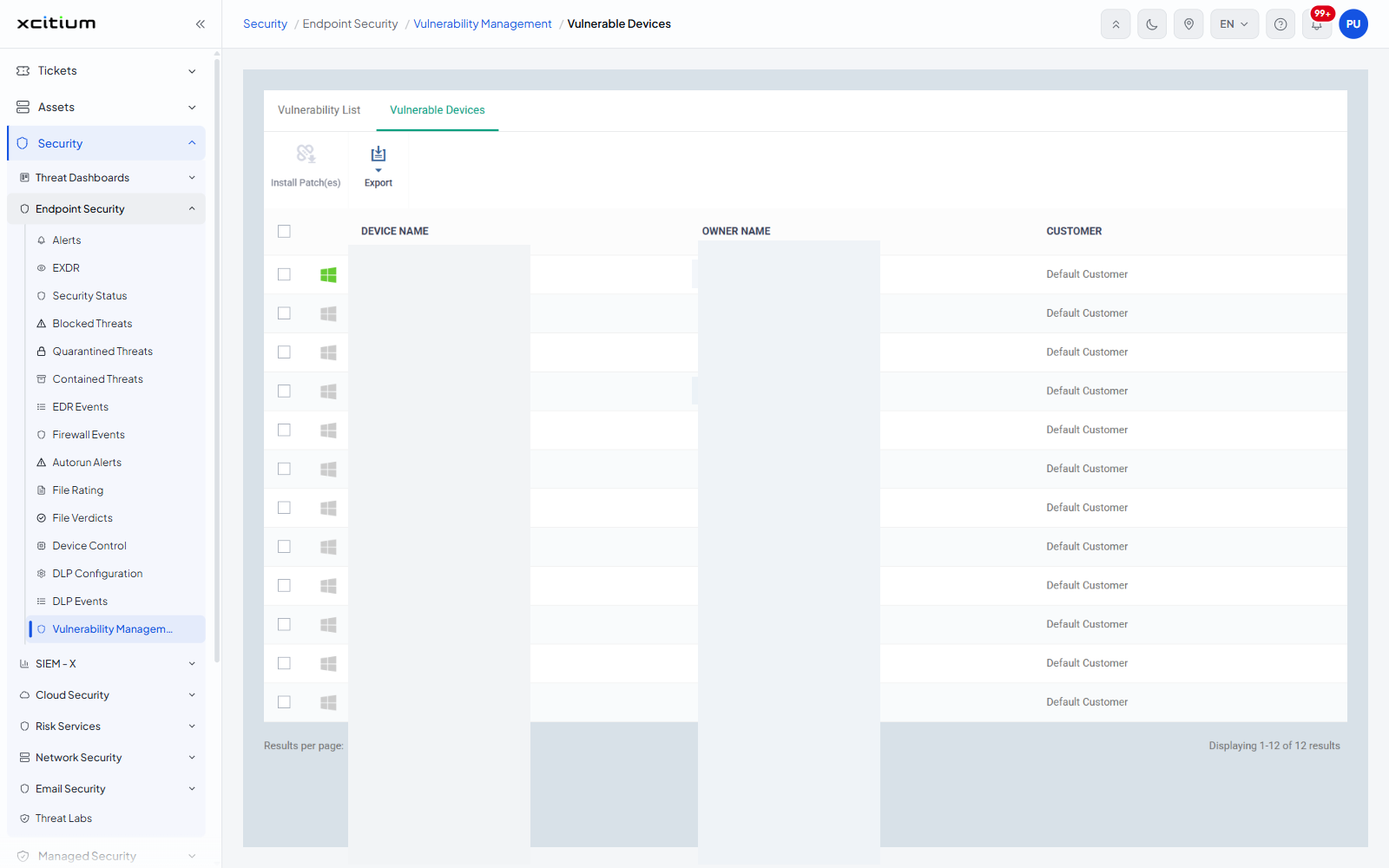
The 'Vulnerability List' tab answers 'which vulnerabilities do we have?'. This tab answers the other half of the question - 'which of our devices are affected?' - with one row per device that is missing at least one patch.
You can see who owns each affected device and which customer it belongs to, open a device, select devices and push their patches, and export the list.
The interface
'Vulnerability Management' has two tabs: 'Vulnerability List', the one it opens on, and 'Vulnerable Devices'. The breadcrumb reads 'Security / Endpoint Security / Vulnerability Management / Vulnerable Devices'.
Note: this nav item leaves the Security module. Clicking 'Vulnerability Management' under 'Endpoint Security' opens the Assets screen at '/assets/vulnerability-management', although the breadcrumb still begins with 'Security'.
Column descriptions
| Column | Description |
| (check box) | Selects the row. A select-all check box sits in the header row. |
| (unnamed) | An operating-system icon for the device. The icon shows which Windows edition the device runs. |
| DEVICE NAME | The name of the affected device, shown as a link. Click it to open the device. |
| OWNER NAME | The user the device is assigned to, shown as a link. Devices with no named owner show 'admin'. |
| CUSTOMER | The customer the device belongs to. |
The toolbar
| Button | Description |
| Install Patch(es) | Pushes the missing patches to the selected devices. Greyed out until a device is selected. |
| Export | A menu leading to 'Export to CSV'. |
Patch a device
- Open the 'Vulnerable Devices' tab.
- Select the devices you want to patch.
- Click 'Install Patch(es)'.
Note: 'Install Patch(es)' changes software on live endpoints and 'Export to CSV' downloads on a single click.