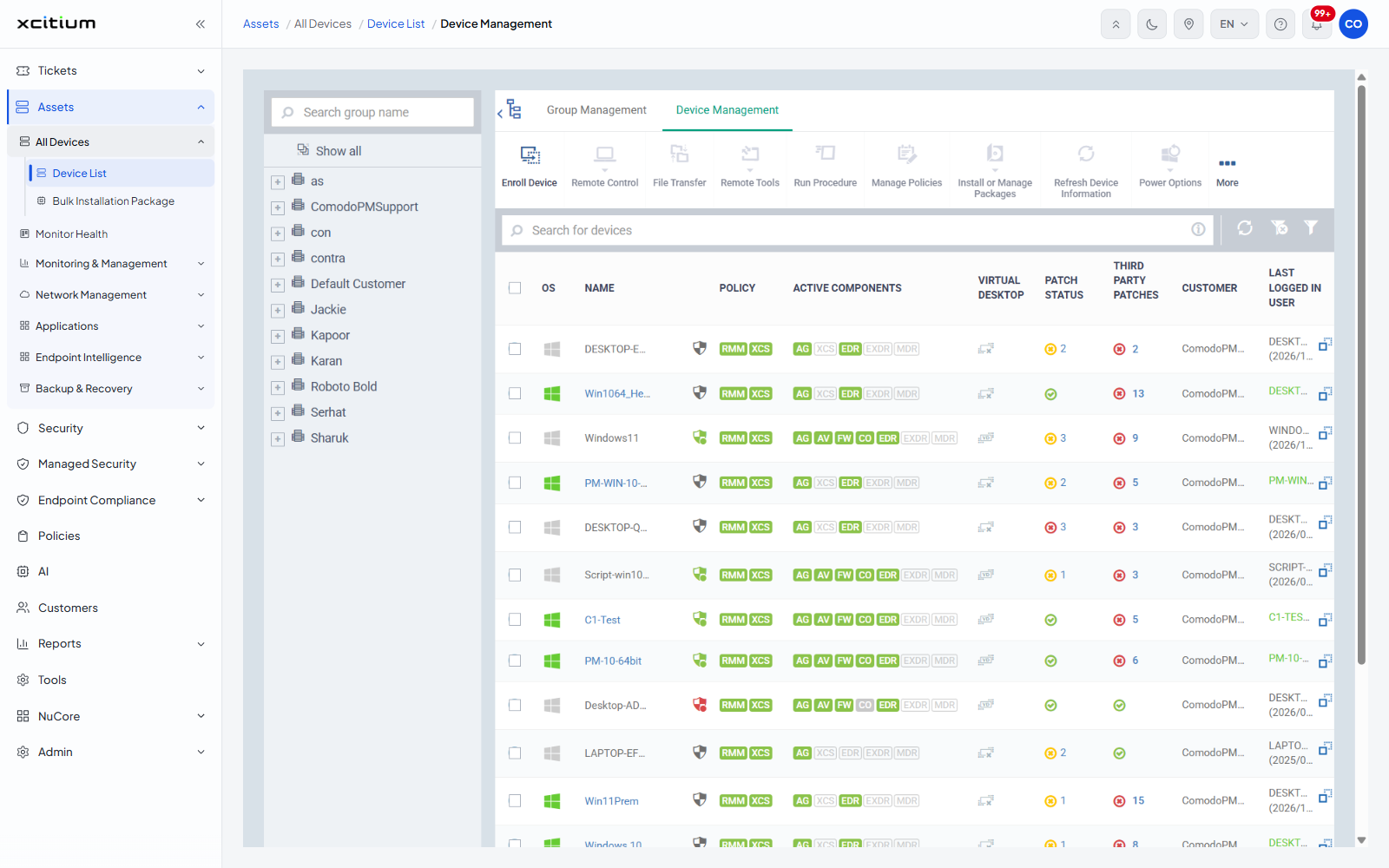
Assets
- Click 'Assets' in the left navigation bar to open this module.
The Assets module is where every device you manage is enrolled, inspected, monitored, patched and acted on. It holds the device inventory itself, the health dashboard, the alerting and automation that watch those devices, the network discovery tools, the application and patch inventories, and the query engine used to interrogate endpoints directly.
You can enroll devices, group them, inspect and act on a single device, build installation packages, raise alerts, write procedures and monitors, schedule maintenance windows, discover devices on a network, control the applications and patches installed on your estate, and run SQL queries against live endpoints.
How the module is organised
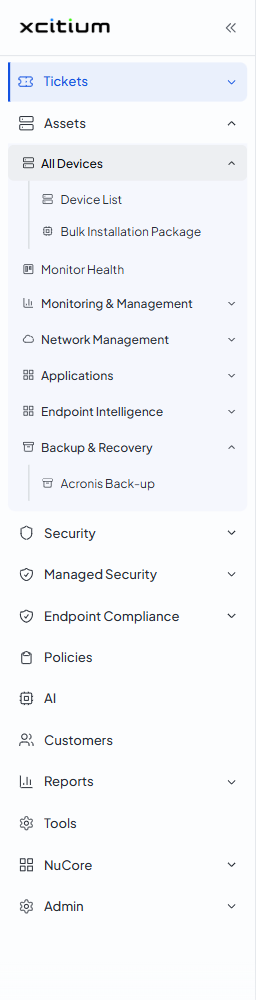
The 'Assets' entry in the left navigation expands into one standalone link and six groups. The groups behave as an accordion — opening one closes the others.
- All Devices — the device inventory. Contains 'Device List' and 'Bulk Installation Package'.
- Monitor Health — a standalone link to the estate-wide health dashboard.
- Monitoring & Management — the alerting and automation tools. Contains 'Alerts', 'Procedures', 'Monitors' and 'Maintenance Windows'.
- Network Management — device discovery and the network-device inventory. Contains 'Discoveries', 'Profiles', 'Devices', 'Monitors' and 'Blueprints'.
- Applications — what is installed on your estate and how it is patched. Contains 'Desktop Application Control', 'Mobile Application Control' and 'Patch Management'.
- Endpoint Intelligence — the live query engine. Contains 'Dashboard', 'Device Queries', 'Query Library' and 'Monitors'.
- Backup & Recovery — contains 'Acronis Back-up'.
Some navigation links show a 'Pin' button when you hover over them. Clicking it adds the page to 'Pinned pages' in the top bar.
The navigation items
| Item | Description |
| Device List | The inventory of every managed device, with the group tree and the full device toolbar. See Device List. |
| Bulk Installation Package | Builds and downloads an installer that enrolls devices in bulk. See Bulk Installation Package. |
| Monitor Health | Donut-chart cards summarising device types, operating systems, ownership and client versions across the estate. See Monitor Health. |
| Alerts | The alert definitions that monitors and procedures raise. See Alerts. |
| Procedures | Scripts and patch routines that run on devices. See Procedures. |
| Monitors | Conditions watched continuously on devices, which raise alerts. See Monitors. |
| Maintenance Windows | The periods during which maintenance tasks may run. See Maintenance Windows. |
| Discoveries | Scans that find devices on a network or in Active Directory. See Discoveries. |
| Profiles (Network Management) | Groups a set of network monitors with the probe devices that run them. See Network Profiles. |
| Devices (Network Management) | The devices found by discovery, split into managed and discovered. See Network Devices. |
| Monitors (Network Management) | Conditions watched on network devices through a probe. See Network Monitors. |
| Blueprints | Reusable definitions used to classify discovered network devices. See Blueprints. |
| Desktop Application Control | Every application found on your Windows estate, plus the catalogue you can install from. See Desktop Application Control. |
| Mobile Application Control | The mobile application inventory and the iOS and Android stores. See Mobile Application Control. |
| Patch Management | Operating-system and third-party patches across the estate. See Patch Management. |
| Endpoint Intelligence > Dashboard | The query-engine summary. See Endpoint Intelligence Dashboard. |
| Device Queries | A SQL editor that queries live endpoints. See Device Queries. |
| Query Library | Ready-made queries you can run or turn into monitors. See Query Library. |
| Monitors (Endpoint Intelligence) | Scheduled queries that alert when a condition is met. See Endpoint Intelligence Monitors. |
| Acronis Back-up | Backup and recovery. See Backup and Recovery. |