


Auto-Resolved Today
- Click 'Tickets' > 'AI Queue' > 'Auto-Resolved Today' to open this interface.
This screen lists the tickets the AI service agent closed on its own, without a technician touching them. It is the record of what the automation saved you, and the place to spot-check that the AI is closing tickets correctly.
You can change the time period the list covers, export the list to CSV, open any ticket to read what the AI did, and page through the results.
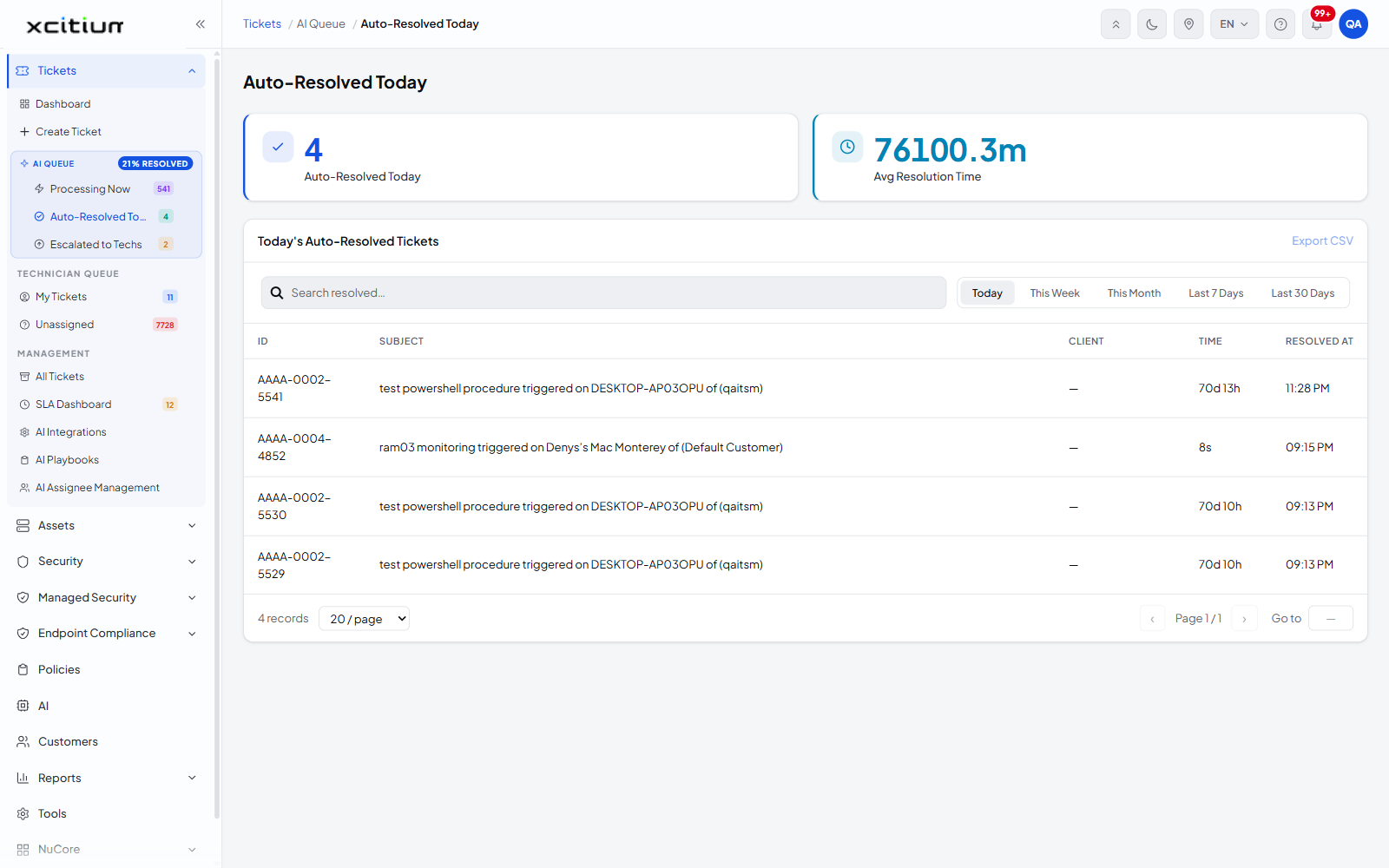
The summary cards
The heading is 'Auto-Resolved Today'. Two cards sit beneath it.
| Card | Description |
| Auto-Resolved Today | The number of tickets the AI resolved in the selected period. |
| Avg Resolution Time | The average time those tickets took to resolve, in minutes. |
Choose the time period
The table is headed "Today's Auto-Resolved Tickets". A row of filter tabs above the table sets the period, and only one can be active at a time.
| Tab | Description |
| Today | Tickets auto-resolved since midnight. This is the default. |
| This Week | Tickets auto-resolved in the current week. |
| This Month | Tickets auto-resolved in the current month. |
| Last 7 Days | Tickets auto-resolved in the previous seven days. |
| Last 30 Days | Tickets auto-resolved in the previous thirty days. |
- Click the tab for the period you want. The active tab is highlighted.
- The cards and the table both refresh for that period.
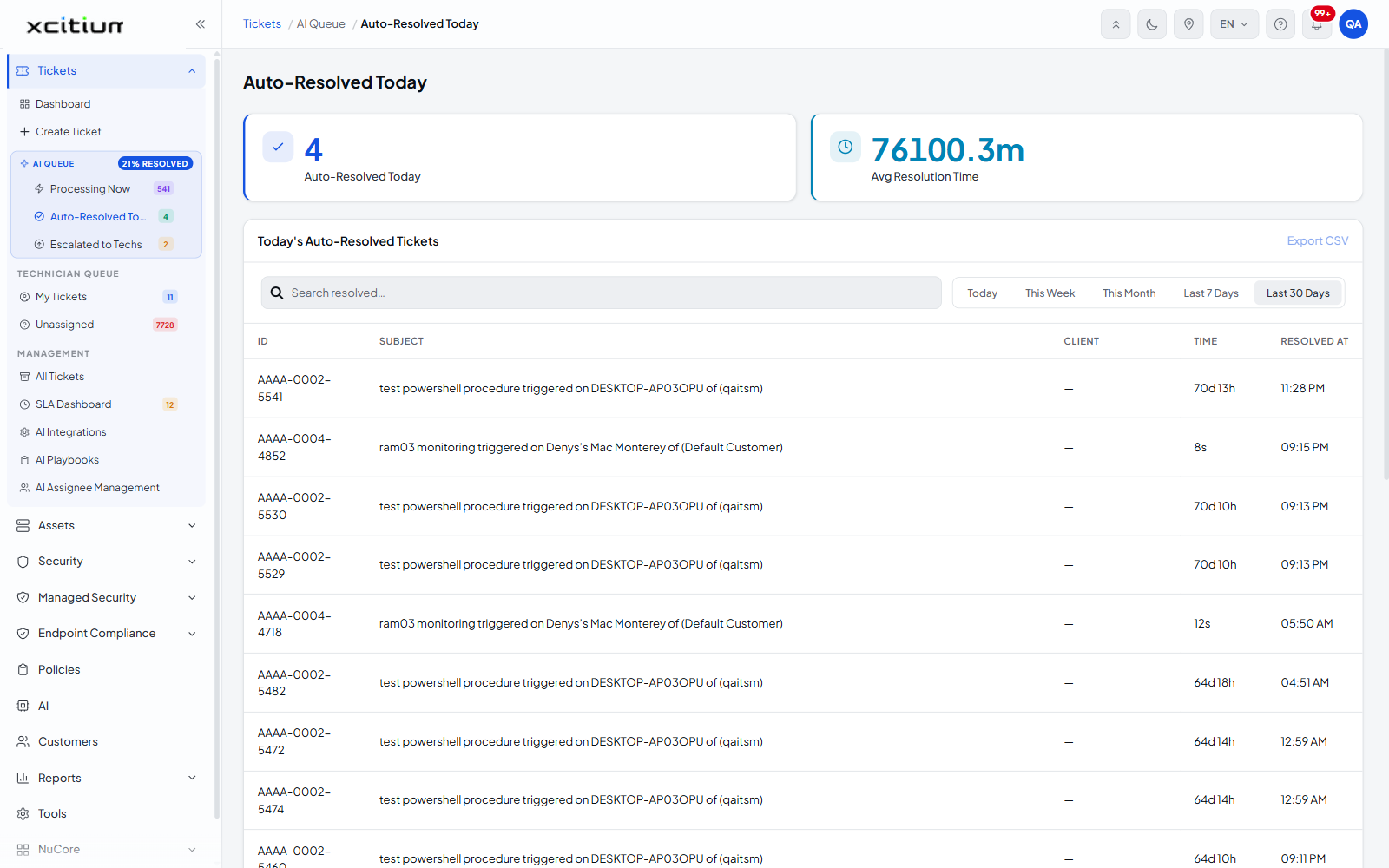
The ticket list
| Column | Description |
| ID | The ticket number, for example AAAA-0002-5541. |
| SUBJECT | The subject line of the ticket. |
| CLIENT | The customer the ticket belongs to. Shows '—' when the ticket is not attached to a customer. |
| TIME | How long the ticket took from creation to resolution, for example '70d 13h' or '8s'. |
| RESOLVED AT | The clock time at which the AI closed the ticket, for example '11:28 PM'. |
Export the list to CSV
- Set the time period you want with the filter tabs.
- Click 'Export CSV' on the table header.
- The file downloads through your browser.
Page through the list
| Control | Description |
| Record count | The total number of rows matching the current filters. |
| Records per page | A dropdown offering '20 / page', '50 / page' and '100 / page'. '20 / page' is the default. |
| ‹ | Goes to the previous page. |
| Page n / n | The current page and the total number of pages. |
| › | Goes to the next page. |
| Go to | Jumps straight to a page number you type. |
Note: the figures on this screen only cover tickets the AI closed by itself. Tickets a technician resolved after an escalation are not counted here — look at All Tickets for those.
See Escalated to Technicians for the tickets the AI could not close.