


Monitor Health
- Click 'Assets' > 'Monitor Health' to open this interface.
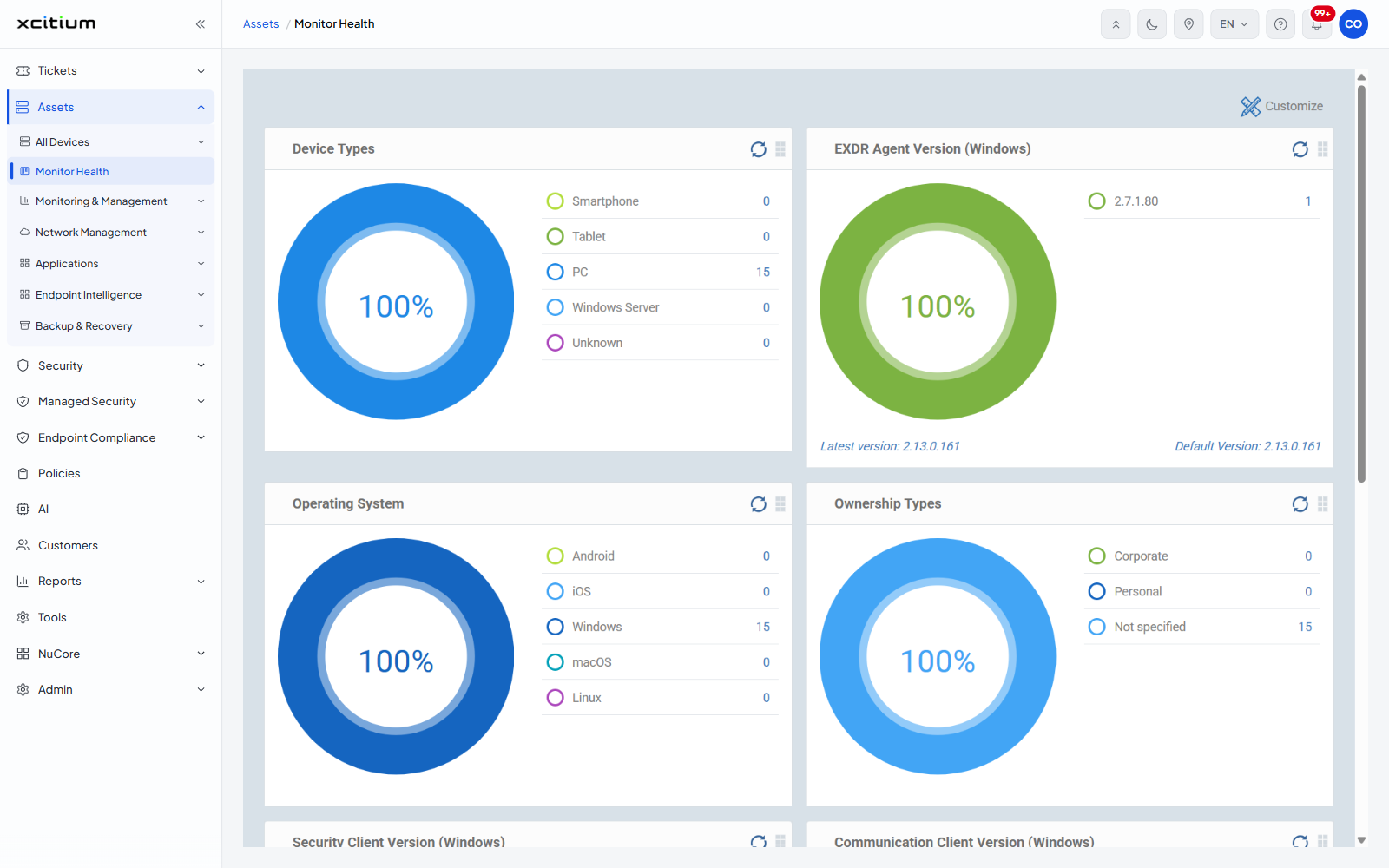
Monitor Health is the estate at a glance. Each card counts the devices in your account by one attribute — form factor, operating system, ownership or client version — so you can see at once how the estate is made up and which devices are behind on a client.
You can read the breakdown on each card, refresh any card on its own, reorder the cards, and turn cards off.
How a card works
Each card shows a donut with a percentage in the middle and a breakdown list beside it. The list gives one row per value with the number of devices in it. The percentage is the share of devices the card could classify.
Each card carries its own refresh icon and a drag handle. A card with nothing to report shows 'No data' in place of the donut.
The cards
| Card | Description |
| Device Types | Counts devices by form factor: 'Smartphone', 'Tablet', 'PC', 'Windows Server', 'Unknown'. |
| EXDR Agent Version (Windows) | One row per extended detection and response agent version. The footer gives 'Latest version:' and 'Default Version:'. |
| Operating System | Counts devices by operating system: 'Android', 'iOS', 'Windows', 'macOS', 'Linux'. |
| Ownership Types | Counts devices by ownership: 'Corporate', 'Personal', 'Not specified'. |
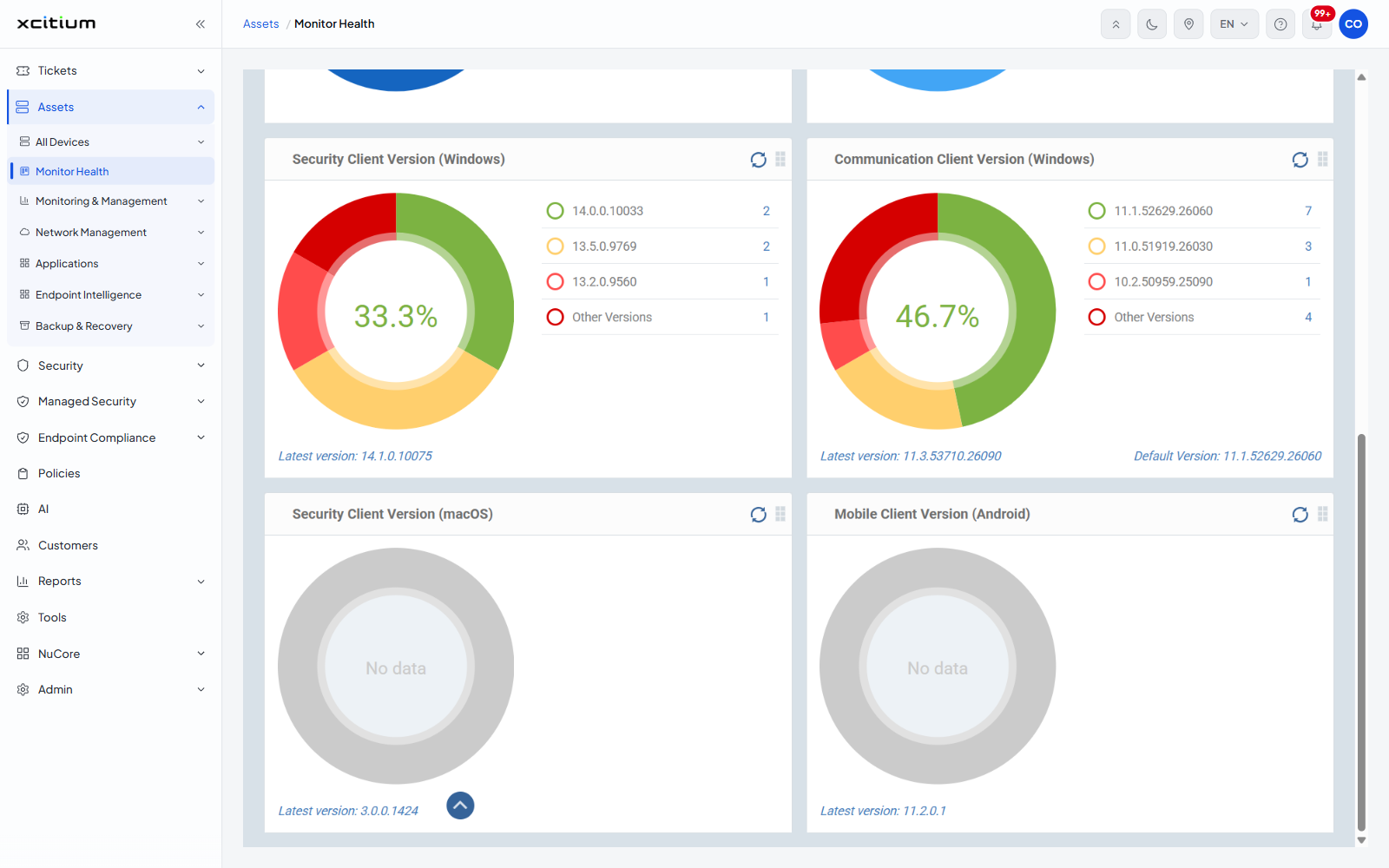
| Security Client Version (Windows) | One row per security client version, plus an 'Other Versions' row. The footer gives 'Latest version:'. |
| Communication Client Version (Windows) | One row per communication client version, plus 'Other Versions'. The footer gives 'Latest version:' and 'Default Version:'. |
| Security Client Version (macOS) | The same for macOS. Shows 'No data' where no macOS device is enrolled. |
| Mobile Client Version (Android) | The same for Android. Shows 'No data' where no Android device is enrolled. |
Find devices behind on a client
- Click 'Assets' > 'Monitor Health'.
- Find the client version card for the platform you care about.
- Compare the version rows against the 'Latest version:' line in the card footer.
- The rows below the latest version are the devices to update.
A 'Customize' link sits at the top right. See Customize the Monitor Health Cards.
Note: the cards count every device in the account. They cannot be narrowed to a single customer from this screen.