


View Device Summary Information
- Open a device. The 'Summary' tab is the one it opens on.
Summary is the single view that answers 'what is this machine'. It gathers the identity and hardware of the device, its operating system, a live desktop thumbnail, and the performance figures from its last check-in.
You can read the device identity and hardware, its operating system and last reboot, and its current processor, memory, network and disk use.
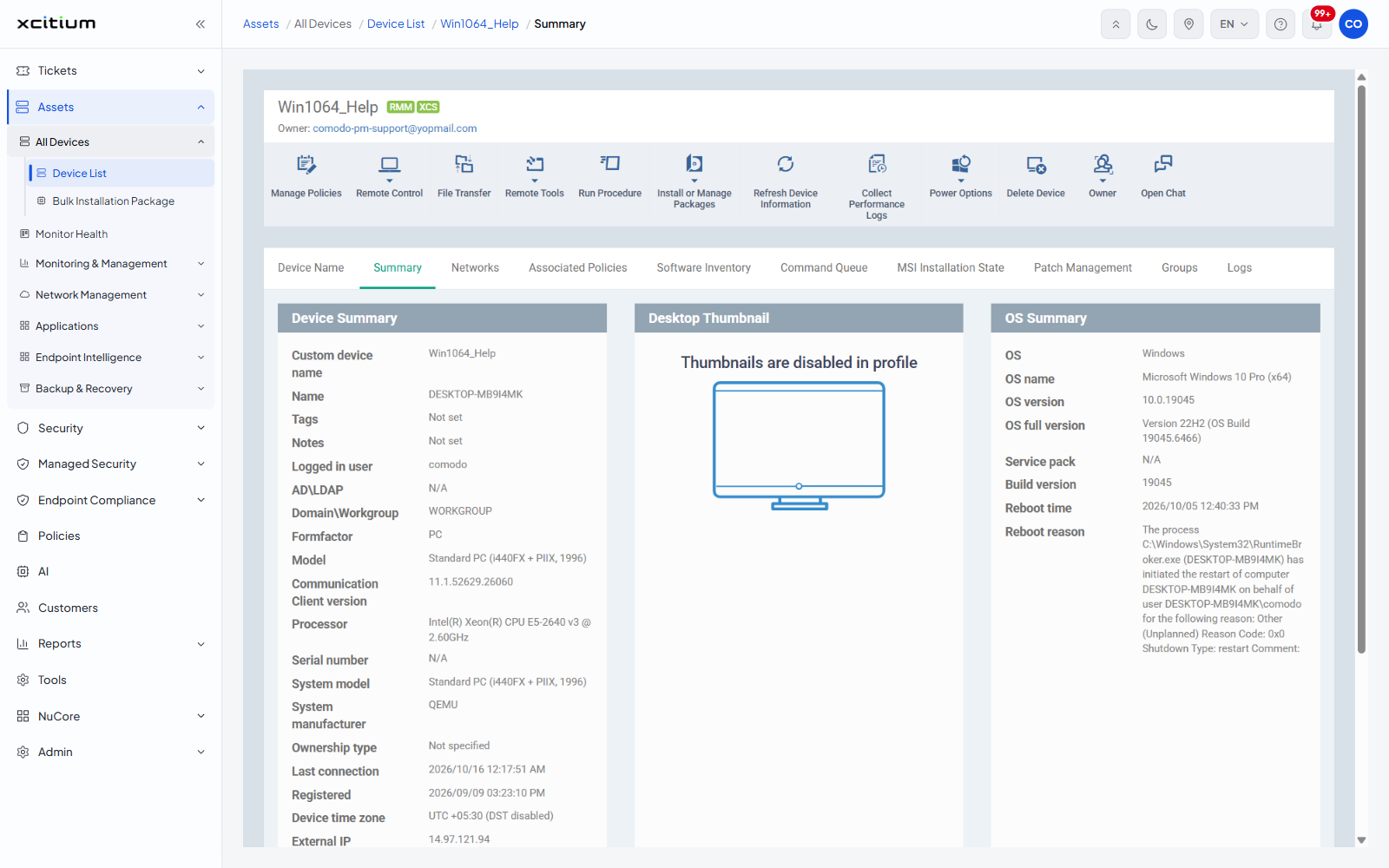
Device Summary
| Row | Description |
| Custom device name | The name the device appears under in the console. |
| Name | The hardware name the device reports. |
| Tags | The tags applied to the device. |
| Notes | Free text held against the device. |
| Logged in user | The account currently signed in. |
| ADLDAP | The directory the device is joined to, if any. |
| DomainWorkgroup | The domain or workgroup the device belongs to. |
| Formfactor | The kind of device, for example 'PC'. |
| Model | The hardware model reported by the device. |
| Communication Client version | The build of the client talking to the server. |
| Processor | The processor the device is running. |
| Serial number | The hardware serial number. |
| System model | The system model string. |
| System manufacturer | Who made the machine. |
| Ownership type | 'Not specified', 'Personal' or 'Corporate'. |
| Last connection | When the device last contacted the server. |
| Registered | When the device was enrolled. |
| Device time zone | The time zone the device is set to, and whether daylight saving is on. |
| External IP | The public address the device connects from. |
Desktop Thumbnail
Shows a thumbnail of the device's desktop. Where the device's profile does not allow it, the panel reads 'Thumbnails are disabled in profile' instead.
OS Summary
| Row | Description |
| OS | The operating system family. |
| OS name | The full product name and architecture. |
| OS version | The version number. |
| OS full version | The release and build number. |
| Service pack | The service pack level, where one applies. |
| Build version | The build number alone. |
| Reboot time | When the device last restarted. |
| Reboot reason | The reason the operating system recorded for that restart. |
Performance Metrics
The panel heading carries the time the figures were last updated.
| Row | Description |
| CPU usage | The percentage in use and the clock speed. |
| RAM usage | The percentage in use, with the amount used out of the total. |
| Network usage | The adapter name, then its load and the send and receive rates. |
| Disk usage | Free and used space per drive letter. |
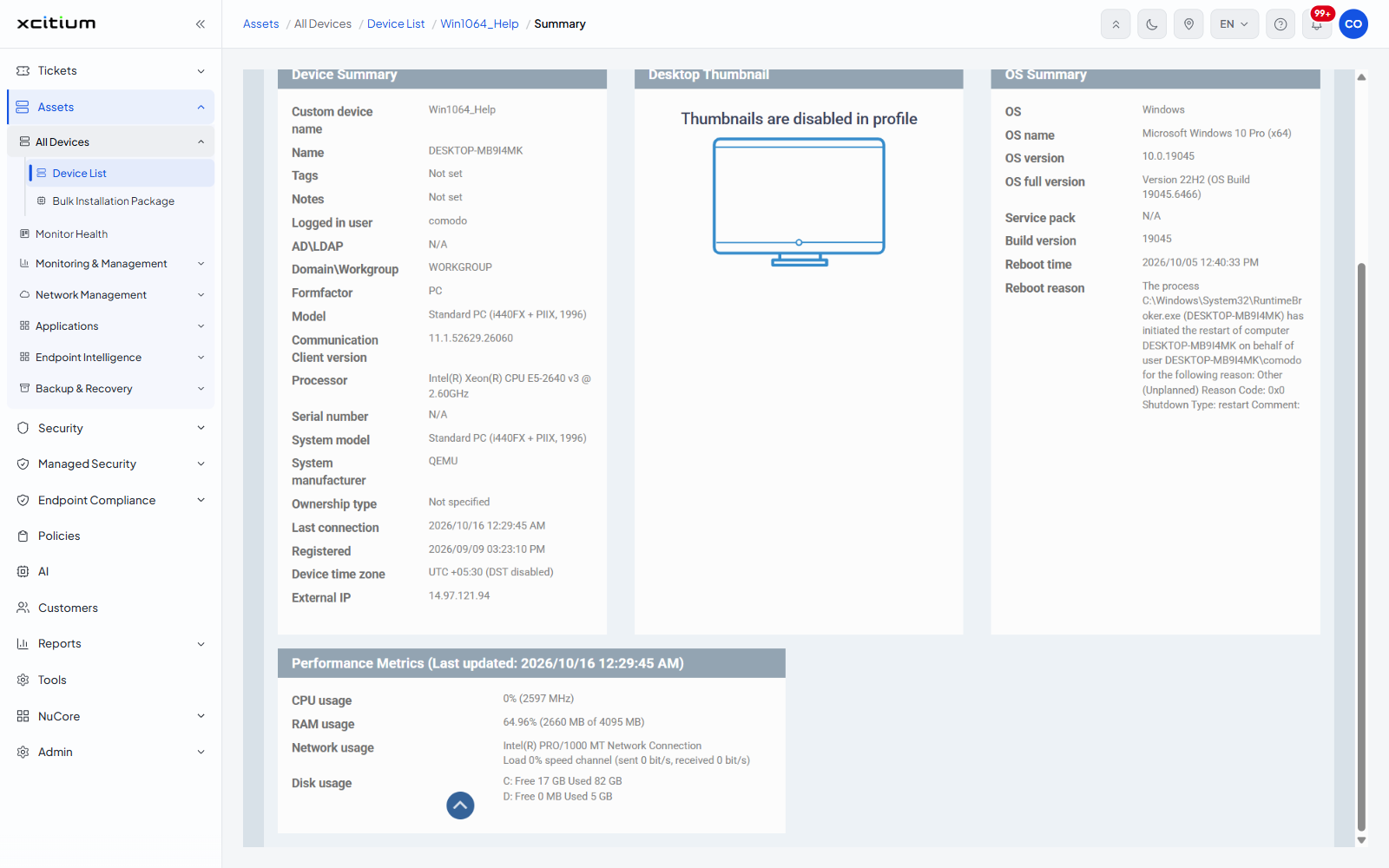
Note: these figures come from the device's last check-in, not from a live reading. Use 'Refresh Device Information' on the toolbar to ask for fresh data.