


Contained File Details
- Click 'Security' > 'Endpoint Security' > 'Contained Threats', then click a file name in the 'FILE NAME' column to open this interface.
The file details screen answers two questions about one contained file: what the platform knows about the file itself, and which devices it has been contained on. It has two tabs, 'File Info' and 'Device List'.
You can read the file's ratings and first-seen dates, refresh the endpoint count, list the devices the file reached, and jump from a device to the full event history for that file on that device.
The 'File Info' tab
'File Info' is the tab the screen opens on. It holds one panel, 'File Summary'.
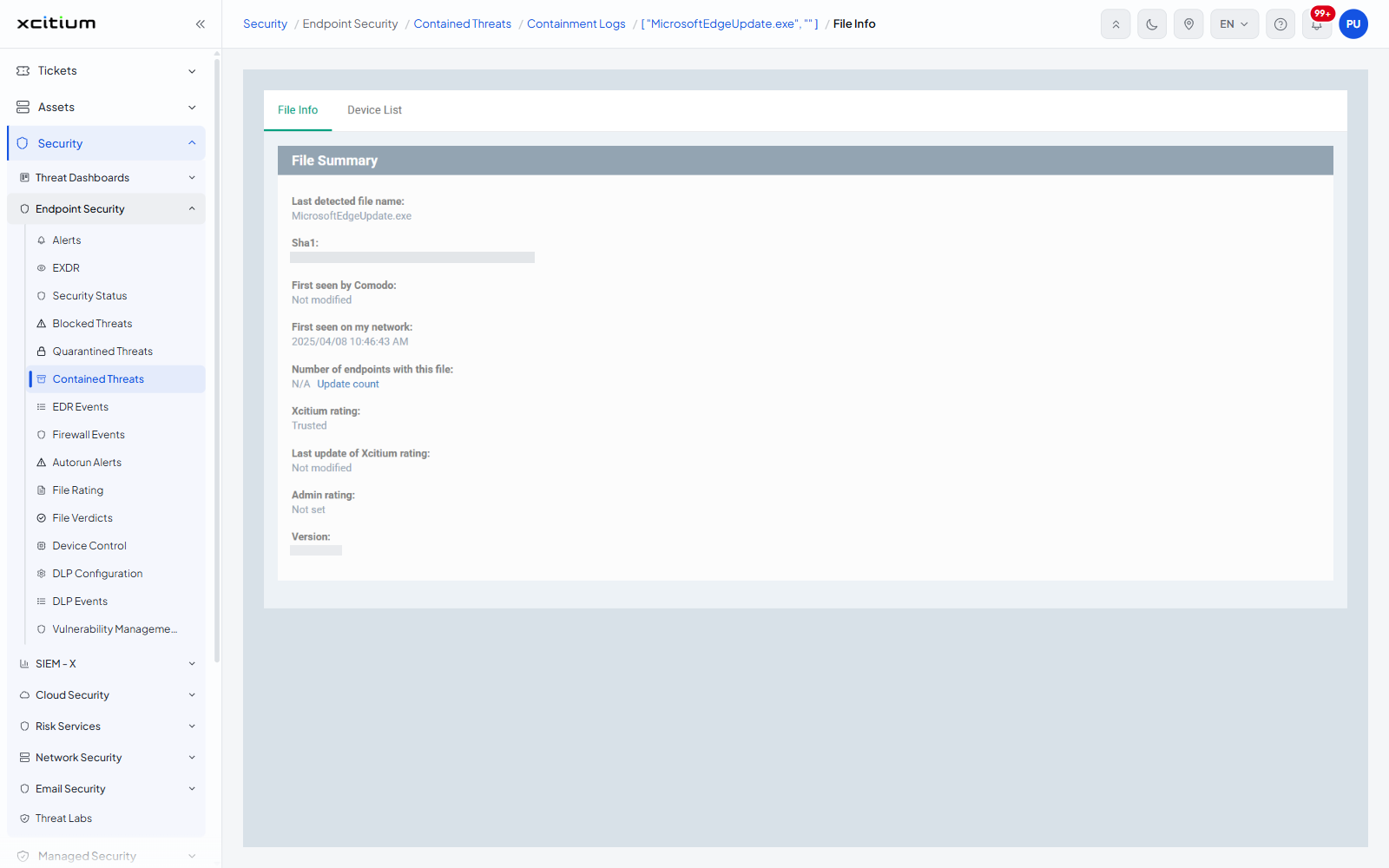
| Field | Description |
| Last detected file name: | The name the file was last seen under. |
| Sha1: | The SHA-1 hash of the file. |
| First seen by Comodo: | When the verdict service first saw this file anywhere. Shows 'Not modified' when the service has no date for it. |
| First seen on my network: | When the file first appeared on one of your devices, as date and time. |
| Number of endpoints with this file: | How many of your devices hold the file. An 'Update count' action beside the value recalculates it. Shows 'N/A' until it has been counted. |
| Xcitium rating: | The verdict service's rating, for example 'Trusted'. |
| Last update of Xcitium rating: | When that rating last changed. Shows 'Not modified' if it never has. |
| Admin rating: | The rating an administrator has set, for example 'Not set'. |
| Version: | The file version read from the file itself. |
The 'Device List' tab
Click 'Device List' to see every device the file has been contained on.
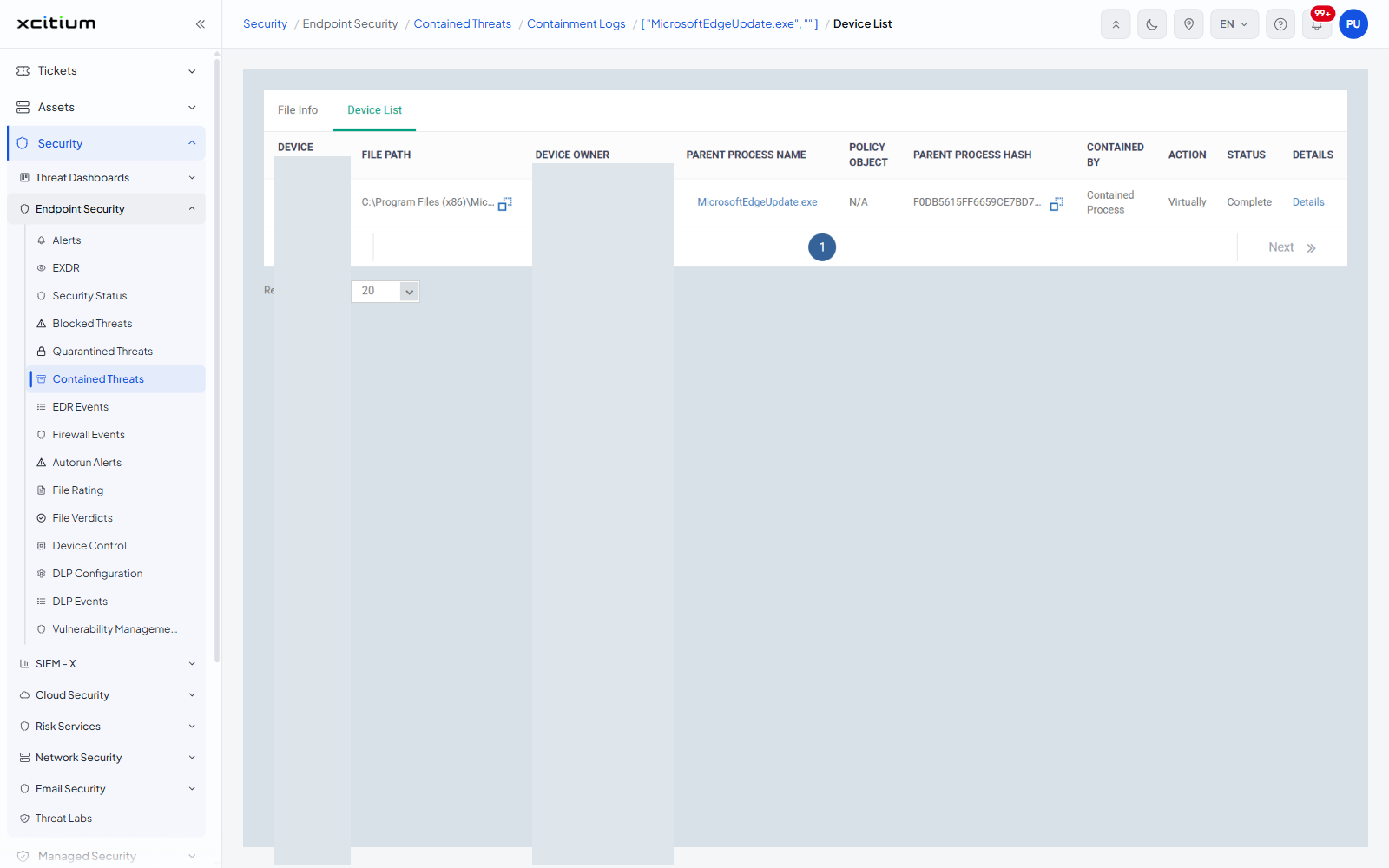
| Column | Description |
| DEVICE NAME | The device the file was contained on. |
| FILE PATH | Where the file sat on that device. |
| DEVICE OWNER | The user the device is assigned to. |
| PARENT PROCESS NAME | The process that launched the file on that device. |
| POLICY OBJECT | The matching rule in the containment policy, or 'N/A'. |
| PARENT PROCESS HASH | The SHA-1 of the parent process. |
| CONTAINED BY | What contained the file on that device, for example 'Contained Process'. |
| ACTION | What containment did, for example 'Virtually'. |
| STATUS | How it ended, for example 'Complete'. |
| DETAILS | A 'Details' link on each row. |
Follow a device to its events
- Open the 'Device List' tab.
- Click 'Details' at the end of the device's row.
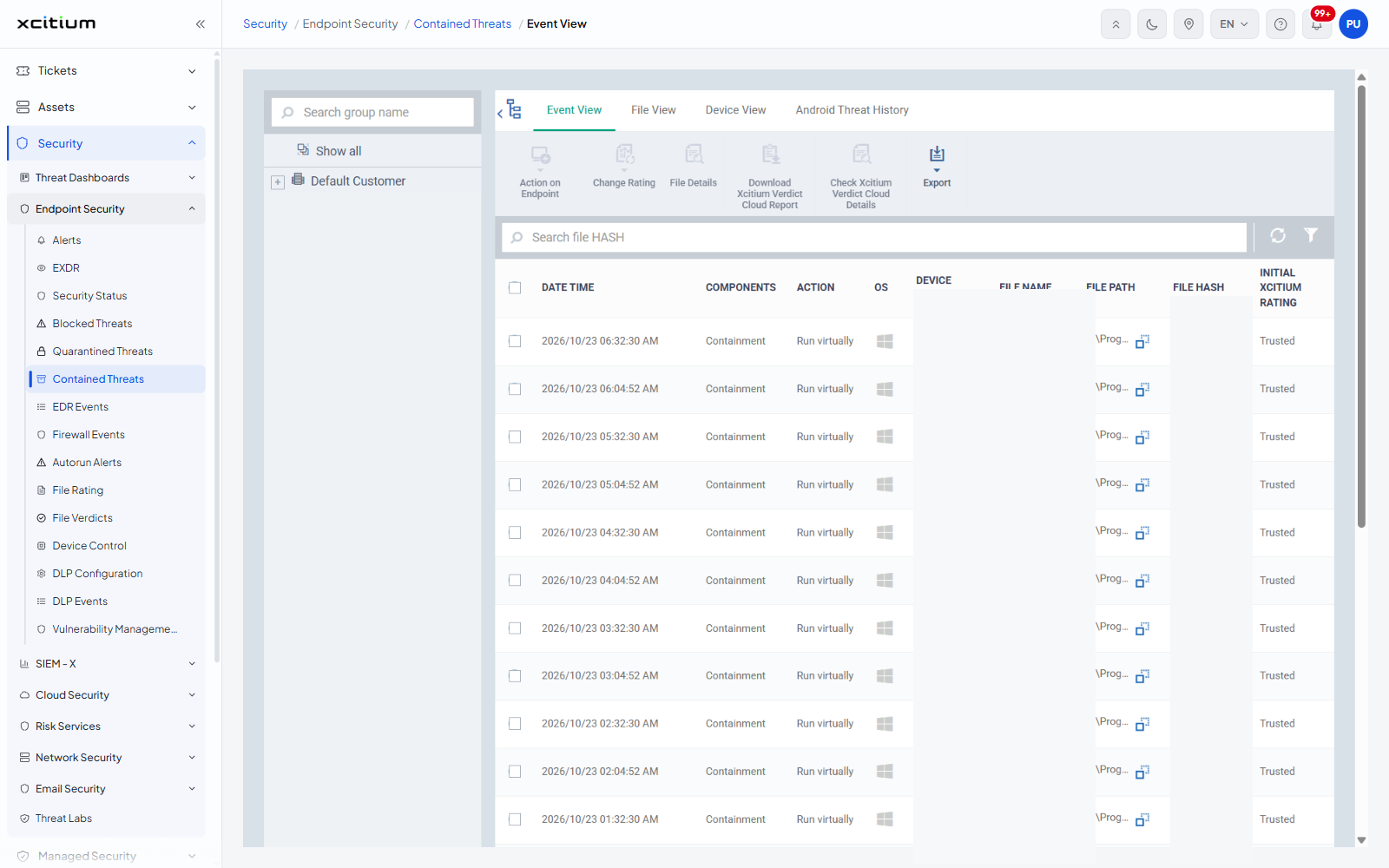
- The event history opens on the 'Event View' tab of the file-event screen, already narrowed to that file and device. Every containment event for the file is listed with its date, component, action, ratings and 'ADDITIONAL INFO'.
See Contained Threats for the list this screen is opened from.