


Vulnerability Management
- Click 'Security' > 'Endpoint Security' > 'Vulnerability Management' to open this interface.
Vulnerability Management lists the CVEs found on your enrolled devices and how many devices each one affects. Clicking the navigation item takes you out of the Security module and into the Assets module, at '/assets/vulnerability-management'.
You can see which vulnerabilities are present, which devices carry them, install the patches that fix them, filter the list and export it.
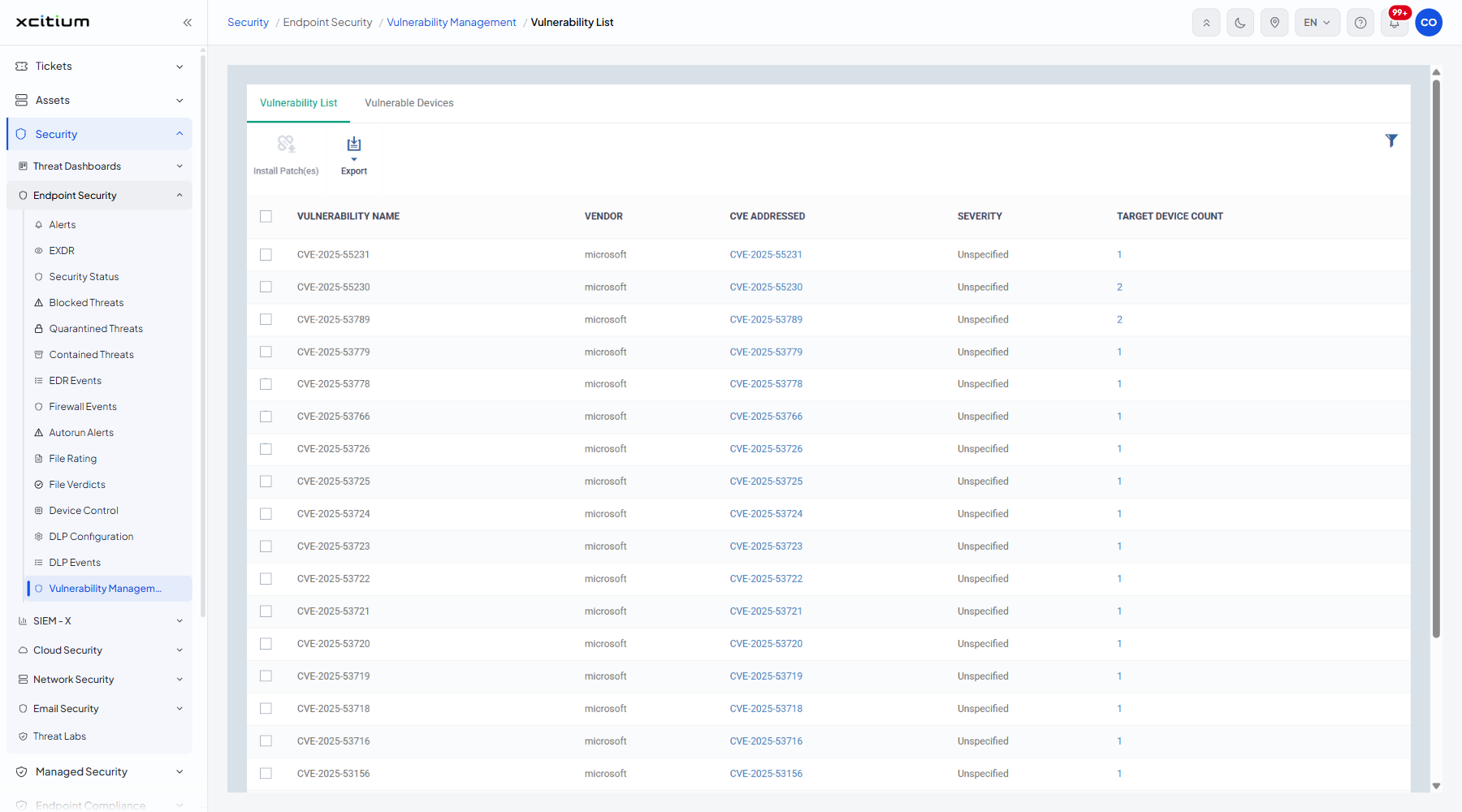
The tabs
| Tab | Description |
| Vulnerability List | One row per vulnerability. The default tab. |
| Vulnerable Devices | One row per affected device. |
The Vulnerability List columns
| Column | Description |
| VULNERABILITY NAME | The name of the vulnerability, usually the CVE identifier. |
| VENDOR | The vendor of the affected software. |
| CVE ADDRESSED | The CVE the patch addresses. |
| SEVERITY | How serious it is. Values seen include 'Unspecified'. |
| TARGET DEVICE COUNT | How many devices are affected. |
The toolbar
| Button | Description |
| Install Patch(es) | Installs the patches for the ticked vulnerabilities on the affected devices. |
| Export | Downloads the list. |
Filter the list
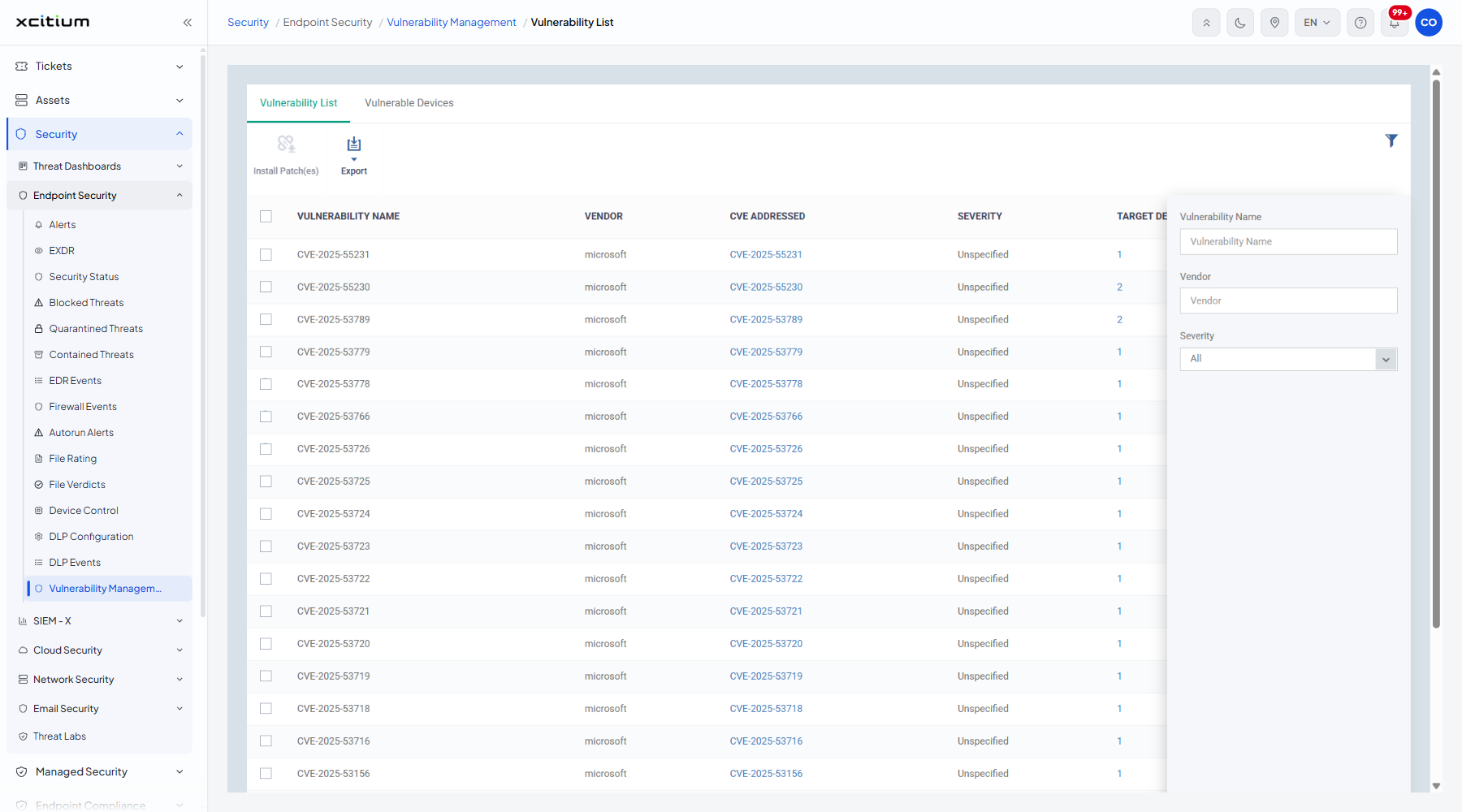
- Click the funnel icon at the top right of the table.
- Set the criteria you want.
| Filter | Description |
| Vulnerability Name | Free text. |
| Vendor | Free text. |
| Severity | 'All' (the default), 'Critical', 'Important', 'Low', 'Moderate' and 'Unspecified'. |
Note: 'Install Patch(es)' deploys software to live endpoints. Check the device list first.