DLP Quarantined Files
- Click 'Security' > 'Endpoint Security' > 'DLP Events' > 'Quarantined Files' to open this interface.
A discovery rule whose action is 'Quarantine' moves the offending file out of harm's way on the device. Those files are listed here, so you can see what was taken, why it was taken, and decide whether to delete it for good or put it back.
You can narrow the list to a device group, filter it, delete the quarantined files from the devices, restore them, and export the list.
The interface
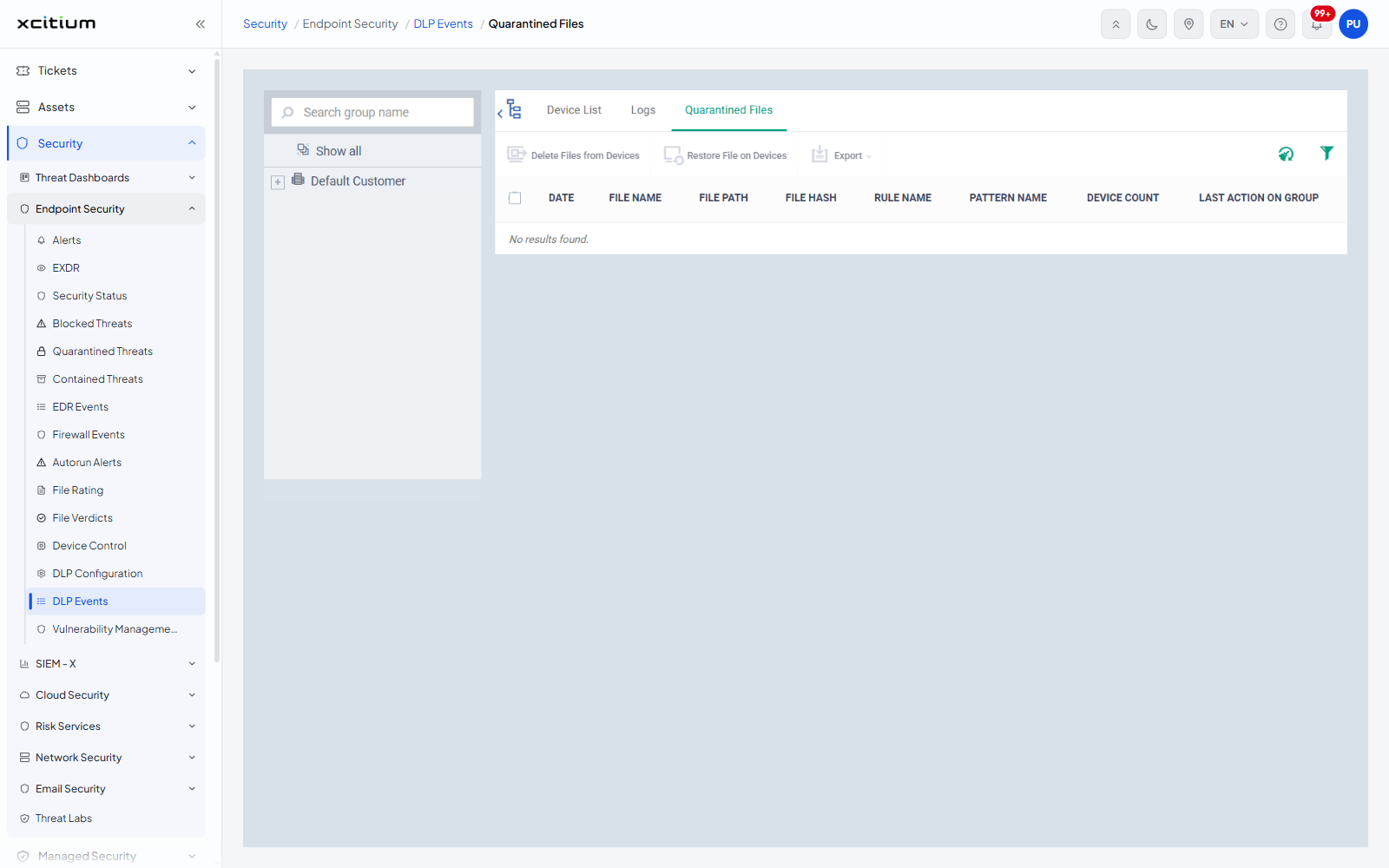
'DLP Events' has three tabs: 'Device List', 'Logs' and 'Quarantined Files'. The group tree on the left, with its 'Search group name' box and 'Show all' entry, filters all three. A select-all check box sits in the header row and a check box on each row.
Column descriptions
| Column | Description |
| DATE | When the file was quarantined. |
| FILE NAME | The name of the quarantined file. |
| FILE PATH | Where the file sat on the device before it was quarantined. |
| FILE HASH | The SHA-1 of the file. |
| RULE NAME | The discovery rule that quarantined it. |
| PATTERN NAME | The content pattern inside that rule which matched. |
| DEVICE COUNT | How many devices hold a copy of the file. |
| LAST ACTION ON GROUP | The last action taken across the whole group of devices holding the file. |
The toolbar
| Button | Description |
| Delete Files from Devices | Removes the selected files from every device that holds them. The files cannot be restored afterwards. |
| Restore File on Devices | Puts the selected files back where they were taken from. |
| Export | A menu leading to 'Export to CSV'. |
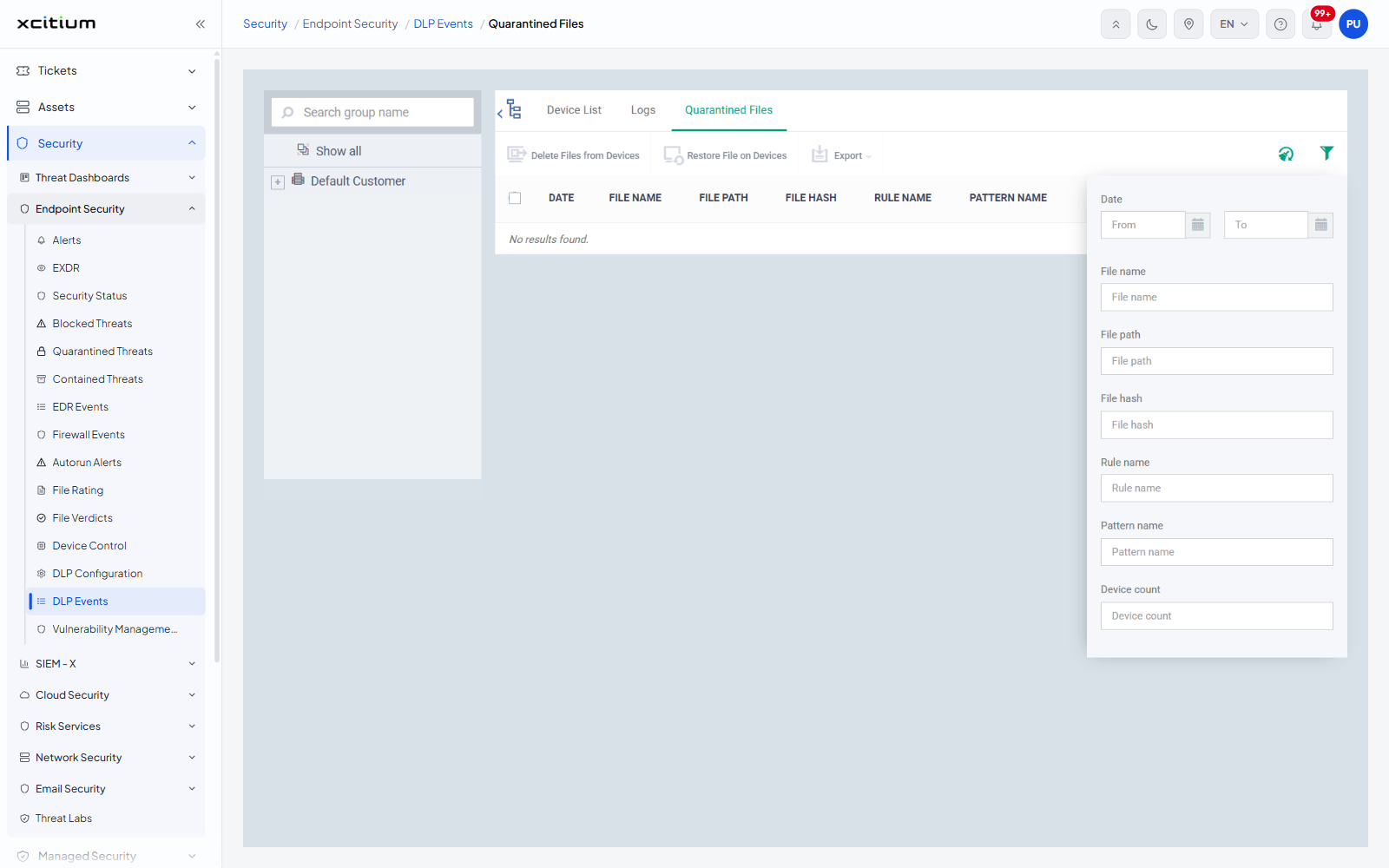
Two icons sit at the right of the toolbar: 'Clear data cache' and 'Table filter'. 'Delete Files from Devices' and 'Restore File on Devices' are greyed out until a row is selected.
Filter the list
- Click the funnel icon ('Table filter') at the right of the toolbar.
- Set the fields you want.
- Click the funnel again to close the panel.
| Field | Control |
| Date | A 'From' and a 'To' date box |
| File name | Text box |
| File path | Text box |
| File hash | Text box |
| Rule name | Text box |
| Pattern name | Text box |
| Device count | Text box |