


Interview Questions
- Click 'AI' > 'AI Agent' > 'Manage Your AI Agent' > 'Interview Questions' on an HR Recruitment agent to open this interface.
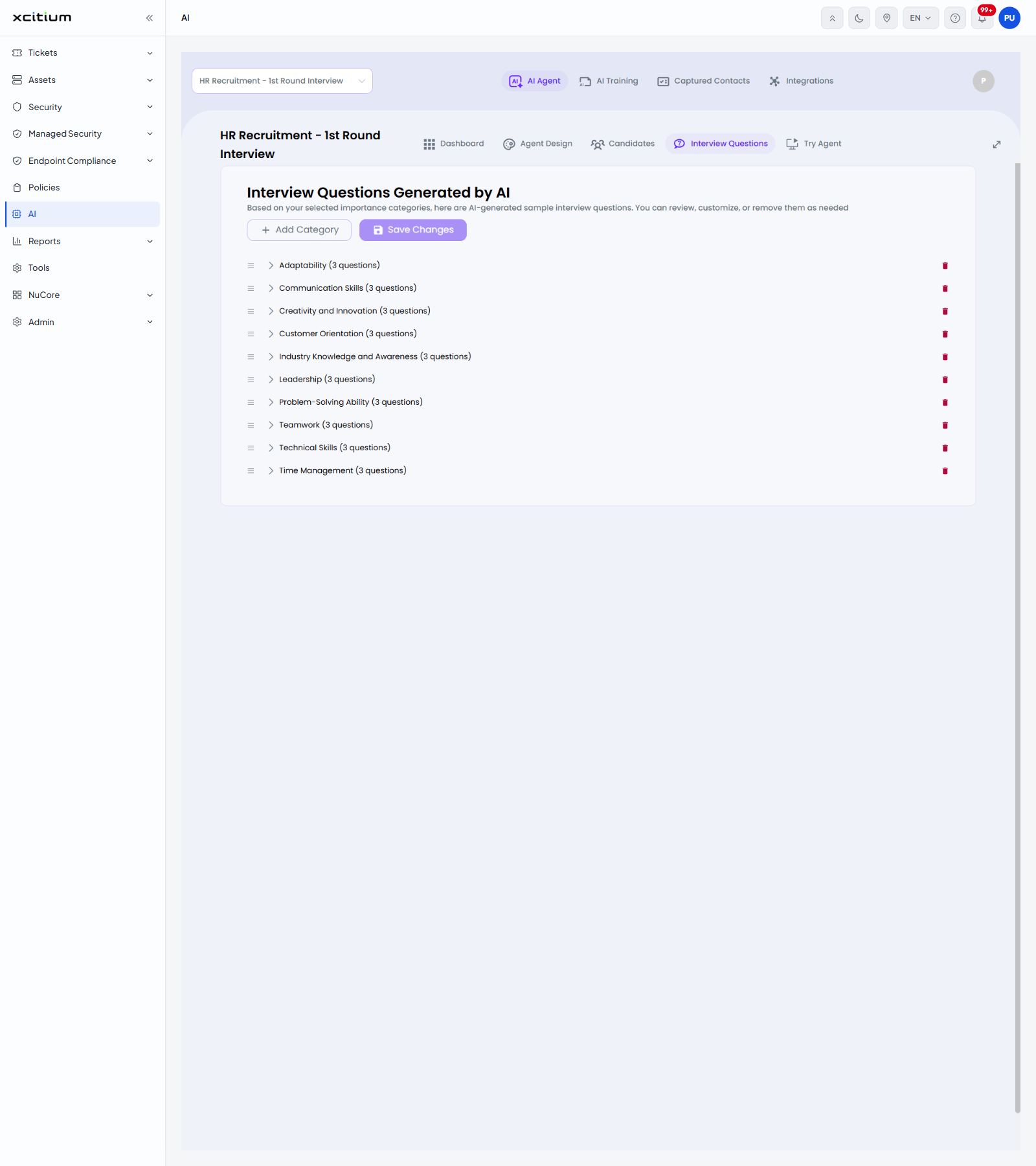
The screen is headed 'Interview Questions Generated by AI' with the line 'Based on your selected importance categories, here are AI-generated sample interview questions. You can review, customize, or remove them as needed'.
Questions are grouped into categories. Each row shows the category name and how many questions it holds, a drag handle for changing the order, an arrow to expand the questions, and a red bin button to remove the category.
Controls
| Control | Description |
| + Add Category | Opens the 'Add New Category' dialog. |
| Save Changes | Keeps the categories, questions and order as you have left them. |
| Drag handle | The grip at the left of a row. Drag it to change the order the categories are asked in. |
| Arrow | Expands the category to show its questions. |
| Bin | Removes the category and its questions. |
The categories in this agent
| Category | Questions |
| Adaptability | 3 |
| Communication Skills | 3 |
| Creativity and Innovation | 3 |
| Customer Orientation | 3 |
| Industry Knowledge and Awareness | 3 |
| Leadership | 3 |
| Problem-Solving Ability | 3 |
| Teamwork | 3 |
| Technical Skills | 3 |
| Time Management | 3 |
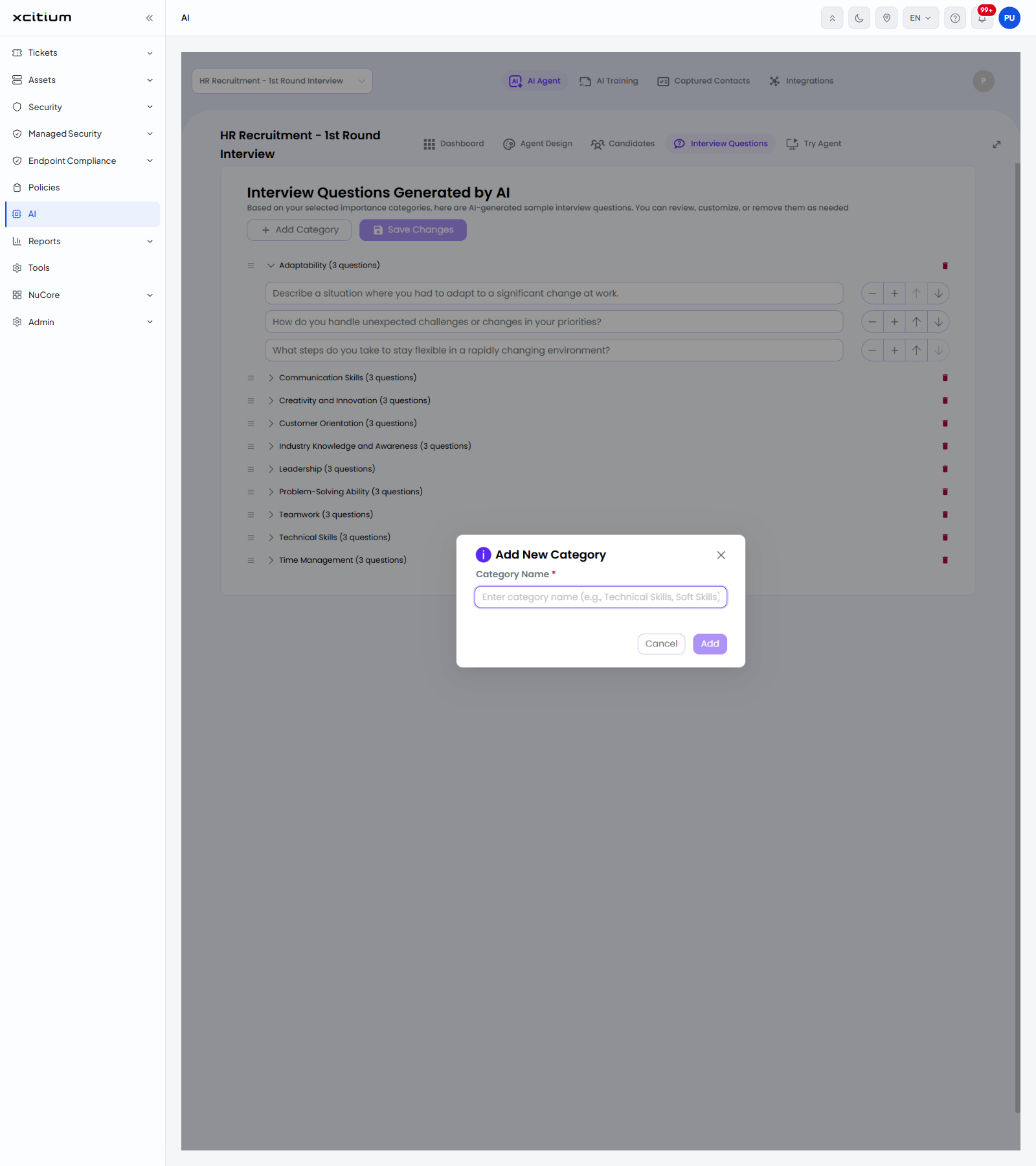
The 'Add New Category' dialog
| Field | Control | Description |
| Category Name | Text box, required | The name of the new category. The placeholder is 'Enter category name (e.g., Technical Skills, Soft Skills)'. |
The dialog is completed with 'Add' or closed with 'Cancel'.
Change the questions an agent asks
- Click 'AI' > 'AI Agent' > 'Manage Your AI Agent' > 'Interview Questions'.
- Click the arrow next to a category to read its questions, and edit or remove the ones you do not want.
- Click '+ Add Category', type the name and click 'Add' to cover another area.
- Drag the handle at the left of a row to change the order.
- Click 'Save Changes'.
The answers candidates give to these questions are scored on 'Candidates'.