


File Rating
- Click 'Security' > 'Endpoint Security' > 'File Rating' to open this interface.
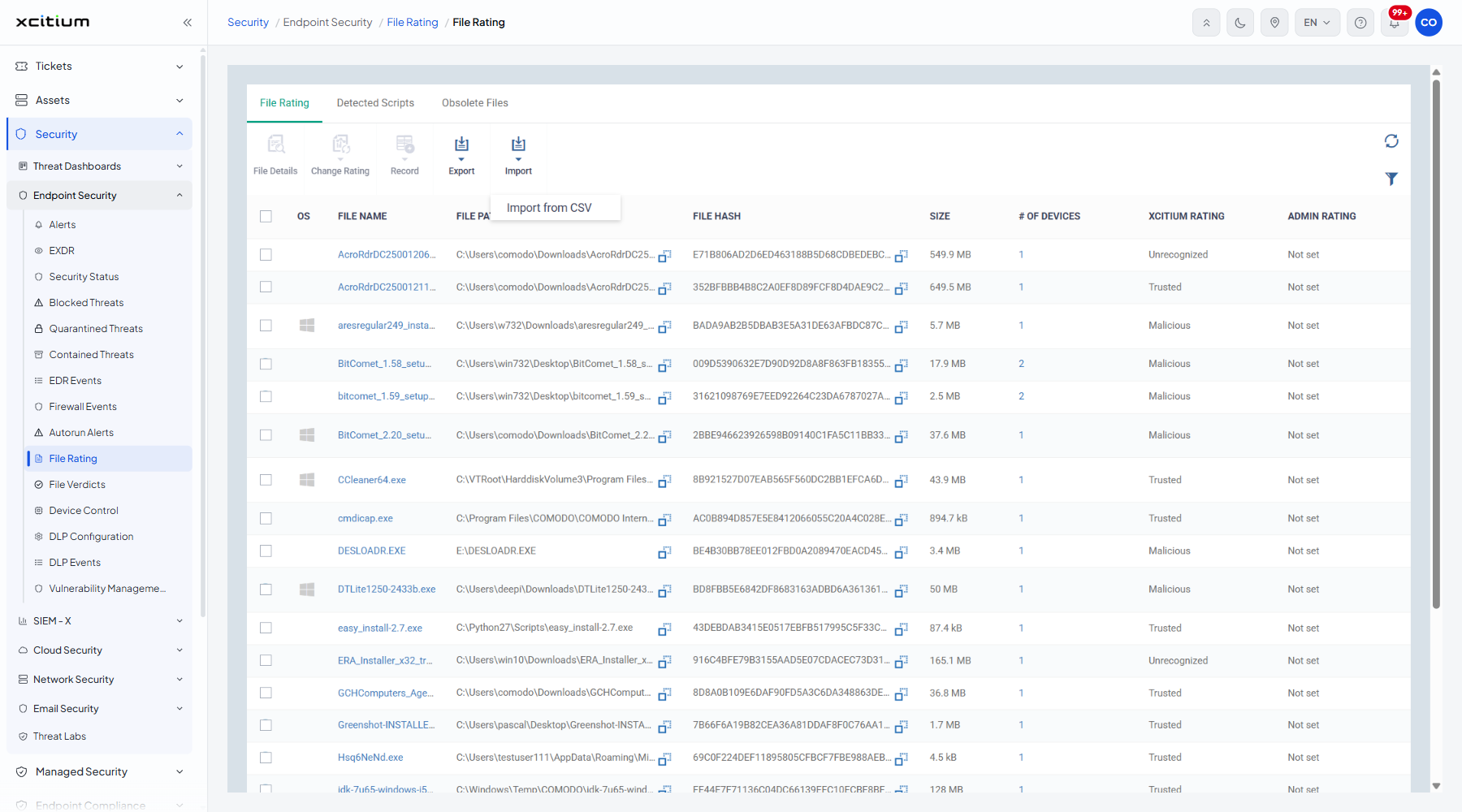
File Rating lists every executable file the client has seen across your estate, with the rating the verdict service gave it and the rating an administrator gave it. It is the master list behind the containment and blocking decisions.
You can change a file's rating, open its details, record a file, and import or export ratings as CSV.
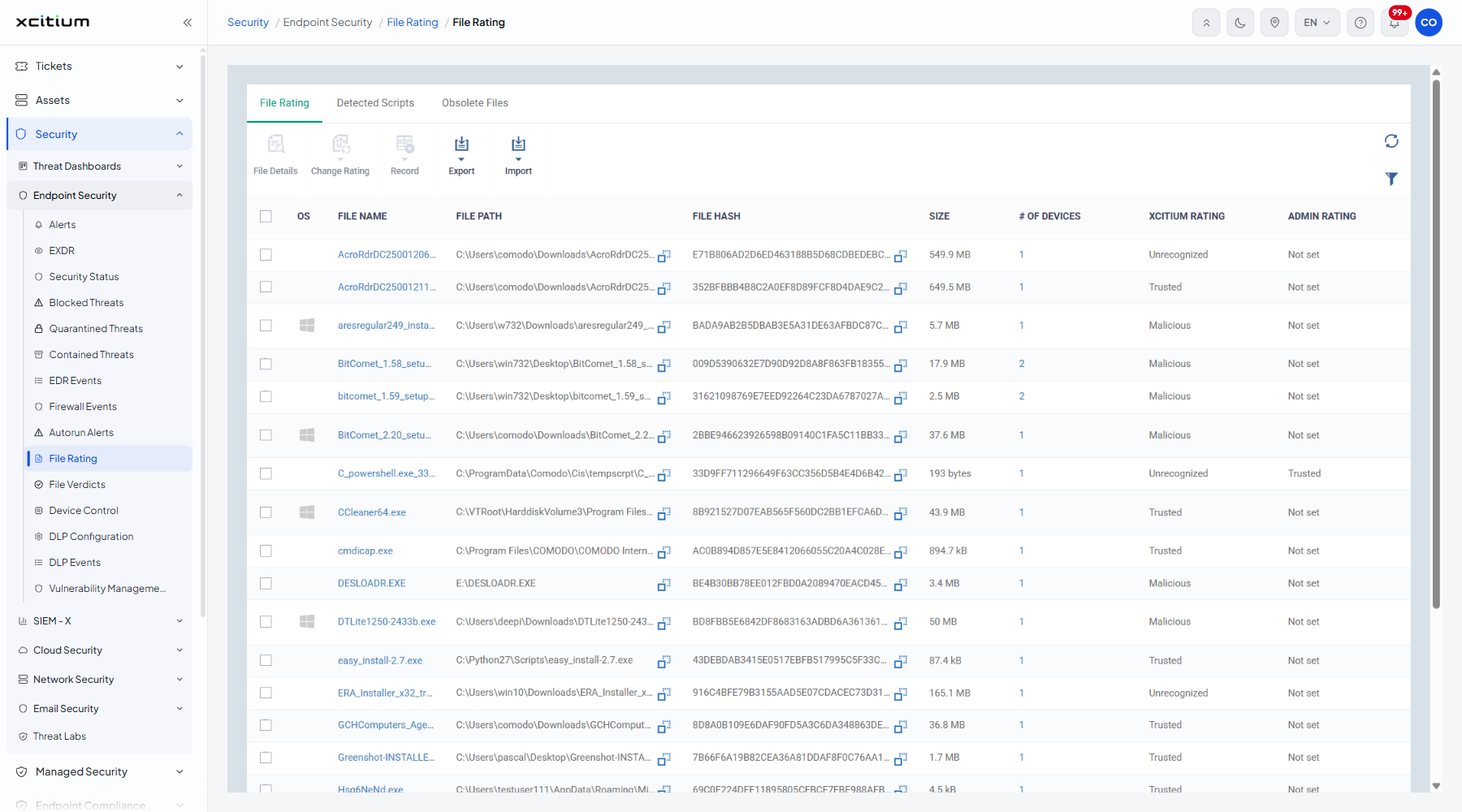
The tabs
| Tab | Description |
| File Rating | Every file and its ratings. The default tab. |
| Detected Scripts | Scripts the client intercepted. |
| Obsolete Files | Files marked obsolete. |
The columns
| Column | Description |
| OS | The operating system of the devices the file was found on. |
| FILE NAME | The name of the file. |
| FILE PATH | Where the file sits. |
| FILE HASH | The hash of the file. |
| SIZE | How big the file is. |
| # OF DEVICES | How many devices hold the file. |
| XCITIUM RATING | The rating the verdict service gave it. Values seen include 'Trusted', 'Unrecognized' and 'Malicious'. |
| ADMIN RATING | The rating an administrator gave it. Values seen include 'Not set'. |
The toolbar
| Button | Description |
| File Details | Opens the details of the ticked file. |
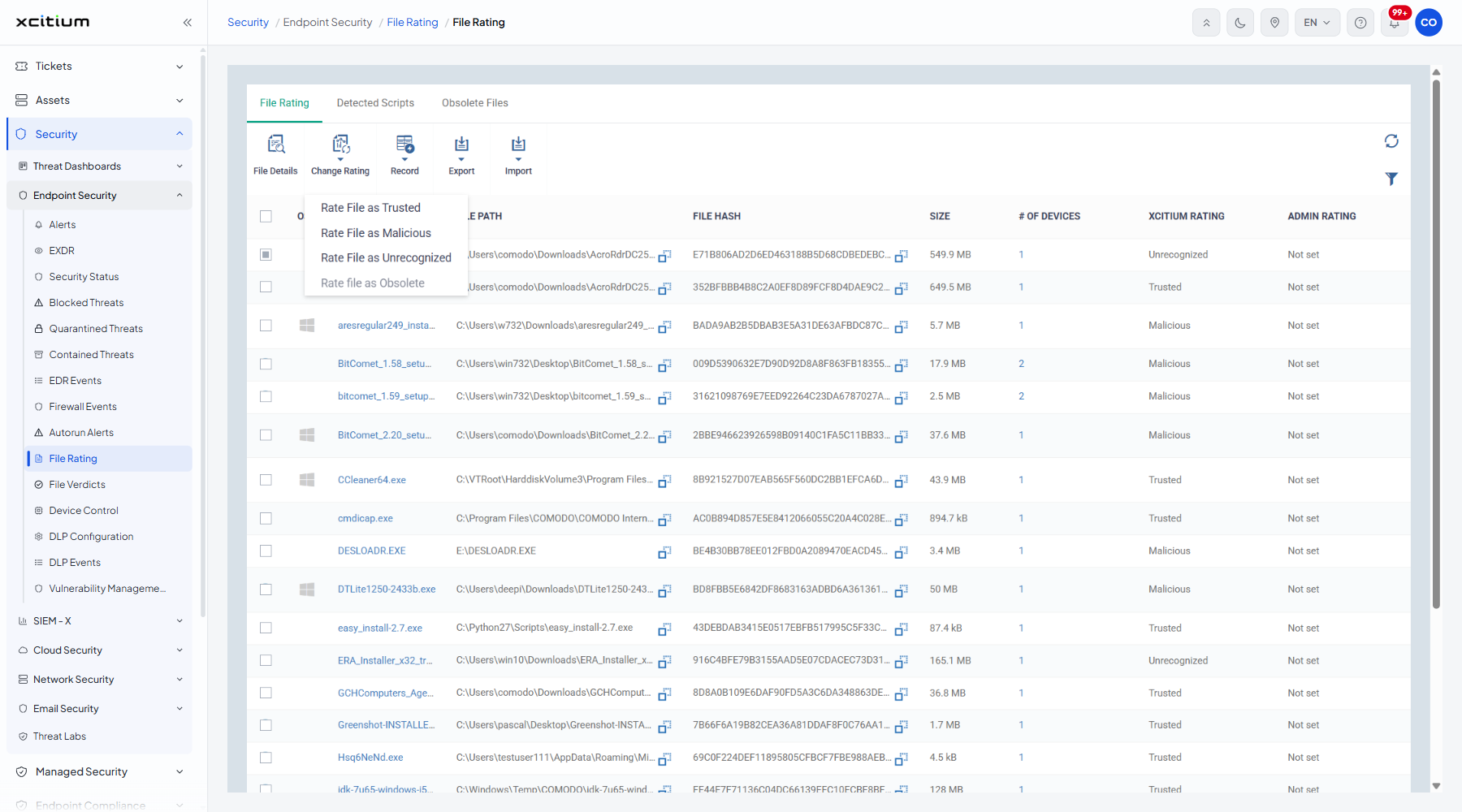
| Change Rating | A menu that sets the administrator rating of the ticked files. |
| Record | Records the ticked file. It is greyed out until you tick one; the tooltip reads "Select file(s) to take this action". |
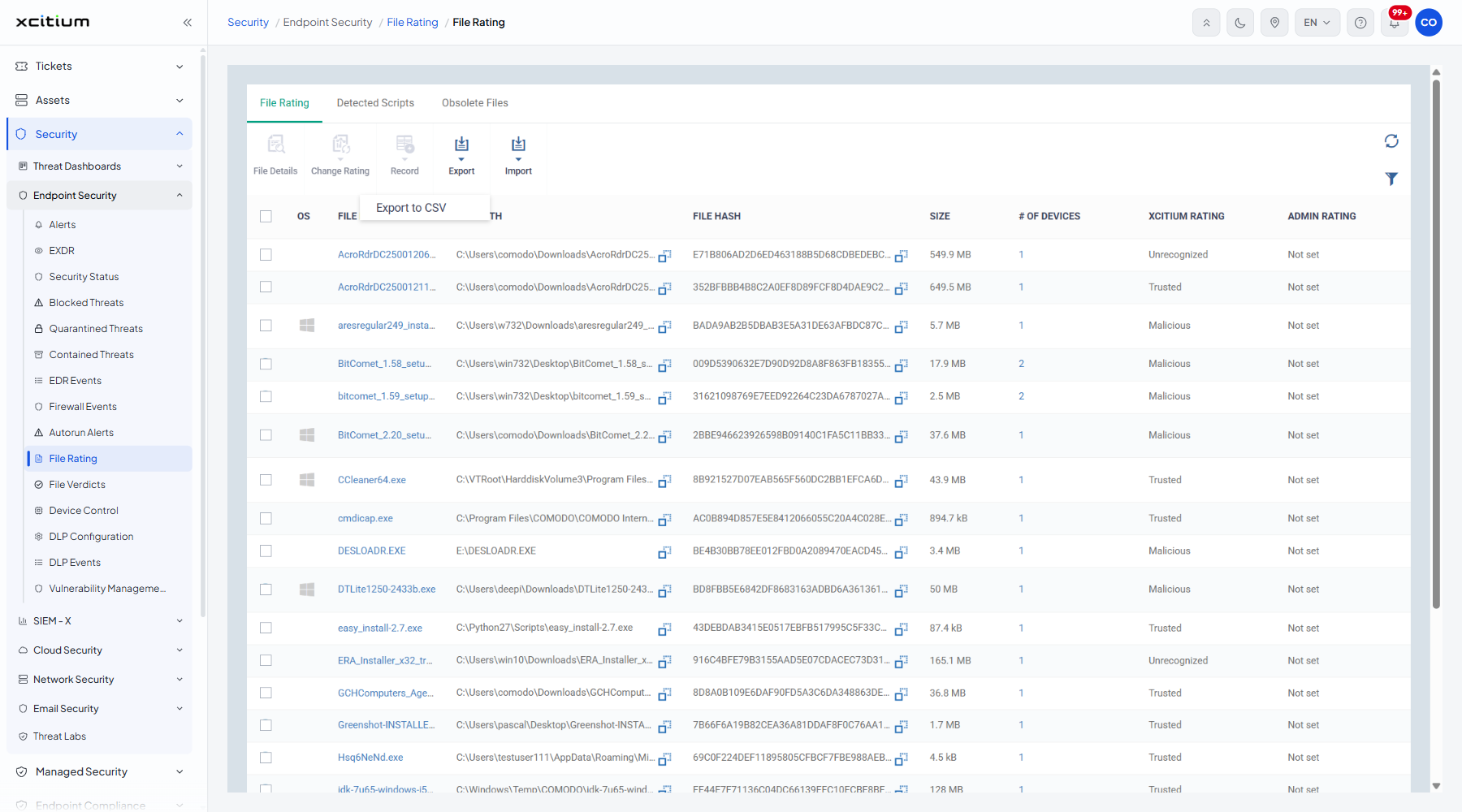
| Export | A menu holding 'Export to CSV'. |
| Import | A menu holding 'Import from CSV'. |
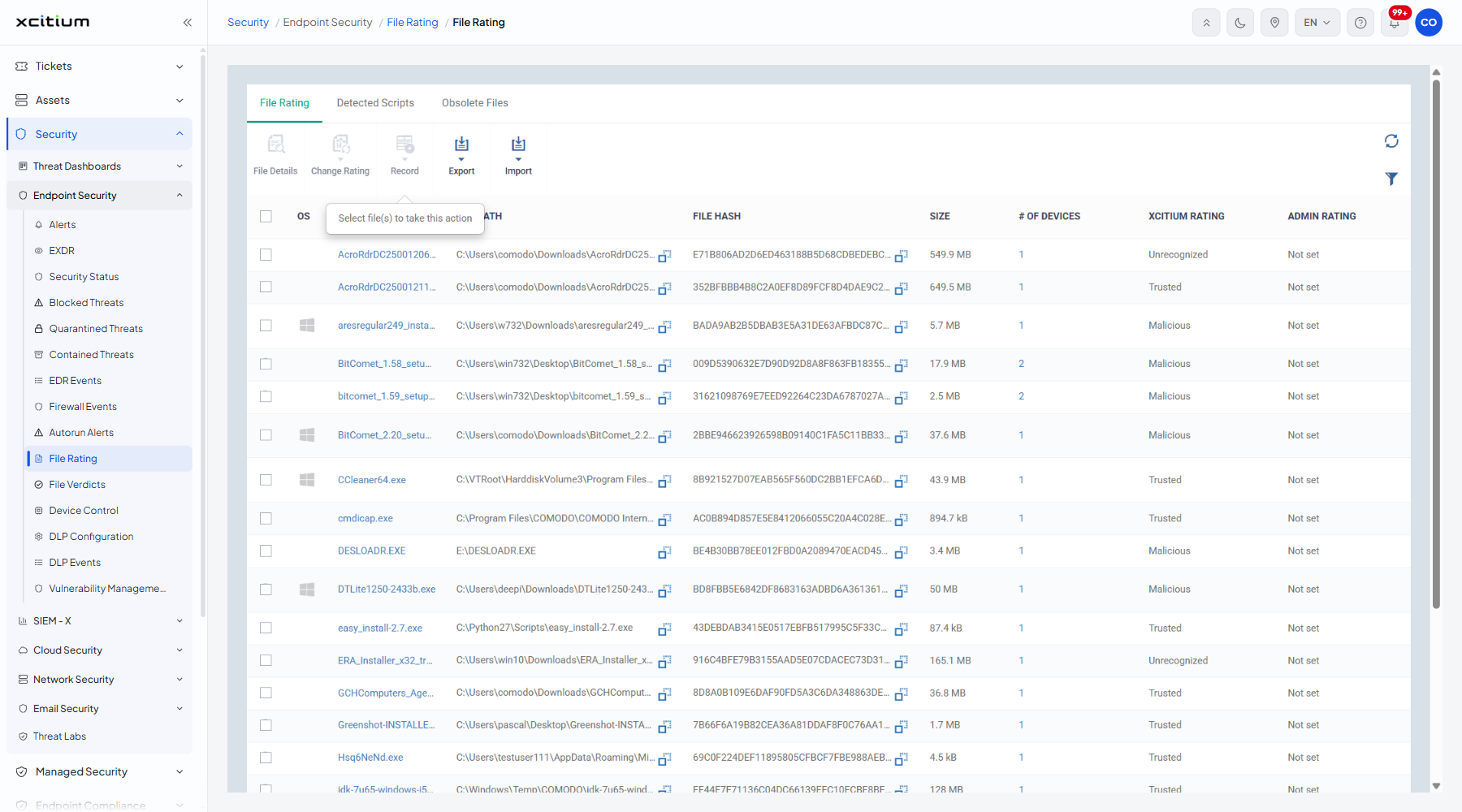
Change the rating of a file
- Tick the row or rows you want.
- Click 'Change Rating'.
- Pick 'Rate File as Trusted', 'Rate File as Malicious', 'Rate File as Unrecognized' or 'Rate file as Obsolete'.
Export or import ratings
- Click 'Export', then 'Export to CSV', to download the current list.
- Click 'Import', then 'Import from CSV', to load ratings from a file.
Filter the list
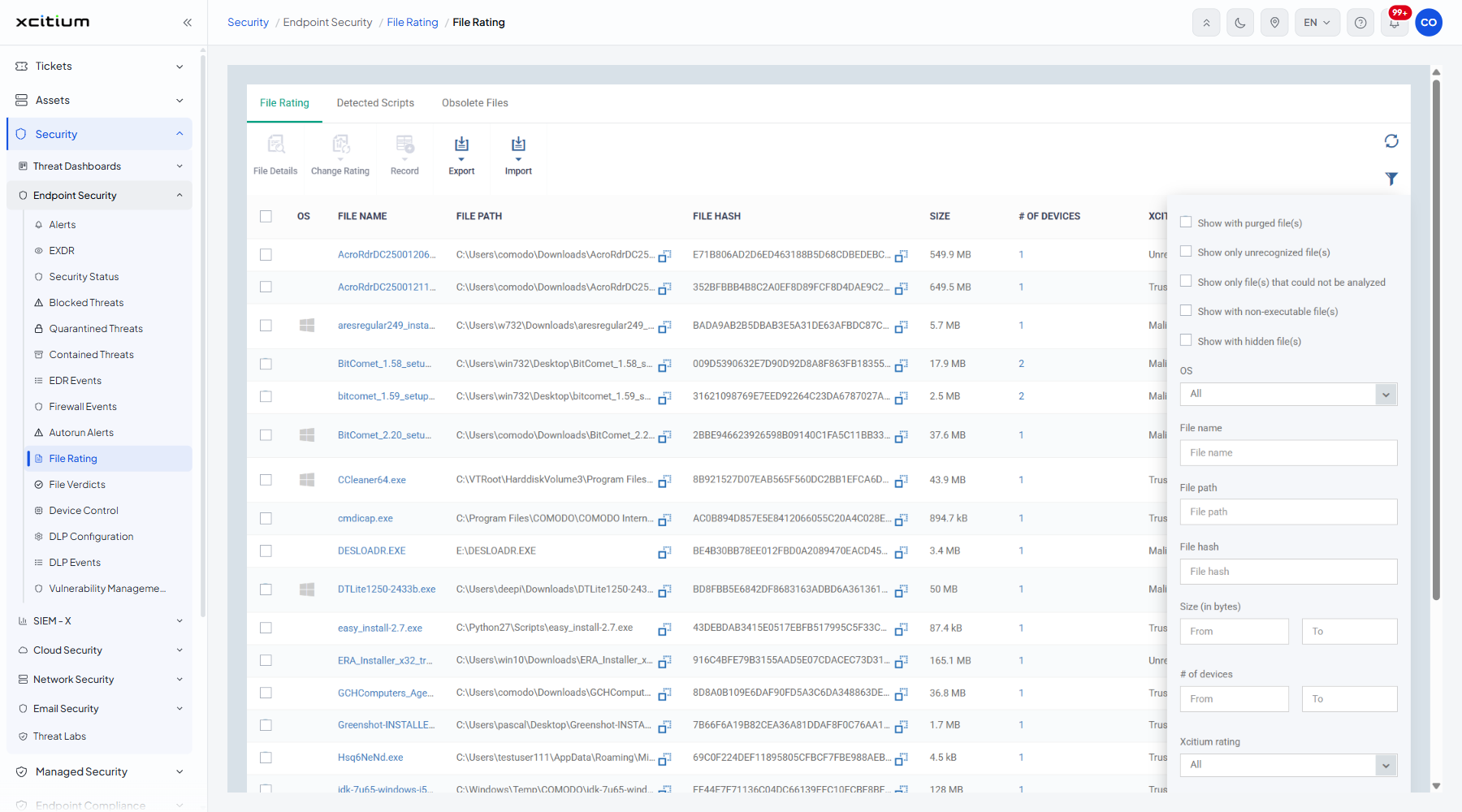
- Click the funnel icon at the top right of the table.
- Set the criteria you want.
| Filter | Description |
| Show with purged file(s) | A tick box. Includes files that have been purged. |
| Show only unrecognized file(s) | A tick box. Limits the list to files the verdict service has not recognised. |
| Show only file(s) that could not be analyzed | A tick box. |
| Show with non-executable file(s) | A tick box. |
| Show with hidden file(s) | A tick box. |
| OS | 'All' (the default), 'Windows' and 'macOS'. |
| File name | Free text. |
| File path | Free text. |
| File hash | Free text. |
| Size (in bytes) | A number. |
| # of devices | A number. |
| Xcitium rating | 'All' (the default), 'Trusted', 'Unrecognized' and 'Malicious'. |
| Admin rating | 'All' (the default), 'Not set', 'Trusted', 'Unrecognized' and 'Malicious'. |
Note: the administrator rating overrides the verdict service rating on the devices. Rating a file trusted here stops it being contained or blocked everywhere in the account.