


Deprecated Agents
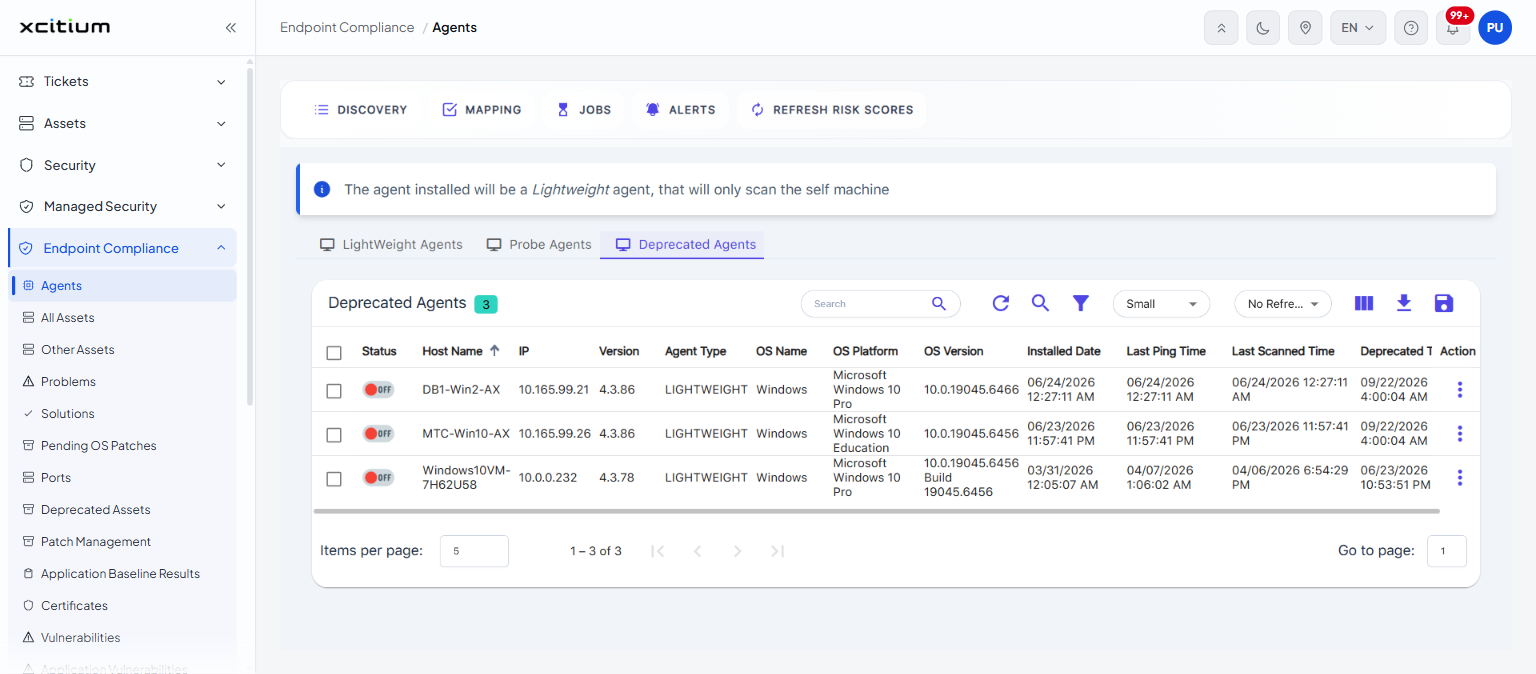
- Click 'Endpoint Compliance' > 'Agents' > 'Deprecated Agents' to open this interface.
This tab lists the agents that have been retired with the 'Deprecate' action. The card heading reads 'Deprecated Agents' with a chip showing how many there are.
You can review when each agent was deprecated and restore an agent to the active list from this interface.
Columns
The columns are those of the 'LightWeight Agents' tab plus one:
| Column | Description |
| (check box) | Selects the row. The check box in the heading selects every row on the page. |
| Status | Whether the agent is reachable. A green 'ON' pill means 'Online'; a red 'OFF' pill means 'Offline'. |
| Host Name | The name of the machine the agent is installed on. |
| IP | The IP address of that machine. |
| Version | The version of the agent software. |
| Agent Type | The kind of agent the record was before it was deprecated. |
| OS Name | The operating system family of the machine. |
| OS Platform | The full operating system edition. |
| OS Version | The operating system build number. |
| Installed Date | The date and time the agent was installed. |
| Last Ping Time | The date and time the agent last contacted the console. |
| Last Scanned Time | The date and time the agent last completed a scan. |
| Deprecated Time | The date and time the agent was deprecated. |
| Action | Opens the row menu described below. |
Row actions
The row menu matches the one on the 'LightWeight Agents' tab, except that 'Deprecate' is replaced by 'Restore':
| Action | Description |
| Map Discovery & Credentials | Associates discovery settings and credentials with this agent. |
| Reset Agent Configuration | Returns the agent's configuration to its starting state. |
| Dependency Status | Shows the status of the agent's dependencies. |
| Scan | Starts a scan on the agent. |
| Uninstall | Removes the agent from the endpoint. |
| Delete | Deletes the agent record. |
| Restore | Returns the agent to the active agent list. |
| Start Debug | Turns on debug logging for the agent. |
| End Debug | Turns debug logging off again. |
| Fetch Logs | Collects the agent's logs. |
| Restart Agent | Restarts the agent service on the endpoint. |
| Download Logs | Downloads the collected logs. |
To bring a deprecated agent back:
- Find the agent's row on the 'Deprecated Agents' tab.
- Click the three-dot button in the 'Action' column.
- Click 'Restore'.
Search across the whole list
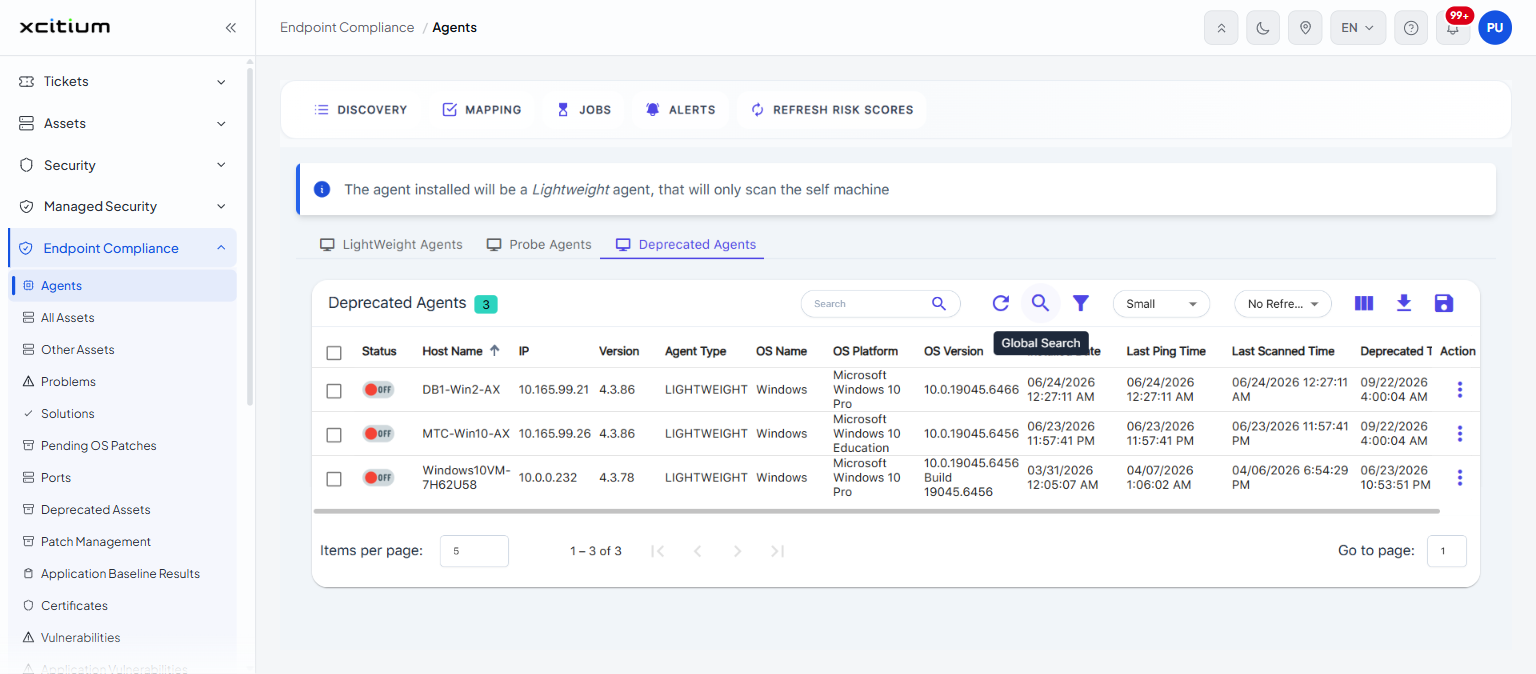
The 'Global Search' button is a toggle. Click it and the button is highlighted; the 'Search' box then searches beyond the rows currently loaded. Click it again to switch it off.