


Escalated to Technicians
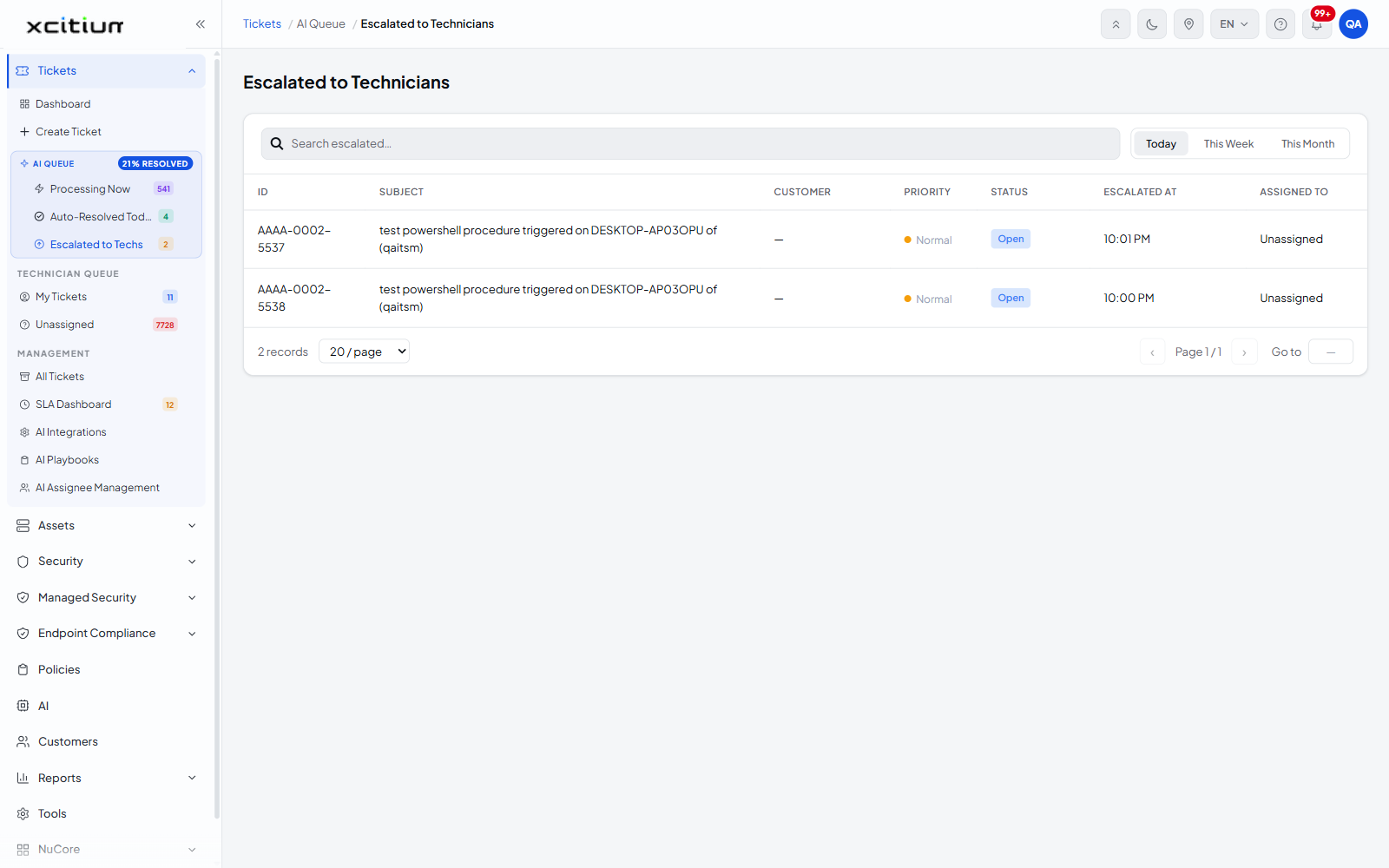
- Click 'Tickets' > 'AI Queue' > 'Escalated to Techs' to open this interface. The screen itself is headed 'Escalated to Technicians'.
This screen lists the tickets the AI service agent decided it could not resolve and handed to a human. It is the handover point between the automation and your technicians, and the fastest way to see what needs a person today.
You can change the time period, read the priority and status of each escalation, see who it went to, and open any ticket to pick it up.
Choose the time period
A row of filter tabs sets the period covered by the list. Only one can be active at a time.
| Tab | Description |
| Today | Tickets escalated since midnight. This is the default. |
| This Week | Tickets escalated in the current week. |
| This Month | Tickets escalated in the current month. |
The ticket list
| Column | Description |
| ID | The ticket number, for example AAAA-0002-5537. |
| SUBJECT | The subject line of the ticket. |
| CUSTOMER | The customer the ticket belongs to. Shows '—' when the ticket is not attached to a customer. |
| PRIORITY | The ticket priority, shown as a coloured pill — 'Low', 'Normal', 'High' or 'Critical'. |
| STATUS | The current ticket status, for example 'Open'. |
| ESCALATED AT | The clock time at which the AI escalated the ticket, for example '10:01 PM'. |
| ASSIGNED TO | The technician holding the ticket. Shows 'Unassigned' when the escalation has not yet been picked up. |
Pick up an escalated ticket
- Click 'Tickets' > 'AI Queue' > 'Escalated to Techs'.
- Look for rows where 'ASSIGNED TO' reads 'Unassigned'.
- Click the row to open the ticket.
- On the ticket, use 'Reassign Ticket' in the 'Actions' card to put it in a technician's name. See Reassign a Ticket.
Page through the list
| Control | Description |
| Record count | The total number of rows matching the current filters. |
| Records per page | A dropdown offering '20 / page', '50 / page' and '100 / page'. '20 / page' is the default. |
| ‹ | Goes to the previous page. |
| Page n / n | The current page and the total number of pages. |
| › | Goes to the next page. |
| Go to | Jumps straight to a page number you type. |
Note: an escalated ticket that still reads 'Unassigned' also appears in the Unassigned Tickets queue, where you can assign it with the AI's recommendation in front of you.
The ticket also carries the AI's analysis. See AI Insights on a Ticket.