


Bulk Installation Package
- Click 'Assets' > 'All Devices' > 'Bulk Installation Package' to open this interface.
A bulk installation package is an installer you download once and deploy to many devices yourself, rather than sending each person a link. The default package is already signed and configured; you can also customise every setting before you download.
You can download a ready-made signed package for Windows, choose which clients it contains, open the customise form to change the customer, group, profile and reboot behaviour, and download the remote control application.
The tabs
The screen has two tabs:
- Bulk Installation Package — the package builder. This is the default.
- Remote Control — downloads the remote control application. See Download Remote Control.
Signed Packages with Default Settings
The default view offers a ready-made package. An operating-system selector sits at the top, offering 'Windows' (selected by default), 'macOS' and 'Linux'.
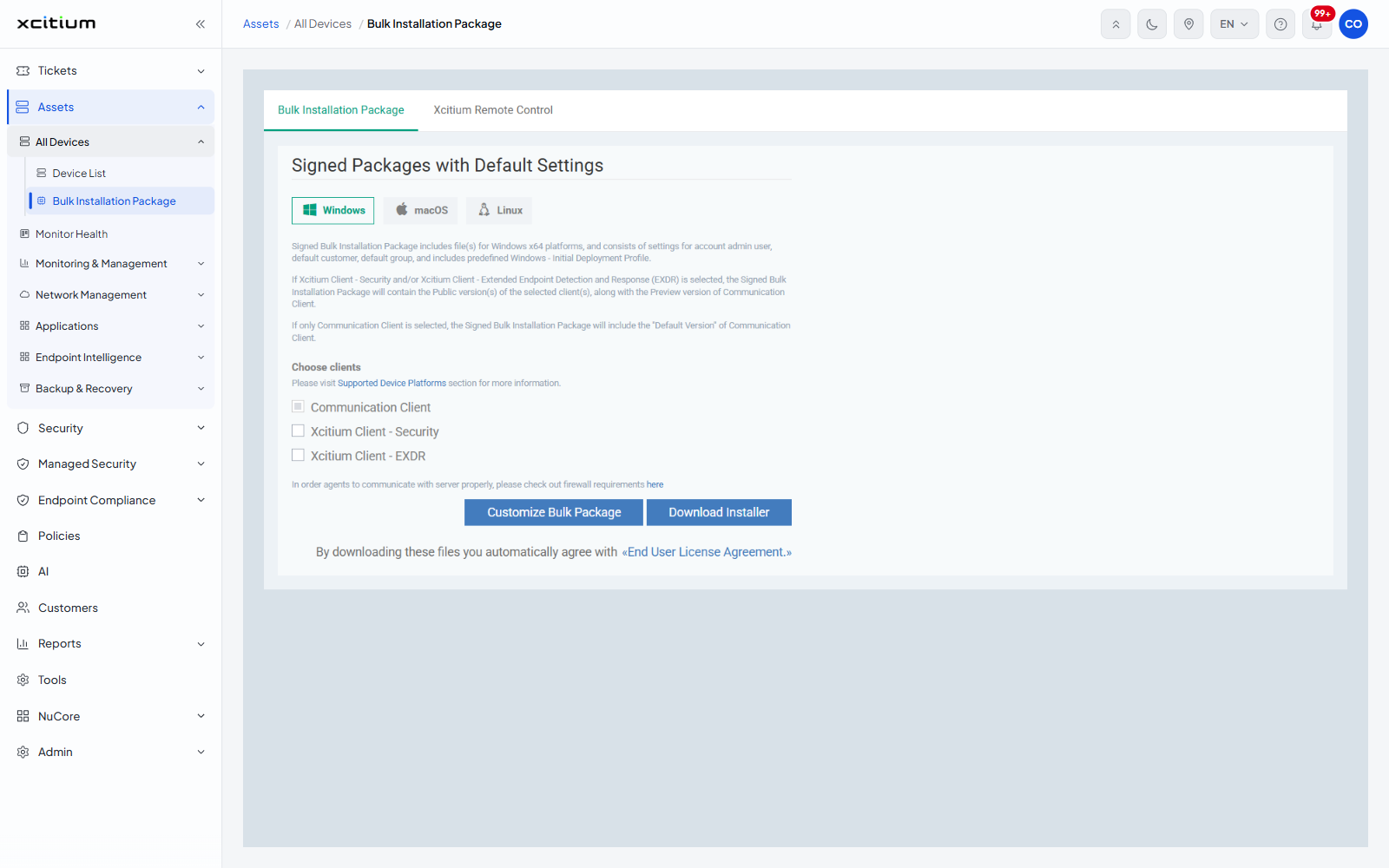
Three paragraphs explain what the signed package contains:
- The signed package carries the files for Windows x64, is configured for the account admin user, the default customer and the default group, and includes the predefined initial deployment profile.
- If the security client or the extended detection and response client is selected, the package contains the public version of those clients together with the preview version of the communication client.
- If only the communication client is selected, the package contains its default version.
Choose clients
Under the line 'Please visit Supported Device Platforms section for more information.'
| Checkbox | Description |
| Communication Client | The client that talks to the server. Ticked and disabled — it is always included. |
| Xcitium Client - Security | Adds the security client to the package. |
| Xcitium Client - EXDR | Adds the extended detection and response client to the package. |
The buttons
| Button | Description |
| Customize Bulk Package | Opens the full form. |
| Download Installer | Downloads the signed package. The line beneath reads 'By downloading these files you automatically agree with End User License Agreement.' |
Build a package
- Click 'Assets' > 'All Devices' > 'Bulk Installation Package'.
- Leave 'Windows' selected for a ready-made signed package.
- Tick the clients you want in addition to the communication client.
- Click 'Download Installer'.
- Deploy the downloaded file to your devices by whatever means you normally use.
Note: ready-made signed packages are offered for Windows only. Selecting 'macOS' or 'Linux' switches the page straight to the customise form, because those platforms have no default signed package.
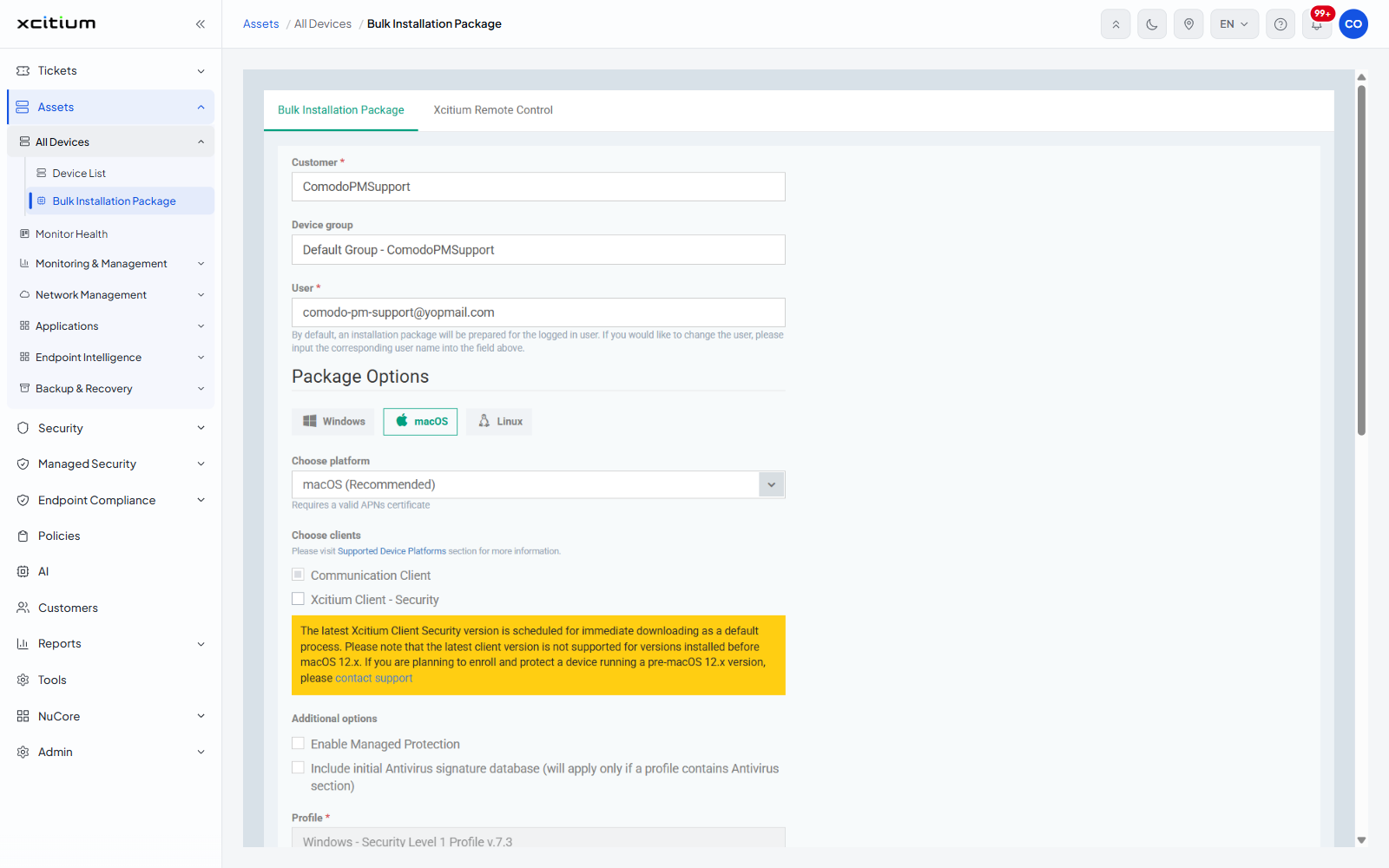
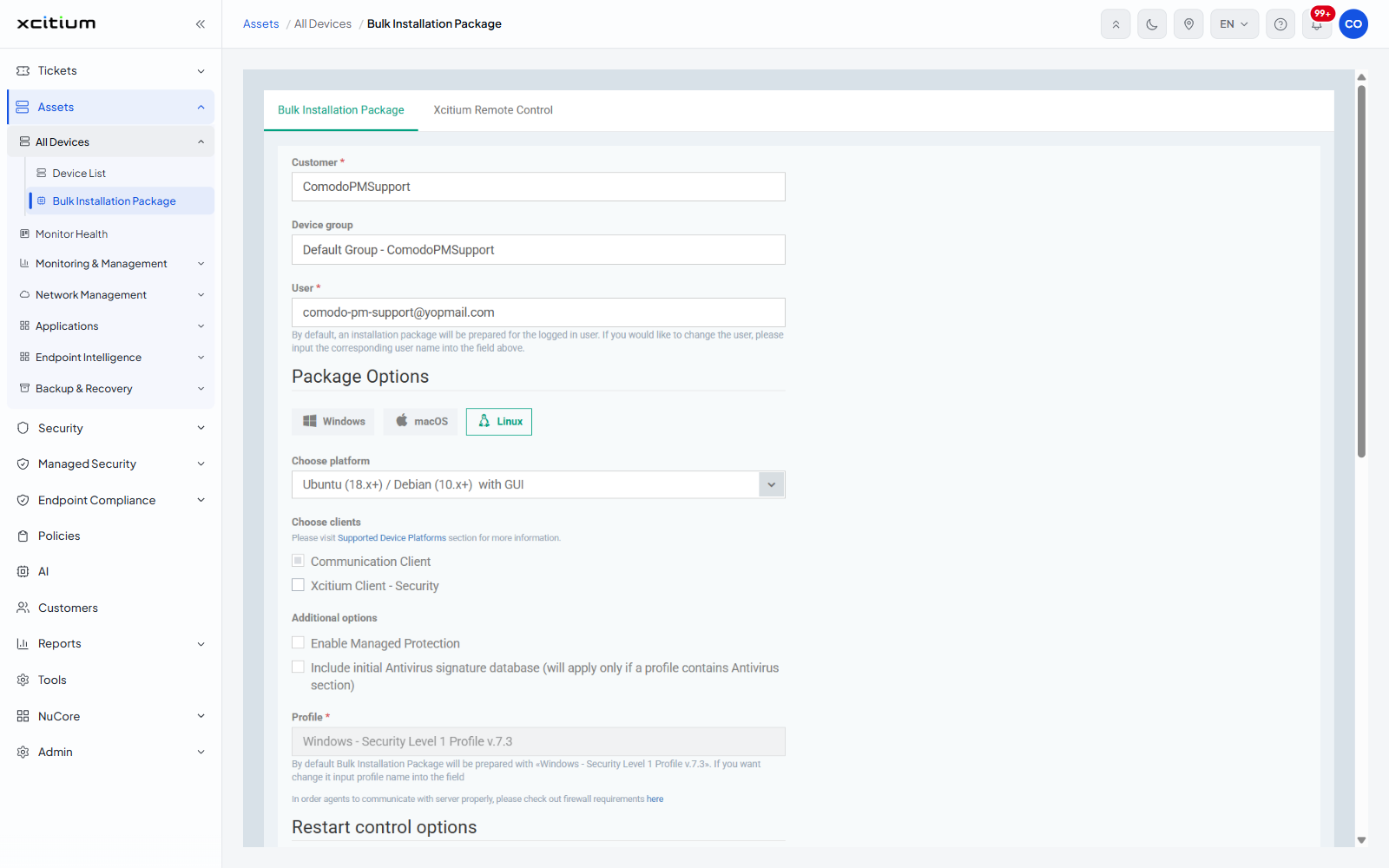
See Customize a Bulk Package for every field on the full form.