


Network Management
- Click 'Assets' > 'Network Management' to open this group.
Network Management finds the devices on the networks you look after — including the printers, routers and switches that carry no agent — and watches them from a probe device you nominate.
You can run discoveries, group the results, attach network monitors to them through network profiles, and classify SNMP devices with blueprints.
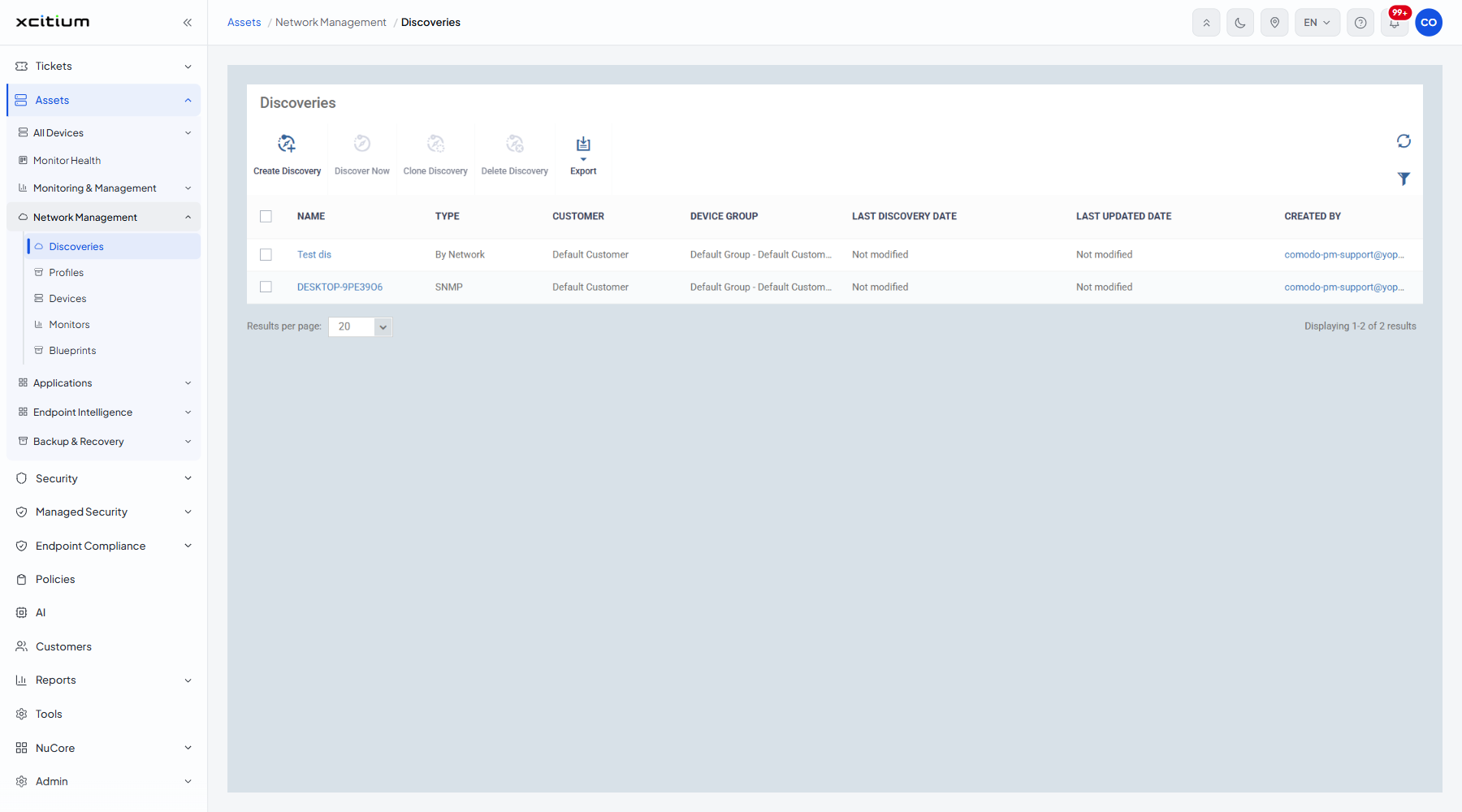
The screens in this group
| Option | Description |
| Discoveries | The scans that find devices on a network. See Discoveries. |
| Profiles | The network profiles that bundle monitors and probe devices. See Network Profiles. |
| Devices | The devices the discoveries found. See Network Devices. |
| Monitors | The conditions watched on a network device. See Network Monitors. |
| Blueprints | The SNMP OID rules that classify a network device. See Blueprints. |
How the pieces fit together
- Nominate a managed device on the network as a probe device.
- Create a discovery that tells the probe what address range or directory to scan.
- Run the discovery. What it finds appears on the Network Devices screen.
- Move the devices you want to look after onto the managed list.
- Create network monitors for the conditions you care about.
- Bundle those monitors into a network profile and give the profile its probe devices.
Note: every screen in this group needs at least one probe device: a managed device with an agent that does the scanning and the watching for the devices that have no agent of their own.