


Blueprints
- Click 'Assets' > 'Network Management' > 'Blueprints' to open this interface.
A blueprint is a set of SNMP rules that recognises a kind of network device. When a discovery meets a device whose OIDs match a blueprint, it classifies the device accordingly.
You can create, clone and delete blueprints, and give each one the conditions that identify its devices.
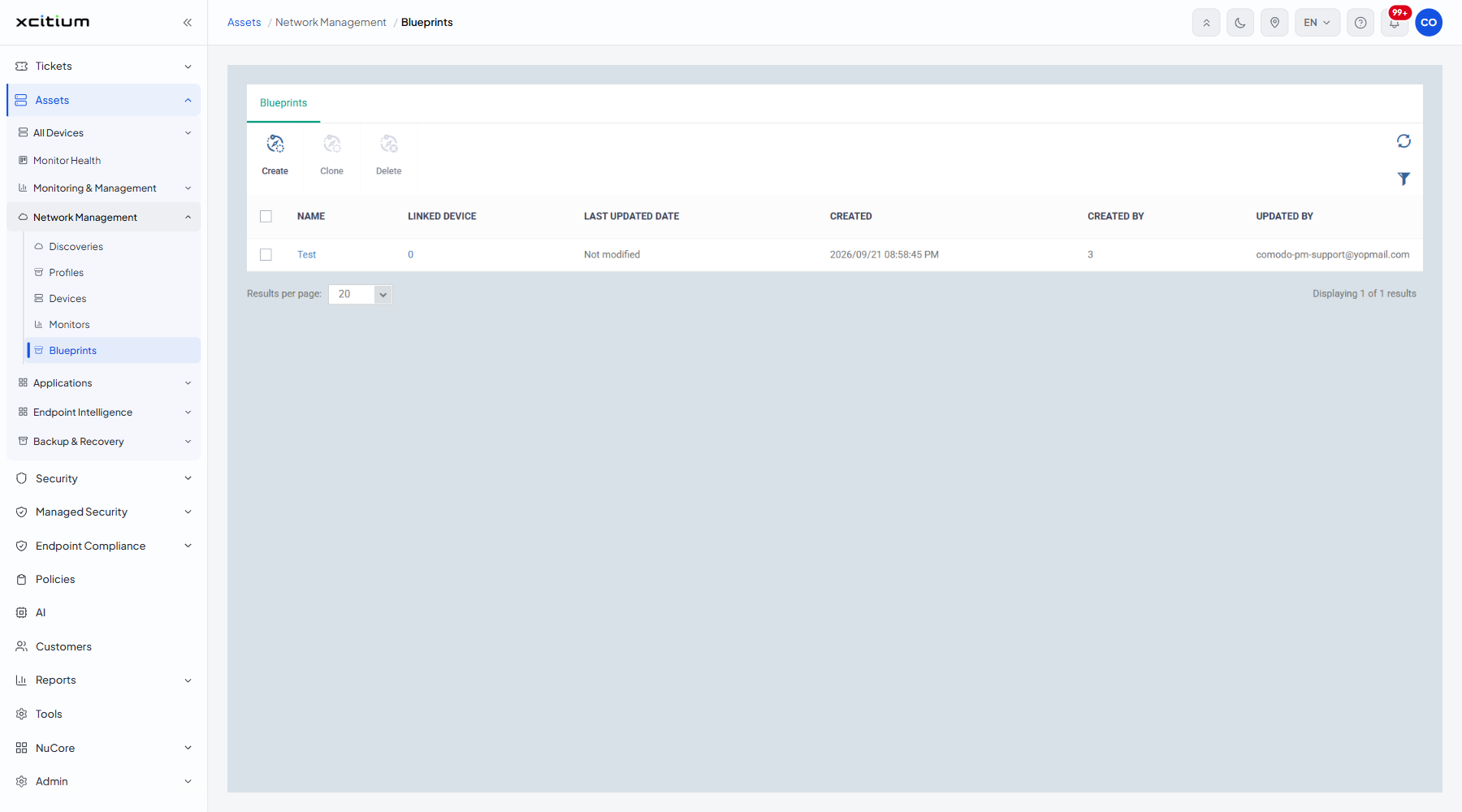
The toolbar
'Clone' and 'Delete' stay greyed out until you tick a row. A refresh icon and a filter icon sit at the right.
| Button | Description |
| Create | Opens the Create Blueprints dialog. |
| Clone | Makes a copy of the ticked blueprint. |
| Delete | Removes the ticked blueprint. |
The columns
| Column | Description |
| (checkbox) | Ticks the row so the toolbar buttons become available. |
| Name | The label of the blueprint. Click it to open it. See A Blueprint's Tabs. |
| Linked device | How many network devices this blueprint has classified, as a count and a link. |
| Last updated date | When the blueprint was last changed. Reads 'Not modified' when it has not been changed. |
| Created | When the blueprint was added. |
| Created by | The administrator who added it. |
| Updated by | The administrator who last changed it. |
The Create Blueprints dialog
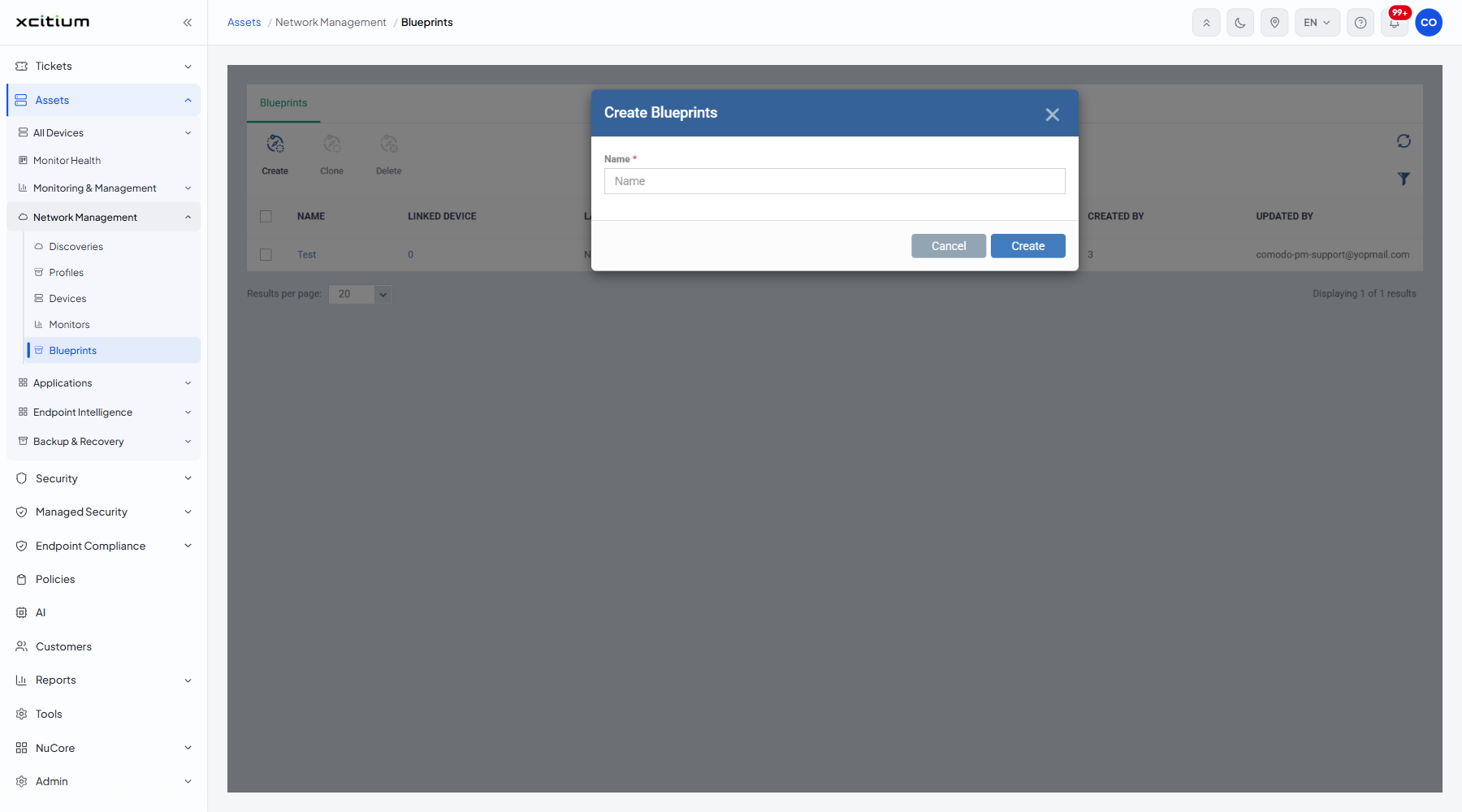
| Field | Type | Options / default | Required |
| Name | Text box | Empty by default. | Yes |
Create a blueprint
- Click 'Assets' > 'Network Management' > 'Blueprints'.
- Click 'Create'.
- Type a name into 'Name' and click 'Create'.
- Open the blueprint and add the OID conditions that identify the device.
Note: a blueprint classifies devices as discoveries find them. It does not reclassify the devices already on the Network Devices screen.