


Blocked Threats
- Click 'Security' > 'Endpoint Security' > 'Blocked Threats' to open this interface.
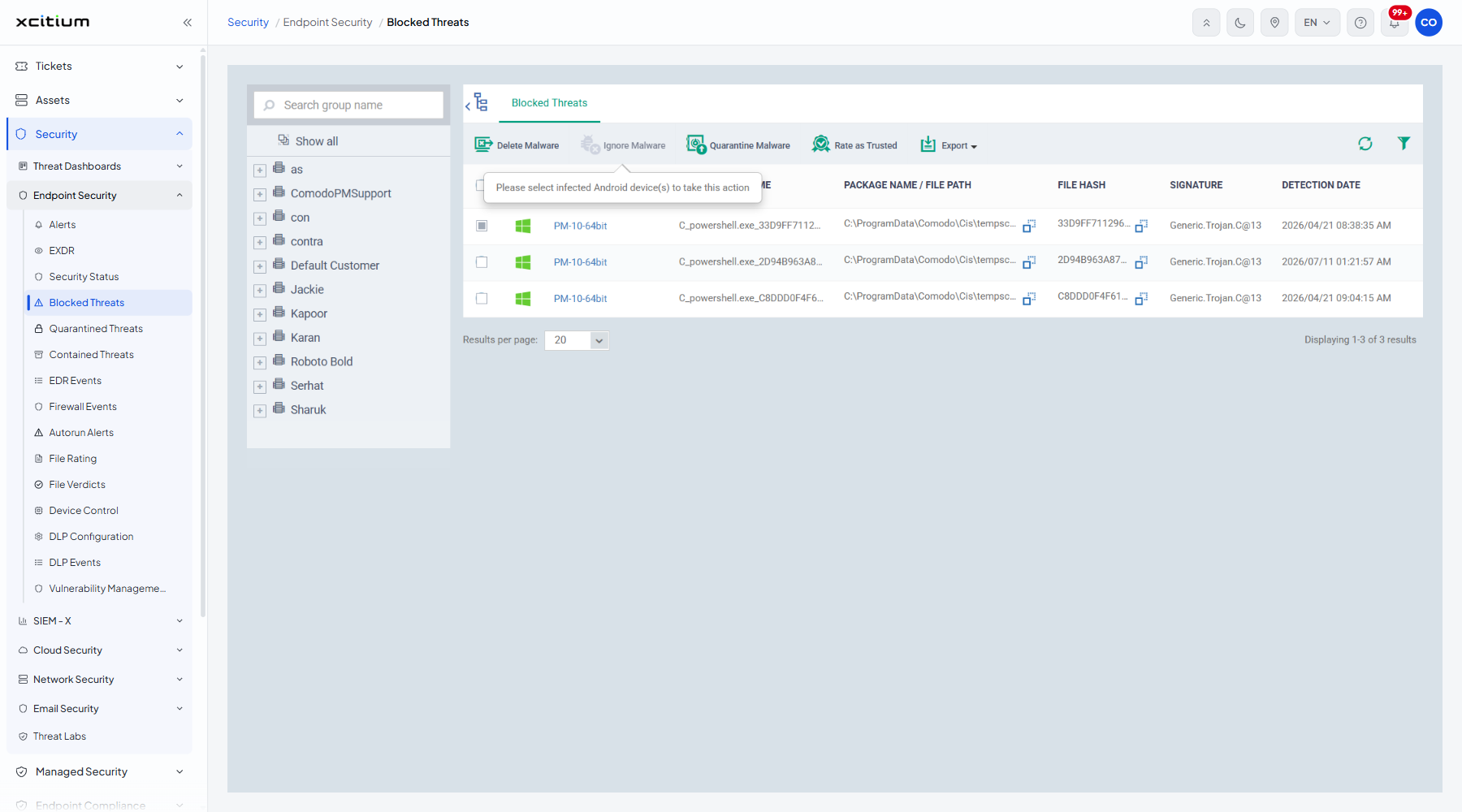
Note: The 'Ignore', 'Quarantine' and 'Rate as Trusted' actions take effect as soon as you click them. No confirmation dialog is shown, and a 'Request has been successfully sent' message appears.
Blocked Threats lists the malware the security client stopped on your enrolled devices, one row per detection, with the signature that matched and when it was found.
You can delete the malware from the device, quarantine it, ignore it, rate it as trusted, filter the list and export it.
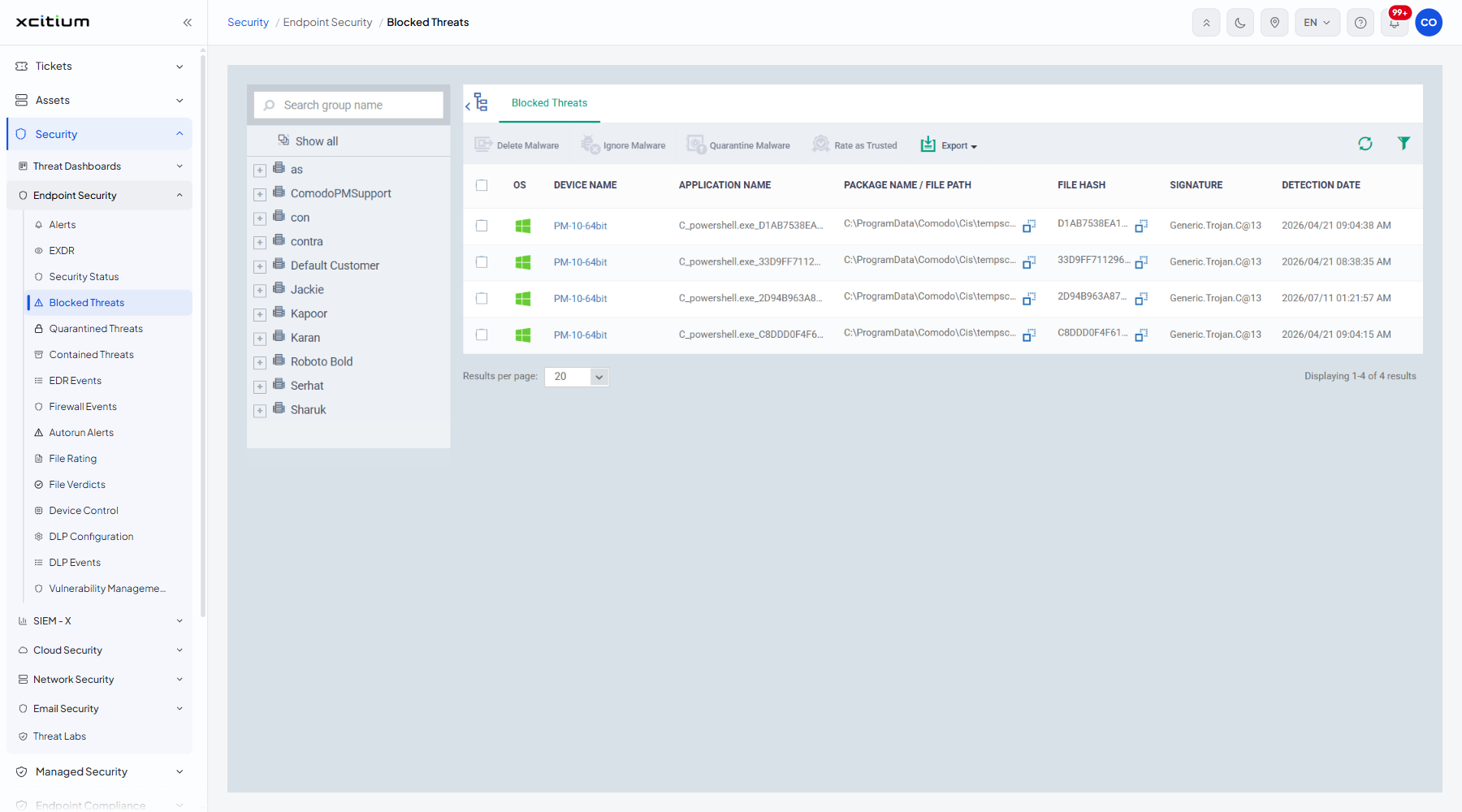
The columns
| Column | Description |
| OS | The operating system of the device, shown as an icon. |
| DEVICE NAME | The device the malware was blocked on. |
| APPLICATION NAME | The name of the blocked file or application. |
| PACKAGE NAME / FILE PATH | The package identifier, or the full path to the file. |
| FILE HASH | The hash of the blocked file. |
| SIGNATURE | The malware signature that matched, for example 'Generic.Trojan.C@13'. |
| DETECTION DATE | When the detection happened. |
The toolbar
| Button | Description |
| Delete Malware | Deletes the blocked file from the device. Opens a confirmation dialog first. |
| Ignore Malware | Leaves the file in place. It applies to Android rows; the tooltip reads "Please select infected Android device(s) to take this action". |
| Quarantine Malware | Moves the file to quarantine. It carries the same Android tooltip. |
| Rate as Trusted | Marks the file trusted so it is no longer blocked. It carries the same Android tooltip. |
| Export | Downloads the list. |
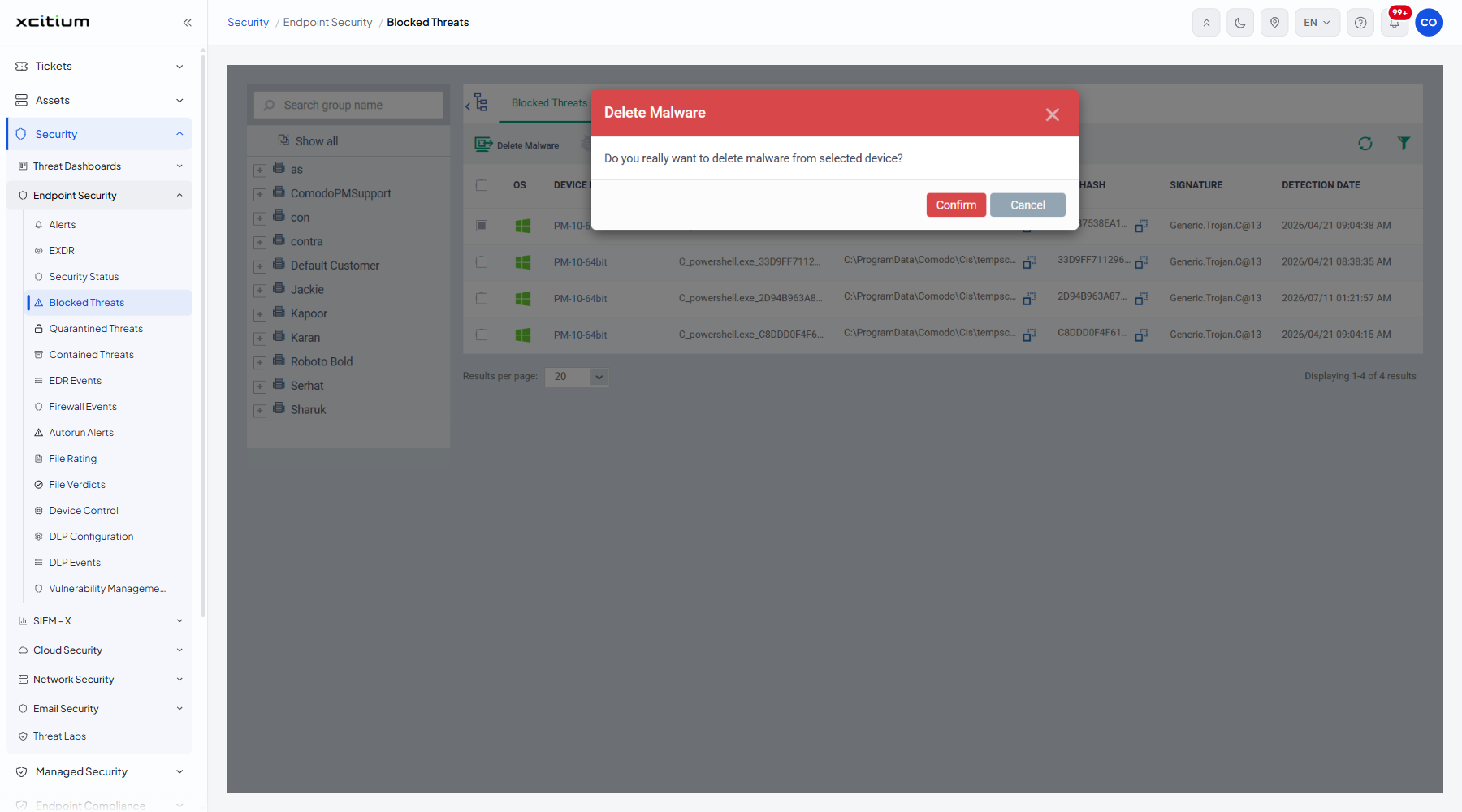
Delete blocked malware from a device
- Tick the row or rows you want to act on.
- Click 'Delete Malware'.
- A dialog titled 'Delete Malware' opens and asks "Do you really want to delete malware from selected device?".
- Click 'Confirm' to delete the file from the device, or 'Cancel' to leave it alone.
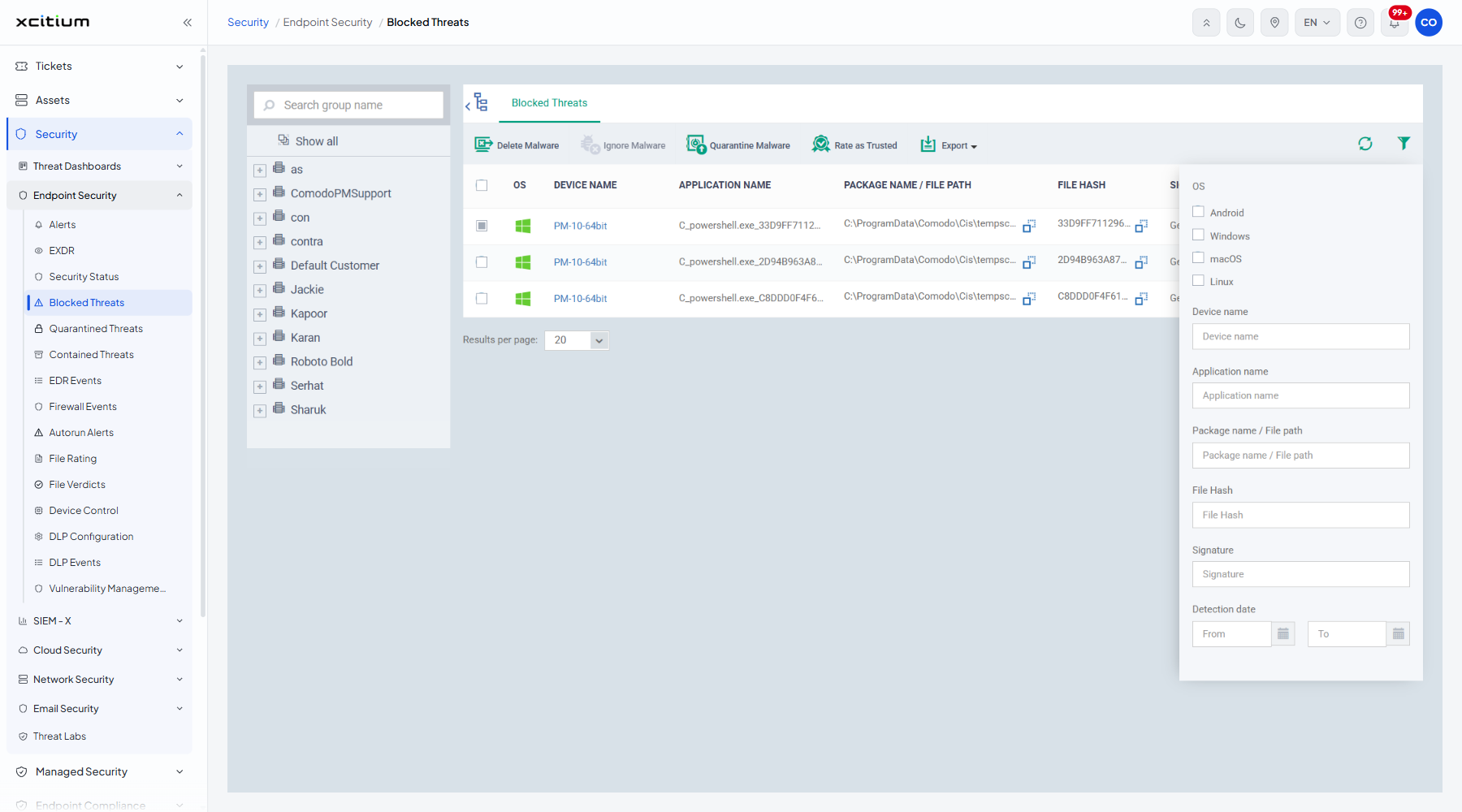
Filter the list
- Click the funnel icon at the top right of the table.
- Set the criteria you want.
| Filter | Description |
| OS | Tick boxes for 'Android', 'Windows', 'macOS' and 'Linux'. |
| Device name | Free text. |
| Application name | Free text. |
| Package name / File path | Free text. |
| File Hash | Free text. |
| Signature | Free text. |
| Detection date | A date range. |
Note: 'Delete Malware' removes the file from a live endpoint.