


DLP Configuration
- Click 'Security' > 'Endpoint Security' > 'DLP Configuration' to open this interface. The panel is titled 'Data Loss Prevention'.
DLP Configuration holds the data loss prevention rules for your account. A rule is either a discovery rule, which scans devices for sensitive content, or a monitoring rule, which watches what users do with removable storage and screenshots.
You can create a rule, see which profiles use it and delete rules you no longer need.
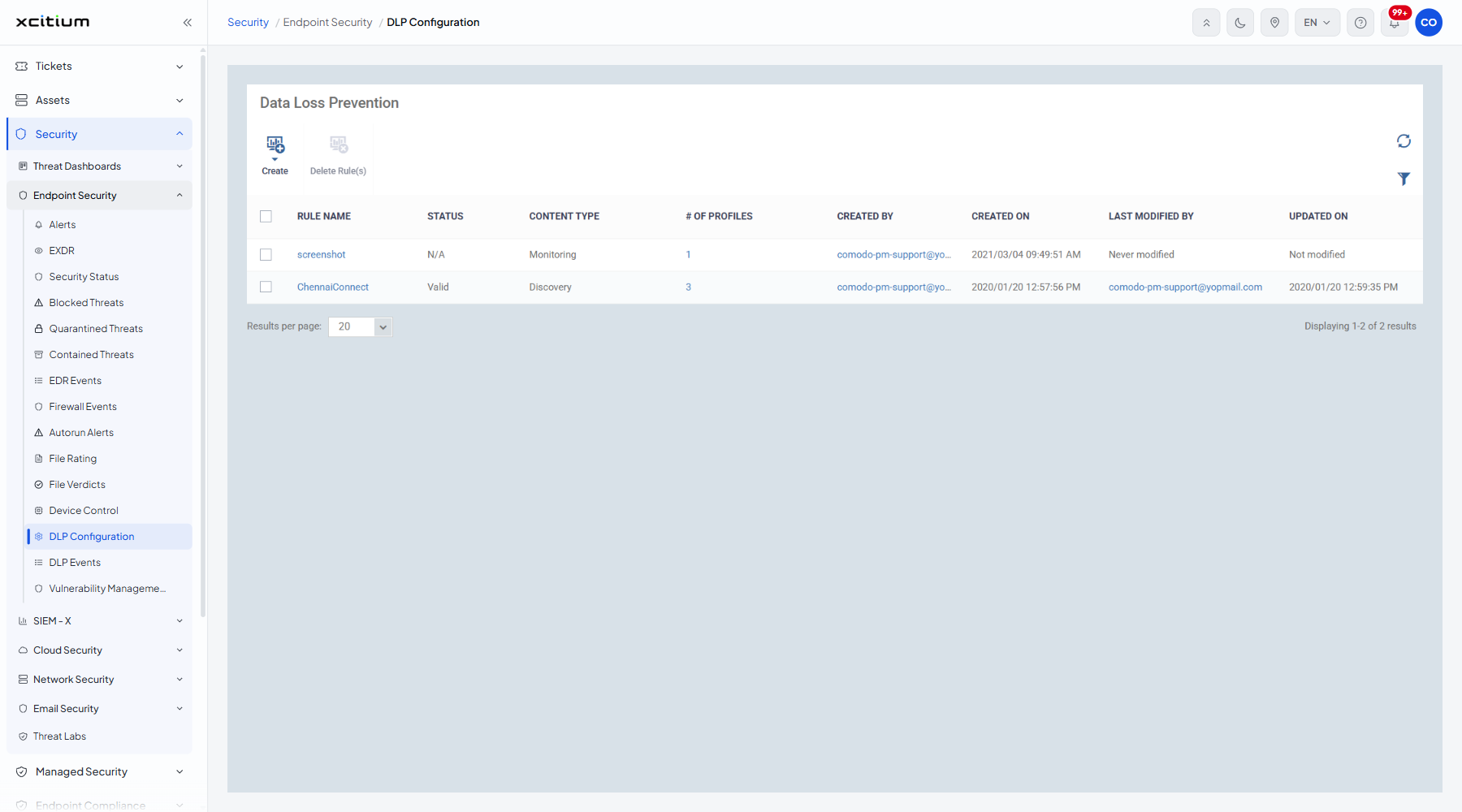
The columns
| Column | Description |
| RULE NAME | The name the rule was saved under. |
| STATUS | Whether the rule is usable. Values seen include 'Valid' and 'N/A'. |
| CONTENT TYPE | The kind of rule. Values seen are 'Discovery' and 'Monitoring'. |
| # OF PROFILES | How many profiles apply the rule. |
| CREATED BY | The account that created it. |
| CREATED ON | When it was created. |
| LAST MODIFIED BY | The account that last changed it, or 'Never modified'. |
| UPDATED ON | When it was last changed, or 'Not modified'. |
The toolbar
| Button | Description |
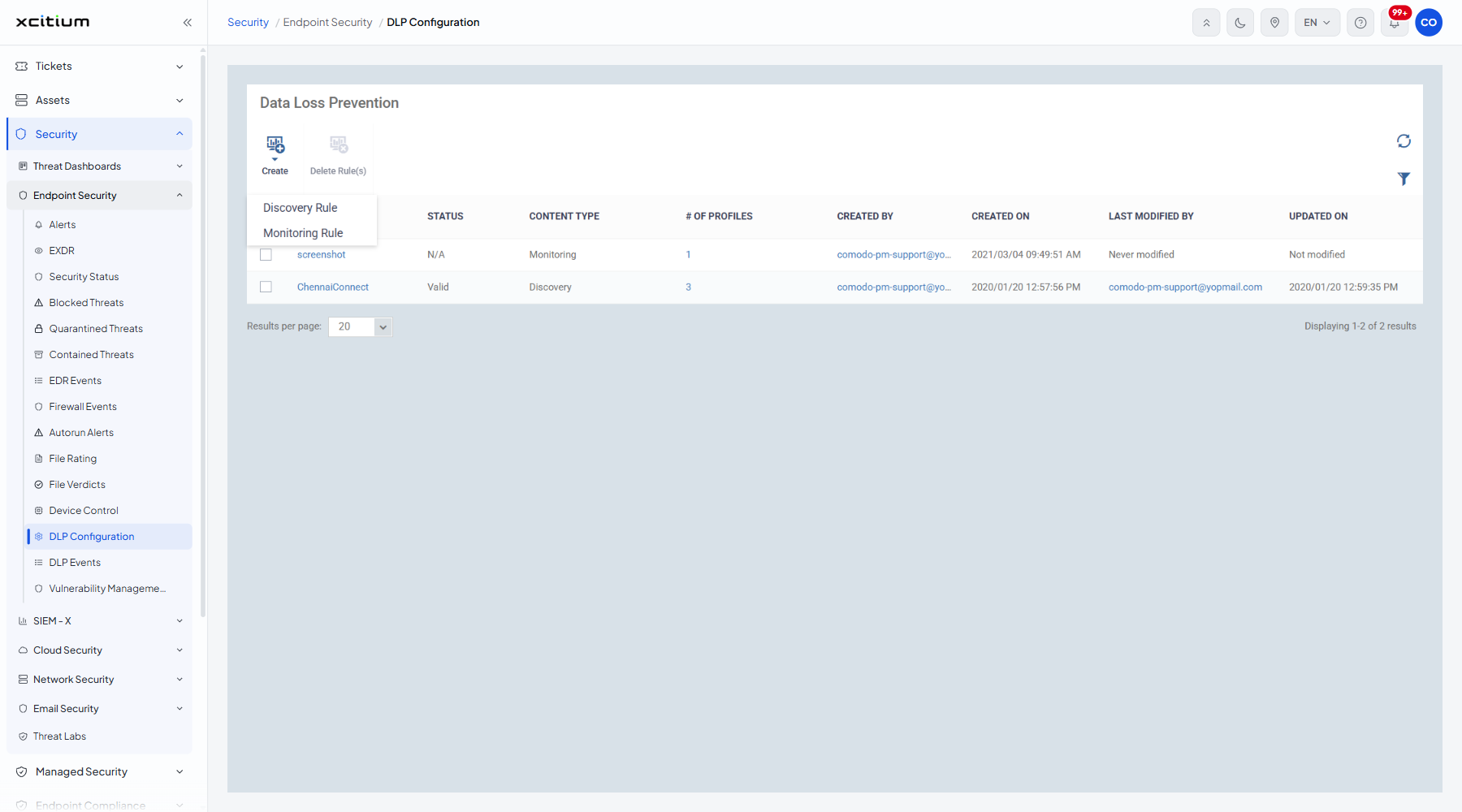
| Create | A menu holding 'Discovery Rule' and 'Monitoring Rule'. |
| Delete Rule(s) | Deletes the ticked rules. |
Create a rule
- Click 'Create'.
- Click 'Discovery Rule' to scan devices for sensitive content, or 'Monitoring Rule' to watch removable storage and screenshots.
- Fill in the dialog that opens and click 'Create'.
Delete a rule
- Tick the rules you want to remove.
- Click 'Delete Rule(s)'.
Note: a rule only takes effect once a profile applies it. The '# OF PROFILES' column tells you whether that has happened.