


Cloud Reports
- Click 'Security' > 'Cloud Security' > 'Reports' to open this interface.
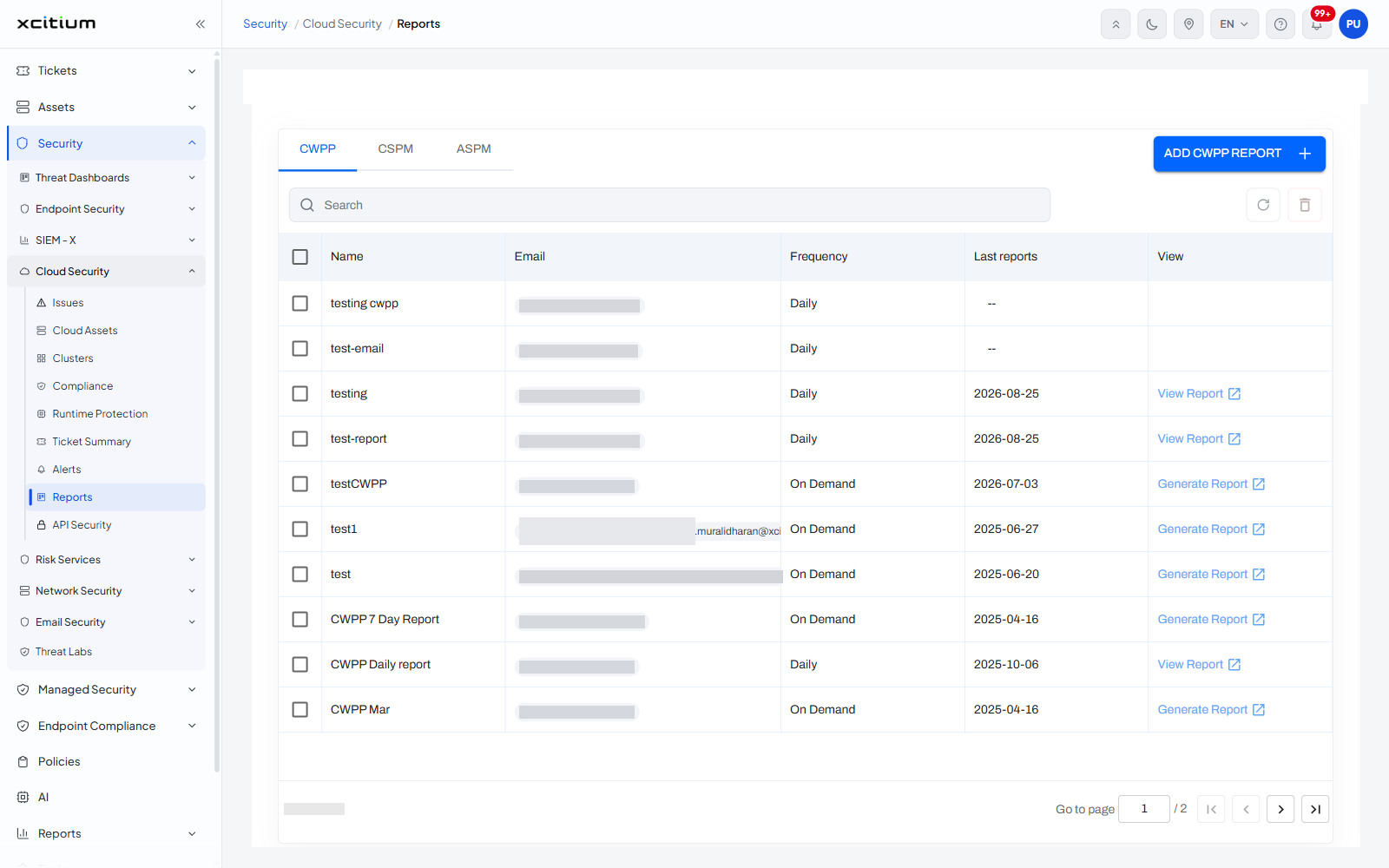
A cloud report is a scheduled summary of one part of the cloud posture, e-mailed to whoever needs it. The reports are split by what they cover: workload protection, posture management and application security. This screen lists the reports that exist under each heading and lets you add another.
You can move between the three report families, add a report, see when each last ran, open the last report produced, and generate an on-demand report.
The three tabs
| Tab | Description |
| CWPP | Cloud workload protection reports. The tab the screen opens on. |
| CSPM | Cloud security posture management reports. |
| ASPM | Application security posture management reports. |
The button at the top right follows the tab you are on, reading 'ADD CWPP REPORT' on the first tab. A refresh icon sits beside it.
Column descriptions
| Column | Description |
| Name | The name the report was saved under. |
| The address the finished report is sent to. | |
| Frequency | How often it runs. Values seen: 'Daily', 'On Demand'. |
| Last reports | The date the report last produced output. Shows '--' where it never has. |
| View | An action link whose wording follows the row: 'View Report' where output exists, 'Generate Report' on an on-demand report, and nothing at all where the report has never run. |
Add a report
- Open the tab for the family you want - 'CWPP', 'CSPM' or 'ASPM'.
- Click the add button at the top right, for example 'ADD CWPP REPORT'.
- Name the report, give the address it goes to and set its frequency.
Read a report
- Find the report in the list.
- Click 'View Report' in the 'View' column to open the last output, or 'Generate Report' to produce one now.