


API Security
- Click 'Security' > 'Cloud Security' > 'API Security' to open this interface.
API Security discovers the API endpoints your estate exposes, records which of them are reachable from outside and which carry sensitive parameters, and scans the API specifications you upload for problems.
You can browse the discovered endpoints, filter and save a view of them, upload an API specification, and set a scan running against it.
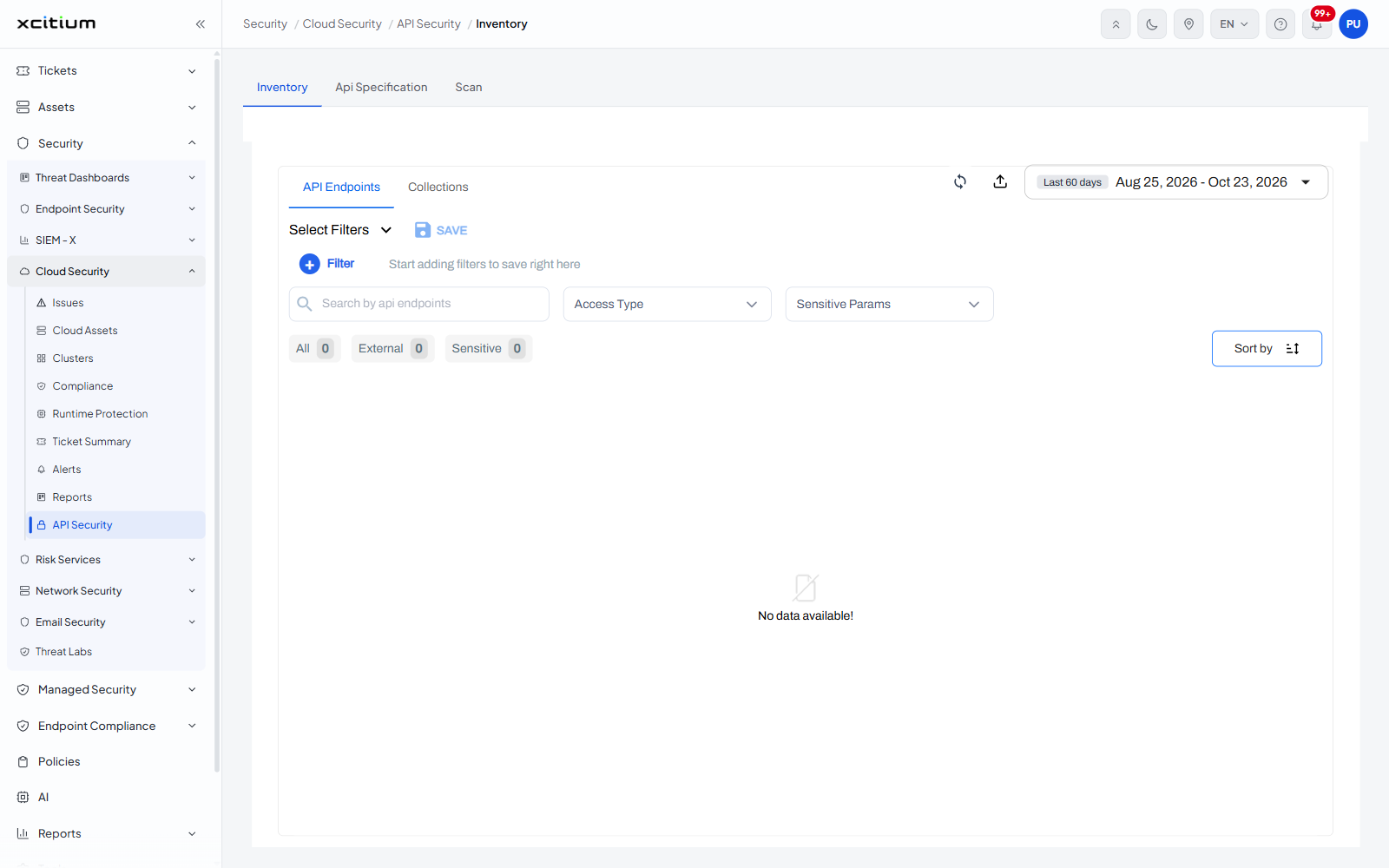
The interface
The screen has three tabs.
| Tab | Description |
| Inventory | The discovered API endpoints. The tab the screen opens on. |
| Api Specification | The specification files that have been uploaded. |
| Scan | The scans defined against those specifications. |
The 'Inventory' tab
Inside 'Inventory' are two further tabs, 'API Endpoints' and 'Collections'.
| Control | Description |
| Select Filters | A filter bar. Until a filter is added it reads 'Start adding filters to save right here'. |
| + Filter | Adds a filter condition. |
| SAVE | Saves the filter you have built so you can use it again. |
| Access Type | A counter block with 'All' and 'External', each with its own count. |
| Sensitive Params | A counter block with 'Sensitive' and its count. |
| Sort by | A drop-down that orders the endpoint list. |
| Date range | A control at the right showing 'Last 60 days'. |
Note: when no APIs have been found, every counter reads 0 and the list reads 'No data available!'
Open a tab
- Click 'Security' > 'Cloud Security' > 'API Security'. The screen opens on 'Inventory'.
- Click 'Api Specification' or 'Scan' in the tab strip above the panel.