


XCS Logging Settings
- Open a Windows profile, then click the 'XCS Logging Settings' tab.
'XCS Logging Settings' decides what the security client records and where it sends it. The panel is headed 'XCS Logging Settings'.
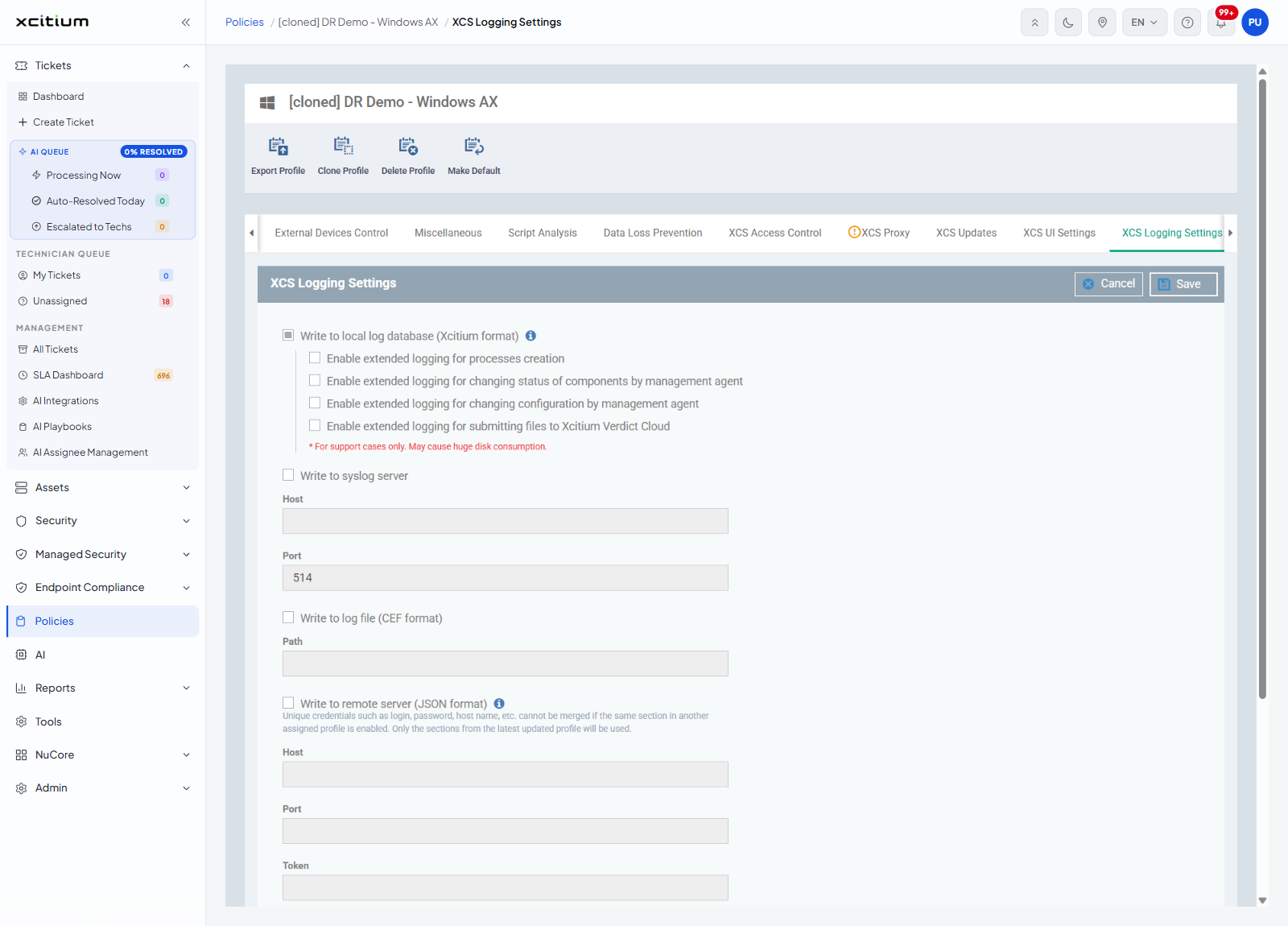
Write to local log database (Xcitium format)
Switching this on reveals four extended logging options:
| Option | Note |
| Enable extended logging for processes creation | — |
| Enable extended logging for changing status of components by management agent | — |
| Enable extended logging for changing configuration by management agent | — |
| Enable extended logging for submitting files to Xcitium Verdict Cloud | 'For support cases only. May cause huge disk consumption.' |
The other destinations
| Destination | Fields |
| Write to syslog server | 'Host' and 'Port' |
| Write to log file (CEF format) | 'Path' |
| Write to remote server (JSON format) | 'Host', 'Port' and 'Token' |
The note under 'Write to remote server (JSON format)' reads: 'Unique credentials such as login, password, host name, etc. cannot be merged if the same section in another assigned profile is enabled. Only the sections from the latest updated profile will be used.'
Log file size
| Setting | Description |
| Log file size (MB) | How large the log file may grow. |
| Action when file log size reaches limit: | Two choices: 'Keep on updating it removing the oldest records', or 'Move it to' followed by a location you give. |
What is sent back to Xcitium
| Setting | Note shown on the panel |
| Send anonymous program statistics to Xcitium | — |
| Crash dumps | 'Dump reports help our engineers analyze and fix the reasons of crashes' |
| Telemetry Reports | 'Telemetry system collects and sends to Xcitium data on origin, hash and rating of files scanned on the endpoints, which substantially contributes to Xcitium security intelligence process.' |
Buttons
| Button | Description |
| Save | Saves the logging settings and configures the section. |
| Cancel | Leaves the section as it was. |
Set up security client logging
- Click 'Policies' in the left navigation bar and open the profile.
- Click the 'XCS Logging Settings' tab.
- Turn on 'Write to local log database (Xcitium format)' and tick the extended options you need.
- Add a syslog server, a CEF log file or a JSON remote server if you collect logs centrally.
- Set the log file size and what happens when it is reached.
- Decide what is sent back to Xcitium.
- Click 'Save'.
Note: 'XCS Logging Settings' is one of the sections marked 'Required to configure' on the 'Sections' tab.
Note: the warning under 'Write to remote server (JSON format)' matters when a device has more than one profile. Only the most recently updated profile's remote server settings are used.