


My Tickets
- Click 'Tickets' > 'Technician Queue' > 'My Tickets' to open this interface.
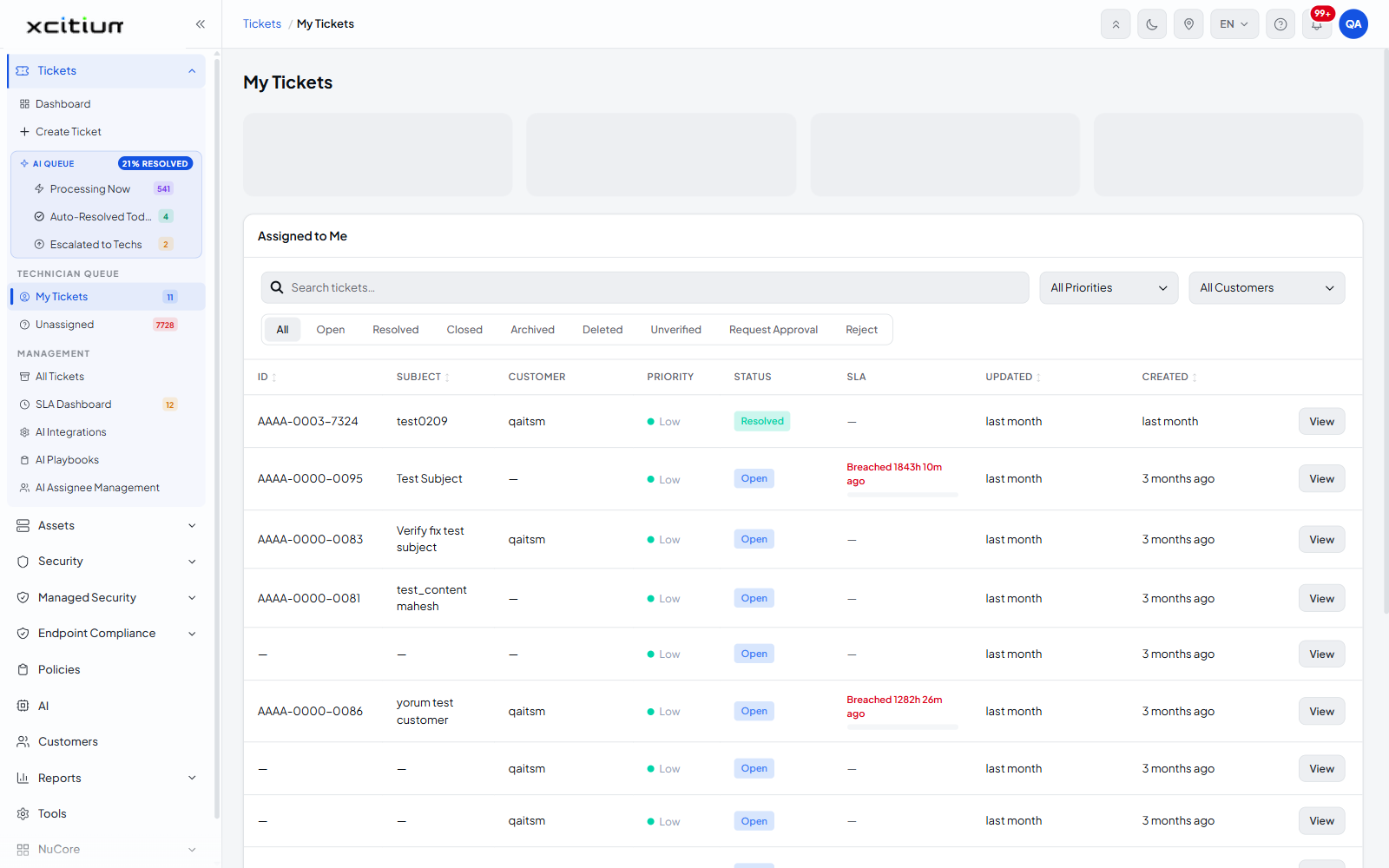
This screen lists every ticket assigned to the signed-in technician. It is your personal work list, headed 'My Tickets' with the line 'Assigned to Me'.
You can filter the list by status, priority and customer, search it, sort it by any of four columns, and open any ticket to work on it.
Filter by status
A row of status tabs sits above the table. Only one can be active at a time.
| Tab | Description |
| All | Every ticket assigned to you, whatever its status. This is the default. |
| Open | Tickets still being worked. |
| Resolved | Tickets marked resolved but not yet closed. |
| Closed | Tickets that have been closed. |
| Archived | Tickets moved to the archive. |
| Deleted | Tickets marked as deleted. |
| Unverified | Tickets awaiting verification. |
| Request Approval | Tickets waiting for an approval decision. |
| Reject | Tickets that were rejected. |
The other filters
| Control | Description |
| Search tickets… | A search box that filters the list as you type. |
| All Priorities | A dropdown that limits the list to one priority. The options are 'All Priorities' (the default), 'Low', 'Normal', 'High' and 'Critical'. |
| All Customers | A dropdown that limits the list to one customer. 'All Customers' is the default; below it is one entry per customer in your account. |
The ticket list
| Column | Description |
| ID | The ticket number. Sortable — click the arrows in the header to sort. |
| SUBJECT | The subject line of the ticket. Sortable. |
| CUSTOMER | The customer the ticket belongs to. Shows '—' when the ticket is not attached to a customer. |
| PRIORITY | The ticket priority, shown as a coloured pill — 'Low', 'Normal', 'High' or 'Critical'. |
| STATUS | The current status, for example 'Open', 'Resolved' or 'Closed'. |
| SLA | The SLA position. Shows '—' when no SLA applies, or a breach pill such as 'Breached 1843h 10m ago'. |
| UPDATED | How long ago the ticket last changed, for example 'last month'. Sortable. |
| CREATED | How long ago the ticket was raised, for example '3 months ago'. Sortable. |
| (actions) | Holds the 'View' button for the row. |
Row action
| Action | Description |
| View | Opens the ticket detail page for that row. |
Sort the list
- Click the sort arrows beside 'ID', 'SUBJECT', 'UPDATED' or 'CREATED'.
- Click again to reverse the order.
Find and open one of your tickets
- Click 'Tickets' > 'Technician Queue' > 'My Tickets'.
- Click a status tab to narrow the list, for example 'Open'.
- Narrow further with the 'All Priorities' and 'All Customers' dropdowns if you need to.
- Or type into 'Search tickets…' to filter by text.
- Click 'View' on the row. The ticket detail page opens.
Empty state
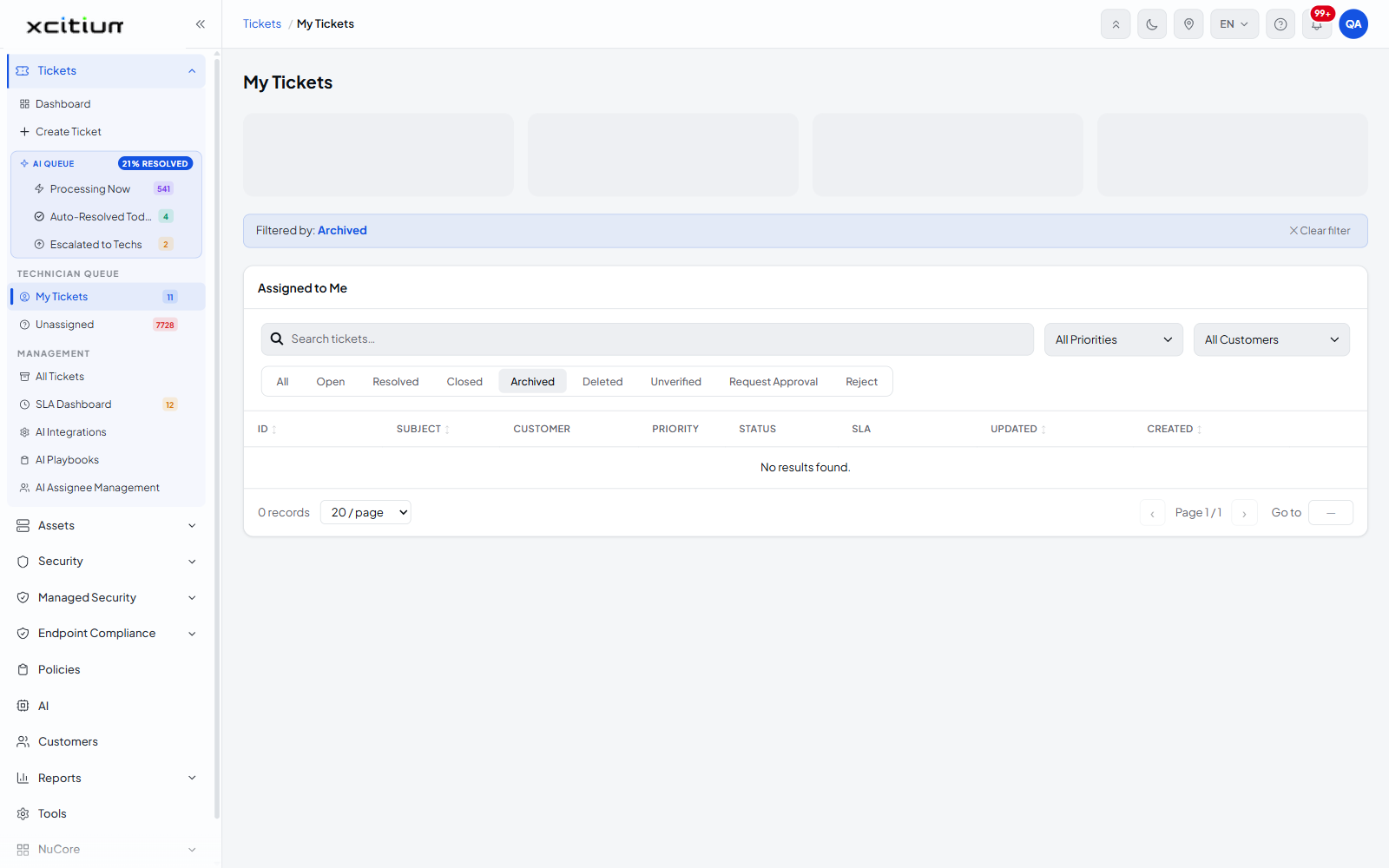
When no ticket matches the filters the table reads 'No results found.' and the footer shows '0 records'.
See Unassigned Tickets for work that has not been picked up, and Ticket Detail for what you can do once a ticket is open.