


Android Threat History
- Click 'Security' > 'Endpoint Security' > 'EXDR' > 'Android Threat History' to open this interface.
This tab runs the endpoint management console's file event history. It opens on the 'Android Threat History' view, which lists the threats found on enrolled Android devices, and offers three further views of the same event data.
You can scope the history to a customer, clear the history for a file and export the list.
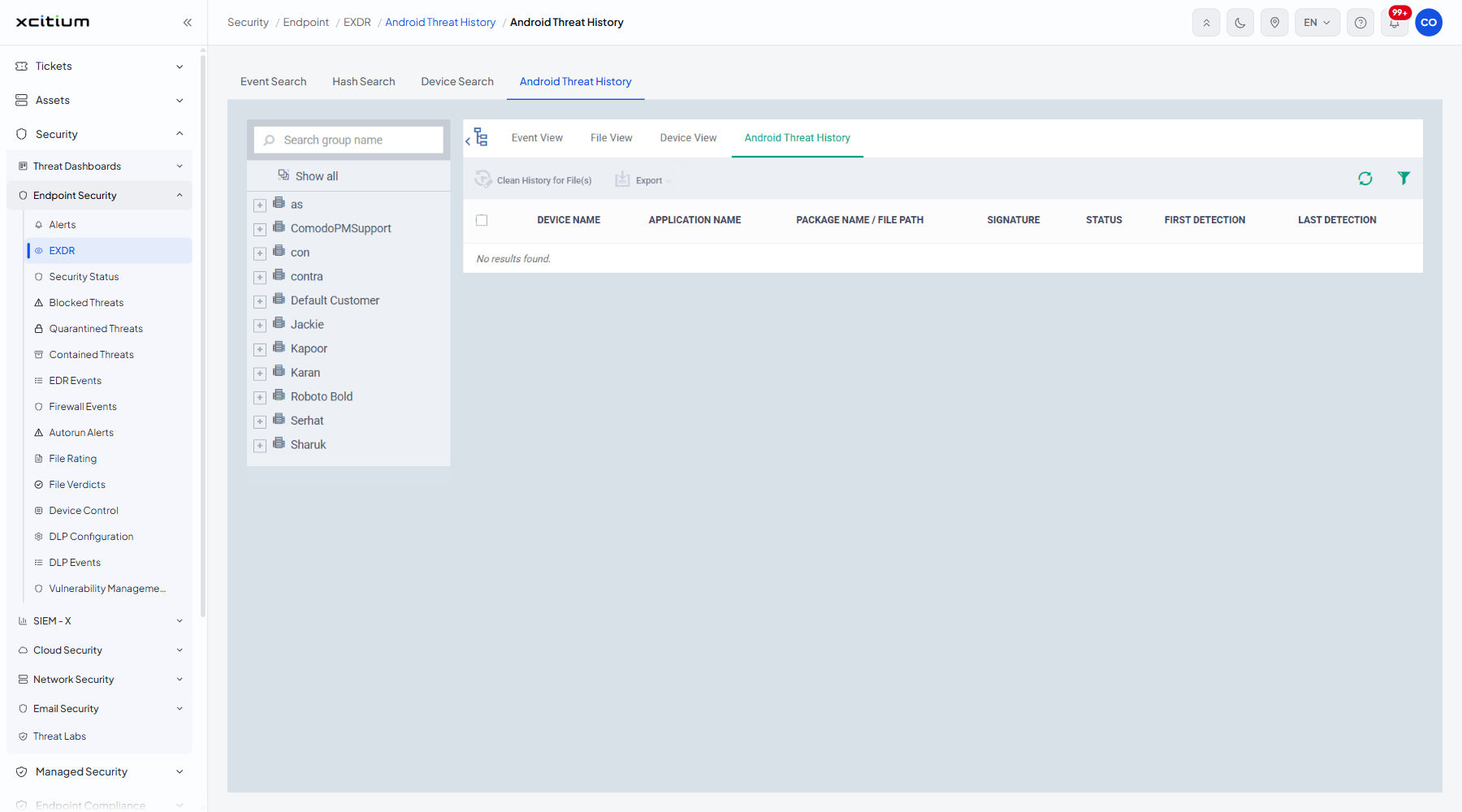
The inner views
| View | Description |
| Event View | One row per file event, with ratings before and after. See Event View. |
| File View | One row per file, with the number of devices it was seen on. See File View. |
| Device View | One row per device, with the components and actions involved. See Device View. |
| Android Threat History | The view this tab opens on. Threats found on Android devices. |
The columns
| Column | Description |
| DEVICE NAME | The Android device the threat was found on. |
| APPLICATION NAME | The application involved. |
| PACKAGE NAME / FILE PATH | The package identifier, or the path to the file. |
| SIGNATURE | The malware signature that matched. |
| STATUS | The current state of the detection. |
| FIRST DETECTION | When the threat was first seen. |
| LAST DETECTION | When the threat was last seen. |
The toolbar
| Button | Description |
| Clean History for File(s) | Removes the history entries for the files you have ticked. |
| Export | Downloads the list. |
Scope the list to one customer
- Use the customer panel on the left. It carries a 'Search group name' box and a 'Show all' entry.
- Click a customer, or expand it with the '+' and click a group inside it.
- The list redraws for that customer.
Note: when nothing matches, the list shows 'No results found.'